What Is Embroidery Digitizing? Beginner’s Guide to Embroidery Digitizing Services
By Alen Walker 08-07-2026 107
A small business owner has a crisp PNG logo and wants it embroidered on polos for a team event. The artwork looks clean on screen, so why can’t the embroidery shop just load it into the machine? That confusion is common. Embroidery digitizing services exist because machines do not read artwork like printers do. They need stitch instructions built for thread, fabric, size, and placement.
Before Thread Touches Fabric, the Logo Needs a Plan
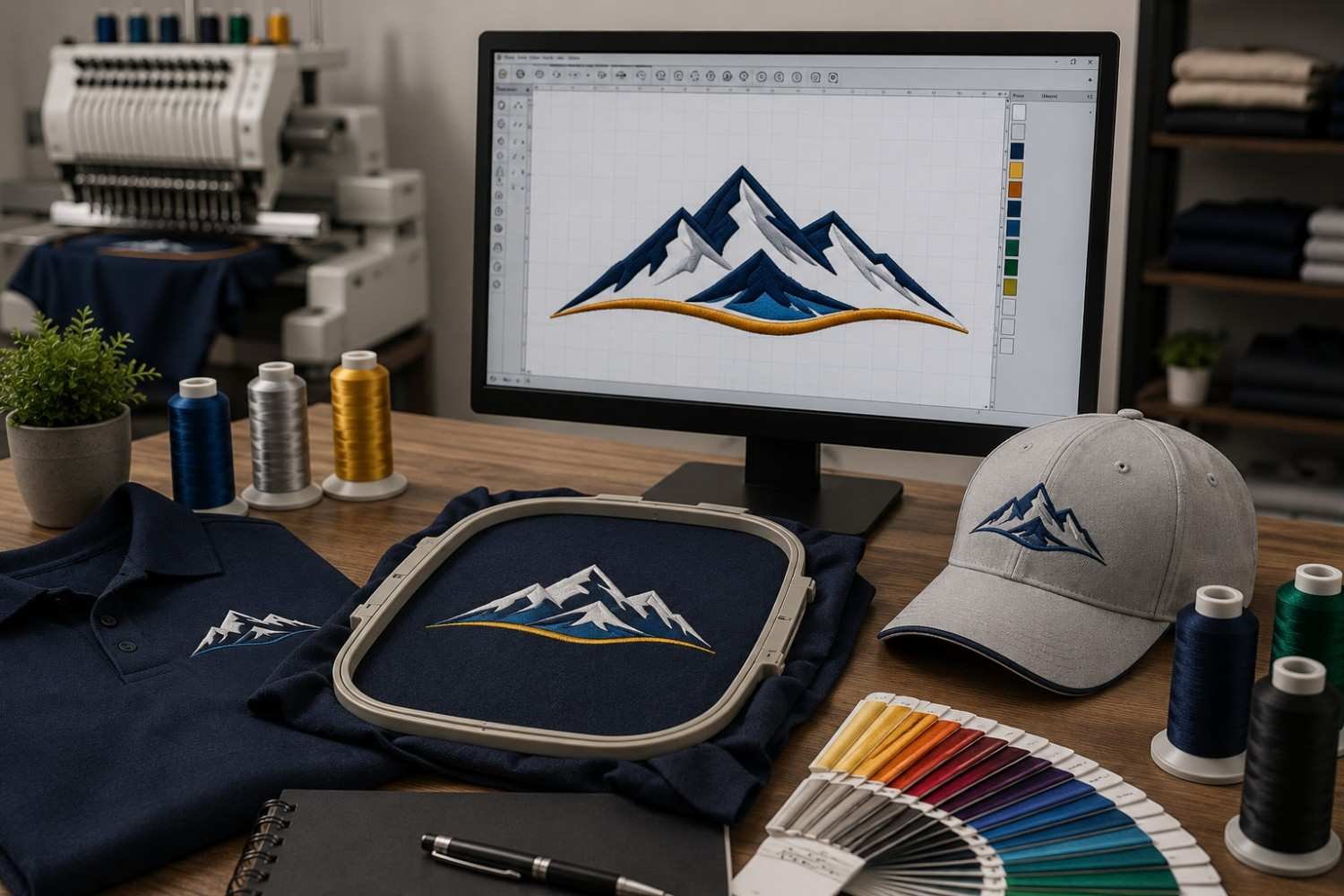
Embroidery digitizing means turning flat artwork into a machine-ready embroidery file. It is not the same as changing a JPG into another file extension. A digitizer rebuilds the design as stitches and decides how the needle should travel across the material.
That planning matters because thread has thickness, tension, and movement. A tiny line in a PDF may look sharp, but it may be too narrow to hold in thread. Small taglines, thin outlines, gradients, shadows, and tight letters often need adjustment before the design can stitch cleanly.
The goal is to protect the logo while making it possible for the machine to sew the design with fewer problems.
The Stitch File Is More Than a Converted Image
A normal image file shows colors and shapes. A stitch file gives machine instructions. It tells the machine where to start, what direction to sew, when to change colors, where to trim thread, and how each part should be filled.
This is why a JPG, PNG, or PDF is not the same as a DST file, PES file, EXP file, JEF file, or EMB file. The correct format depends on the embroidery setup being used.
Beginners should always ask their embroidery shop which format they need. Sending the wrong file type can slow production, especially when a rush job is tied to a firm delivery date.
How Digitizers Decide the Stitch Path
A good digitizer thinks like both an artist and a machine operator. Satin stitch may be used for small text, borders, and narrow shapes because it creates a smooth raised finish. Fill stitch works better for larger areas where satin would become too wide. Running stitch is useful for fine lines and detail accents.
Stitch direction affects how the thread catches light. Two areas using the same thread color can look different if the stitch angles change. Poor angle planning can make a clean logo look uneven.
Pathing is the order in which the design sews. Clean pathing reduces unnecessary trims, jump stitches, thread buildup, and machine stops.
Why Density, Underlay, and Pull Compensation Affect Quality
Stitch density controls how close the stitches sit together. Too much density can make the design stiff, cause puckering, slow the machine, and increase thread breaks. Too little density can leave gaps where fabric shows through.
Underlay stitches sit beneath the visible stitches. They create a base, hold the fabric more stable, and stop top stitches from sinking into textured material.
Pull compensation is another detail beginners rarely see. Thread pulls fabric as it sews, so the digitizer adjusts shapes to finish correctly after stitching. Without it, circles may become oval, outlines may shift, and small text may close up.
One Logo May Need Different Files for Different Products
A left chest logo on a polo does not behave like the same logo on a cap, jacket back, towel, tote bag, or patch. Each product has its own fabric behavior, hooping limits, thickness, and placement challenges.
Cap embroidery needs special planning because the surface is curved and often has a center seam. Jacket back embroidery may need larger fill areas, controlled stitch direction, and careful density so the garment does not feel heavy.
Patch digitizing also needs border planning. If text sits too close to the merrowed or satin edge, it can look crowded. One general file should not be used for every product.
Clean Artwork Makes Better Digitizing Possible
Digitizing is easier and more accurate when the artwork is clean. Vector artwork gives the digitizer sharper shapes and cleaner edges. If the logo is blurry, stretched, or low resolution, raster to vector conversion may be needed before the embroidery file is created.
Small text can be reviewed before it becomes unreadable. Thin lines can be thickened. Gradients and shadows can be simplified into thread-friendly areas.
A practical buying tip is to send the best artwork available, along with the final embroidery size. A design that works at four inches wide may fail at two inches, even if the original logo file looks perfect.
Questions to Ask Before Ordering a Stitch File
Before ordering, share the product type, fabric, placement, finished size, thread colors, and machine format needed. These details help the digitizer prepare the file for real production instead of guessing from the artwork alone.
Ask whether revisions are included after the first stitch-out. Even a well-prepared file may need a small adjustment once tested on the actual garment.
If your shop handles repeat orders, ask for reusable formats where possible. A clean approved file can help maintain consistency across future polos, uniforms, patches, bags, and promotional products.
Choose Support That Thinks Like Production
Professional digitizing should make embroidery easier, not just create a file. The right provider understands stitch density, trims, underlay, fabric movement, file formats, small text limits, and deadline pressure.
BitsNPixs supports embroidery shops, apparel decorators, promotional product companies, screen printers, uniform suppliers, and beginners who need clean, machine-ready files. Their professional embroidery digitizing services can help USA businesses with logo digitizing, artwork support, multiple file formats, fast turnaround, and revision-friendly service.
For beginners, the most important lesson is simple: embroidery digitizing is production planning. When the file is built correctly, the logo stitches cleaner, the machine runs smoother, and the finished product looks more professional. That means fewer rejected samples, fewer wasted garments, and more confidence before bulk embroidery.
Tags : embroidery digitizing