Samsung Repair in 2026: What's Actually Going Wrong and How to Fix It the Right Way
By Adam Uk 21-06-2026 120
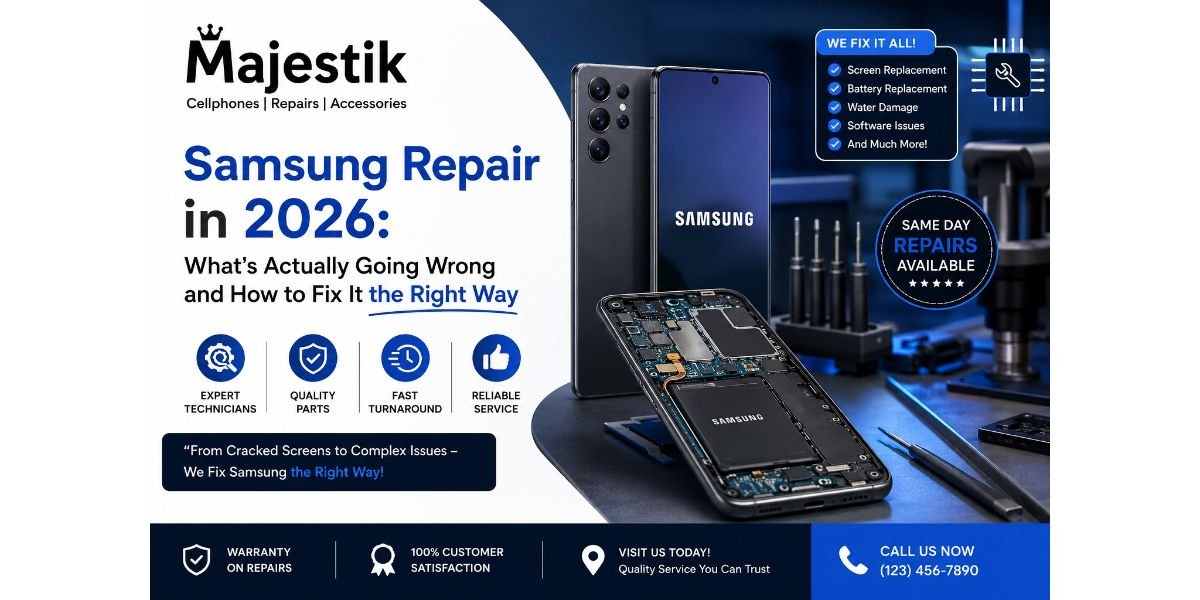
Samsung phones are everywhere reliable, packed with features, and trusted by millions across Canada and beyond. But no device, no matter how well built, stays perfect forever. Screens crack, batteries wear down, software updates sometimes cause more problems than they solve. The real question isn't whether your Galaxy will eventually need Samsung repair, it's whether you know where to turn when it does. That's exactly what this guide walks through the most common Samsung issues people run into in 2026, what's actually behind them, and how to make sure your phone ends up in capable hands.
Why Samsung Repair Has Become a Bigger Conversation This Year
Smartphone repair as a whole has grown into a massive industry, and Samsung devices make up a significant share of that demand. Industry data shows the global smartphone repair market is expected to reach roughly $22.66 billion in 2026, growing steadily as more people choose to fix their devices instead of replacing them outright. A big part of that shift comes down to cost repairs are simply more affordable than buying new, and most consumers have caught on. Surveys show a clear majority of smartphone users now prefer local repair shops over going through their carrier, with cost savings cited as the main reason behind that choice.
There's also a less flattering reason repair has become such a hot topic this year. A recent industry report graded major smartphone manufacturers on how repairable their devices actually are, and Samsung scored a D not far behind Apple's D-minus. That's not a glowing endorsement of long-term durability straight out of the box, which makes finding a repair shop that genuinely knows what it's doing even more important than it used to be.
The Most Common Samsung Problems People Are Dealing With Right Now
A handful of issues show up again and again across Galaxy phones, regardless of model year, and recognizing them early can save you a lot of frustration.
Screens that freeze, lag, or stop responding are among the most frequently searched Samsung problems today. This typically shows up after a software update, heavy app usage, or an accidental drop, and while a restart or cache clear sometimes helps temporarily, a screen that keeps misbehaving usually points to a hardware issue that needs proper diagnosis.
Battery drain and overheating remain two of the most common complaints, often appearing together. A phone that used to last all day suddenly struggling to make it past lunch is rarely just bad luck — it's usually a sign the battery has degraded past its effective capacity, especially on older Galaxy models that have been through hundreds of charge cycles.
Post-update software bugs have become a recurring headache, particularly on certain Galaxy S series models. Unresponsive 5G connections, random Bluetooth disconnections, and camera stabilization failures have all been linked to firmware issues following recent Android updates. Sometimes a system cache refresh resolves it; other times the underlying corruption needs a more hands-on fix.
Wi-Fi and connectivity problems are another widely reported issue, with many users noticing dropped calls or unstable connections specifically after updating their software. It's frustrating because the phone itself isn't damaged the problem lives in the software layer, which can be just as tricky to pin down as a hardware fault.
Cracked and damaged screens still top the list industry-wide. Screen repair and replacement makes up close to half of all smartphone repair services performed, and Samsung's edge-to-edge displays, while beautiful, don't leave much room for error when a phone hits the ground.
Repair or Replace? How to Think About the Decision
Not every issue calls for a brand-new phone, and honestly, most don't. If you're dealing with a single, well-understood problem a cracked screen, a tired battery, a loose button — repair is almost always the smarter financial move, often extending your phone's usable life by another year or two without a major expense.
Where it gets more complicated is when multiple issues pile up at once. A phone fighting battery degradation, a failing camera module, and water damage simultaneously starts edging toward the cost of a mid-range replacement, at which point upgrading may actually make more sense. Liquid damage in particular tends to be the most expensive category to fix, often costing more than double what a standard screen or battery repair runs, simply because of how unpredictable internal corrosion can be.
The honest answer is that a proper diagnostic not a guess is the only reliable way to know which side of that line your phone falls on.
What Actually Separates a Good Samsung Repair Shop From a Risky One
Given how complex modern Galaxy phones have gotten, the gap between a skilled technician and an inexperienced one matters more than it used to. A few things are worth checking before you hand over your device.
Look for certified or authorized service status. This isn't just a marketing badge it usually means the shop has been vetted to work on specific brands properly, with access to genuine parts and manufacturer-approved repair processes rather than guesswork.
Ask whether they run a proper diagnostic before jumping to repairs. A shop that identifies the actual root cause first, rather than replacing parts on a hunch, tends to be more reliable and often ends up saving you money by avoiding unnecessary fixes.
Check what kind of replacement parts they use. Original or certified components cost more upfront but typically last longer and preserve features like water resistance, something that matters a lot if your Galaxy still has that protection intact.
This is precisely the standard that Majestik Communications has built its name around in Whitby and the surrounding Durham Region. As an authorized service provider, the shop combines certified technicians with quality parts across phones, tablets, and smart watches, rather than cutting corners to push customers through faster. For Samsung owners specifically, that distinction matters a properly handled Galaxy S series or Note repair can mean the difference between a phone that feels brand new again and one that develops new problems a few weeks later.
What to Expect During a Typical Samsung Repair
Repair timelines have improved significantly thanks to better diagnostic tools and more experienced technicians. Standard issues like screen replacement or battery swaps are commonly completed the same day, while more involved repairs motherboard work, water damage assessment, camera module replacement naturally take longer given the precision required.
Pricing varies based on a few consistent factors: the specific Galaxy model, the type of repair needed, and whether genuine or third-party parts are used. Screen and battery work sit on the more affordable end of the spectrum, while water damage and internal component repairs land at the higher end due to the diagnostic time and risk involved.
A good shop will walk you through this upfront rather than leaving you guessing clear pricing, an honest assessment of whether the repair is even worth pursuing, and a realistic timeline for getting your device back.
Simple Things You Can Do Before Booking a Repair
A few quick checks before heading in can sometimes save you a trip, or at least help the technician diagnose faster.
Try a basic restart first it sounds obvious, but it resolves a surprising number of minor software glitches on its own. If the screen is unresponsive or laggy, booting into Safe Mode can help determine whether a third-party app is the culprit rather than a hardware fault. For battery concerns, checking your battery health stats in settings gives you a concrete number to work with instead of just a vague feeling that the phone doesn't last as long anymore.
If none of that resolves the issue, that's your cue that it's time for a proper inspection rather than continuing to troubleshoot blind.
Final Thoughts
Samsung phones are built to handle daily life, but daily life eventually catches up with every device — cracked screens, aging batteries, the occasional stubborn software bug. Samsung repair has become a smarter, more cost-effective choice than replacement for the vast majority of these issues, especially as repair shops have gotten better equipped to handle even the more complex, precision-heavy problems modern Galaxy phones present. What matters most is choosing a shop that prioritizes proper diagnostics, genuine parts, and technicians who actually know Samsung hardware inside and out. For anyone in Whitby or the wider Durham Region looking for exactly that kind of reliability, Majestik Communications is a name worth keeping in mind the next time your Galaxy needs professional attention.
Frequently Asked Questions
How do I know if my Samsung battery needs replacing?
Check your battery health under device care settings. If your phone struggles to last through a normal day despite light use, or if it shows noticeable performance drops, the battery has likely degraded enough to warrant replacement.
Why did my Samsung phone start having issues right after a software update?
Post-update bugs are fairly common, particularly affecting connectivity features like 5G, Bluetooth, and camera stabilization on certain Galaxy models. A cache refresh sometimes resolves it, though persistent issues may need a more thorough system repair.
Is it safe to use a third-party repair shop instead of going through Samsung directly?
Yes, as long as the shop is a certified or authorized service provider using quality parts and experienced technicians. Many independent shops offer comparable quality to manufacturer service centers, often with faster turnaround and more competitive pricing.
How much does a typical Samsung screen replacement cost?
Pricing depends on the specific model and whether genuine or third-party parts are used, but screen repairs generally fall on the more affordable end compared to motherboard or water damage repairs.
Can a water-damaged Samsung phone always be repaired?
Not always. It depends on how much internal corrosion has occurred and how quickly the device was brought in for assessment. A professional diagnostic is the only reliable way to determine whether repair is realistic.
Will repairing my Samsung phone affect its water resistance?
It can, if proper seals and certified parts aren't used during the repair. Choosing a shop experienced specifically with Samsung devices helps preserve features like water resistance after the fix.
How long does a typical Samsung repair take?
Standard repairs like screen or battery replacement are often completed the same day, while more complex issues such as water damage or motherboard repair may take longer due to the precision and diagnostic work involved.
Tags : Samsung repair