WholeClear 11.0: Email Migration Software Built for Windows, Mac, and Linux
By Emma Watson 01-09-2026 1
Choosing Email Migration Software That Works Across Windows, Mac, and Linux
Anyone who has managed email data across a mixed office knows the frustration. One teammate runs Windows, another swears by a MacBook, and the IT department has a few Linux machines tucked away for good measure. The moment someone needs to migrate or convert email files, that mix of operating systems turns into a real obstacle, because most migration tools are built for one platform and quietly ignore the rest.
That gap is worth talking about, because it shapes which tools are actually usable for teams that are not running a single, uniform setup.

The Platform Problem Nobody Discusses Early On
Go to the product page of any PST converter or email migration tool and you will see a long list of supported file formats. What it often won’t clearly tell you is the underlying operating system that the tool operates on. Many are Windows-only. Some claim they have Mac support, but what they really mean is it runs inside a virtual machine, or functions via a browser workaround. That adds set up time, and it rarely feels like a native experience.
That might not matter much for a small business, or a lone user with one machine. For an IT team that handles Windows laptops, Mac desktops, and maybe a Linux server or two, it's a real limitation. Either everyone is using one platform for migration work, or the team is using multiple tools for the same work.
What Real Cross Platform Support Looks
Cross platform support is a phrase often thrown around loosely in software marketing, so it helps to be specific about what it should really mean:
• Native build per Operating System, not a workaround
• The same set of features available regardless of which machine you are on
• Consistent behavior, so that what you learn in a workflow on one platform translates to another
• Does not rely on emulators, compatibility layers or a second piece of software to get the tool up and running
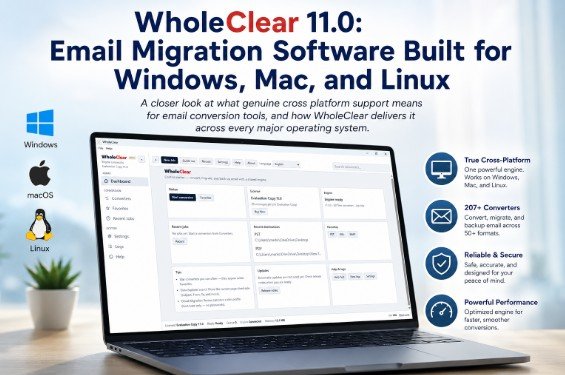
An example built around that definition is WholeClear 11.0. It ships as native software for Windows 10 and 11, macOS on Intel and Apple Silicon chips, and Linux (via AppImage and DEB packages). This means the same install path is available whether the machine in front of you is a Windows desktop, a MacBook or a Linux workstation, without the need for a virtual machine in between.
What the Tool Actually Covers – A Look
Beyond the platform question, it's worthwhile to consider what a migration tool can convert, because that's the part that determines whether it solves your particular problem.
When you open the interface there is a pretty wide list of source formats, grouped in categories:

File formats local
• PST and OST (Outlook Data Files)
• EML and EMLX (Apple Mail and standard message formats)
• MSG (single Outlook message)
• Thunderbird and other mailbox files (MBOX, MBX)
• Thunderbird directly profiles.
• NSF (Lotus Notes & Domino)
• TGZ (Zimbra archives)
Options for cloud and address book
• IMAP mailboxes for Gmail, Yahoo, Hotmail, Zimbra and other hosted IMAP accounts
• Backup of Office 365 and Outlook.com, export to PST, EML, MSG, MBOX etc
• VCF contact files including export, import, merge, split, and duplicate removal
The interface itself walks you through a simple four-step process starting with the source selection, moving to a data explorer where you can preview folders and messages before converting and then on to the destination and the actual conversion. One handy little detail is the ability to preview your messages before you commit to a full conversion – so you’re not converting blind and hoping the output looks right afterward.
The dashboard also keeps track of recent jobs and destination folders, so that you don’t have to reenter the same file paths each time for repeat conversions. Licensing is modular too, so a user who needs EML to PST conversion, for example, does not have to purchase access to the entire suite of converters.
One Real Caveat To Keep In Mind
For the sake of accuracy, not all converters act the same on every platform. Not available on Mac for Lotus Notes Conversion especially NSF. If your workflow is dependent upon moving Lotus Notes or Domino data, that piece of the puzzle is a windows machine at this time (the rest of the suite is cross platform). It’s a narrow exception, but one you should be aware of before you try to plan a migration around it.
Requirements for the System
• Windows: Windows 10 or 11 (32 bit and 64 bit) Download size about 24 MB
• macOS: Native support (Intel and Apple Silicon Macs)
• Linux: x64 systems, available as AppImage (recommended, works across most modern distributions) or as a DEB package for Ubuntu, Debian, Linux Mint and other Debian based distributions (no separate.NET installation needed)
• Internet connection required for license activation
• Free demo version available on all three platforms with time limit, 25 items per conversion cap
Pricing
• Modular Licensing: Each conversion or migration tool (PST, OST, EML, MBOX, MSG, NSF, IMAP, Office 365, Thunderbird, Contacts, Cloud Backup, Recovery) is offered as a separate module
• Individual modules starting at $29 per tool, so users only pay for the specific conversions they need, not the whole suite
• Bulk pricing for multiple modules: 10% discount for 2 licenses, 15% discount for 3 or more, 20% discount for 6 or more
• Licenses are one-time purchases that include one year of free updates and technical support.
• Free demo before purchase, no credit card needed
Mixed operating system environments are common enough now that platform support deserves to be given as much attention as feature lists and pricing. The fact that it works the same on Windows, Mac and Linux is a tool that saves a team from having to rework its process every time someone changes machines, and that alone can be worth factoring into the decision.