Introduction
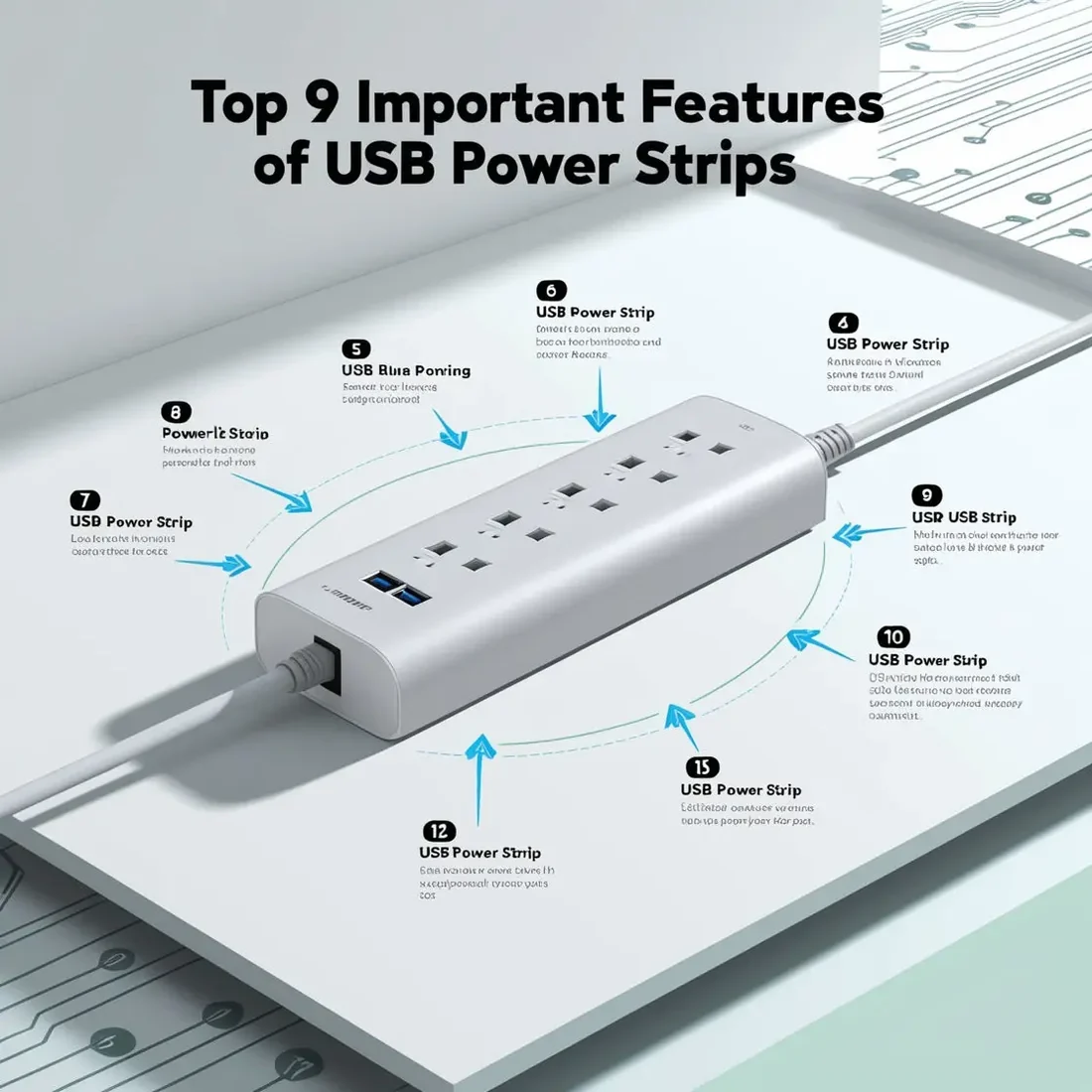
Managing modern electronics requires more than simply having enough wall outlets. Smartphones, tablets, laptops, smart devices, chargers, lamps, and other electronics often need to be powered or charged at the same time. A USB power strip combines traditional AC outlets with integrated USB charging ports, making it easier to manage multiple devices from one convenient location.
Whether you are setting up a home office, workstation, bedroom, living room, or professional workspace, choosing the right power strip can improve convenience and help keep cables organized. However, not every model offers the same features.
Before purchasing one, it is important to consider outlet capacity, USB charging performance, safety protection, cable length, design, switching options, and overall build quality. Here are nine important features worth considering when selecting a USB power strip.
1. How Many AC Outlets Do You Need?
One of the first things to consider is the number of AC outlets. Different power strips are available with different outlet configurations, ranging from compact models with a few sockets to larger units designed for multiple devices.
Think about the equipment you regularly use. A workstation, for example, may require outlets for a computer, monitor, speakers, printer, desk lamp, router, and other accessories. If you frequently need to unplug one device to connect another, the power strip may not have enough outlets for your setup.
Choosing a model with a few additional sockets can provide useful flexibility for future devices.
However, having more outlets does not mean that every outlet should be loaded simultaneously. Always check the maximum rated power and current capacity before connecting high-power appliances.
2. What USB Ports and Charging Speed Should You Look For?
Integrated USB ports are one of the main reasons people choose these products. They allow compatible devices to be charged without occupying a traditional AC socket with a separate charging adapter.
Depending on the model, a power strip may include USB-A ports, USB-C ports, or a combination of both.
When comparing USB charging capabilities, look at:
- Number of USB ports
- USB-A or USB-C support
- Total USB output
- Individual port output
- Fast-charging compatibility
- Power distribution between connected devices
A USB-C port can be particularly useful for newer smartphones, tablets, and other compatible electronics. However, charging performance depends on the power output supported by both the power strip and the connected device.
For everyday use, choosing a model with sufficient USB capacity can reduce adapter clutter and make charging multiple devices much easier.
3. Does Surge Protection Matter?
Electrical voltage fluctuations and sudden surges can potentially damage sensitive electronics. For this reason, surge protection is an important feature to consider when selecting a power strip.
A surge-protected model is designed to help limit the impact of certain voltage spikes before they reach connected equipment.
Surge protection is often specified using a joule rating. In general, a higher joule rating indicates that the protective components can absorb more surge energy over their intended operating life.
However, consumers should not judge protection only by the joule number. It is also important to check the manufacturer's safety specifications and protection features.
If you are connecting valuable electronics such as computers, monitors, networking equipment, or entertainment systems, appropriate protection can provide an additional layer of safety.
4. Why Is a Compact Design Useful?
A well-designed power strip can help reduce clutter around a workstation or entertainment area. Compact models are especially useful where desk space is limited.
A slim design can make it easier to position the unit behind furniture, beneath a desk, beside a bed, or inside a workspace.
Other useful design features can include:
- Flat wall plugs
- Angled plugs
- Widely spaced outlets
- Wall-mounting holes
- Compact housing
- Cable management features
The right design depends on where the power strip will be used. A desktop model may prioritize easy access to USB ports, while a larger unit may prioritize additional outlets and cable reach.
5. How Important Is the Power Cable Length?
Cable length can significantly affect how conveniently a power strip can be positioned.
If the wall socket is located far from your desk or equipment, a longer cable may provide more flexibility. A shorter cable, meanwhile, can be better for compact setups where excess cable would create unnecessary clutter.
Before purchasing, measure the distance between the wall outlet and the location where you want to place the power strip.
An appropriate cable length can help you avoid:
- Excess cable loops
- Difficult positioning
- Unnecessary extensions
- Cable tension
- Poor workspace organization
Choose a length that provides sufficient reach without creating excessive cable clutter.
6. Can Smart Features Make a Power Strip More Convenient?
Some modern power strips include smart functionality. Depending on the model, these features may allow users to control connected equipment through an application or compatible smart-home system.
Possible smart features include:
- Remote switching
- Scheduling
- Energy monitoring
- App-based control
- Voice-assistant compatibility
- Individual outlet control
These functions can be useful for people who want greater control over their connected devices.
For example, a smart power strip could allow selected equipment to be switched off remotely rather than leaving everything powered continuously.
However, smart functionality is not necessary for every user. If you simply need additional outlets and USB charging, a conventional model may be more practical and economical.
7. Which Safety Features Should You Check?
Safety should be one of the most important considerations when purchasing any electrical accessory.
A good USB power strip may include several protective features designed to help reduce electrical risks. Depending on the model, these can include:
- Overload protection
- Over-current protection
- Short-circuit protection
- Surge protection
- Thermal protection
- Safety shutters
- Flame-resistant housing
Safety shutters can be particularly useful in households where children are present because they can help prevent accidental access to electrical contacts.
It is also important to avoid exceeding the rated load of the power strip. High-power appliances should only be connected when the power strip is specifically rated for that type of load.
Always follow the manufacturer's instructions and electrical ratings.
8. Are LED Indicators and Power Switches Useful?
A simple LED indicator can make a power strip easier to use by showing whether the unit is receiving power.
Some models also include a master power switch. Instead of unplugging multiple devices individually, the user can turn off the connected outlets using one switch.
This can be convenient at the end of the working day or when leaving a room.
A master switch can also make cable management easier because the power strip can remain connected to the wall while the connected equipment is switched off.
For workstations and entertainment setups with several devices, this small feature can make everyday operation considerably more convenient.
9. Why Should You Consider Build Quality and Warranty?
The materials and construction of a power strip can affect its durability and everyday reliability.
When comparing products, consider factors such as:
- Housing material
- Socket construction
- Switch quality
- Cable thickness
- Plug design
- USB module quality
- Internal safety components
- Manufacturer warranty
A durable housing can better withstand regular handling, while a robust cable and plug can improve long-term usability.
Warranty coverage is another factor worth checking. A manufacturer's warranty can provide additional confidence in the product and indicate that the company stands behind its design and construction.
Customer reviews can also help you understand how a product performs in real-world use.
How Do You Choose the Right USB Power Strip?
The best USB power strip depends on your particular requirements.
For a basic home setup, you may primarily need several AC outlets and USB charging ports. For a home office, you may prefer a model with multiple sockets, convenient USB-C charging, a master switch, and a longer cable.
For professional environments, additional attention should be given to electrical ratings, safety protection, construction quality, and installation requirements.
Before purchasing, make a simple checklist:
- Count the devices you need to connect.
- Determine how many AC outlets are required.
- Check whether USB-A, USB-C, or both are needed.
- Compare USB charging output.
- Check the maximum current and power rating.
- Look for appropriate safety protection.
- Choose a suitable cable length.
- Consider the available space.
- Review warranty and manufacturer information.
This approach can help you select a model that fits your actual requirements instead of simply choosing the one with the largest number of sockets.
What Are the Benefits of Using a USB Power Strip?
A USB power strip can simplify everyday power management by bringing multiple charging and power connections into one location.
Better Cable Organization
Instead of using multiple wall chargers and extension cables, compatible devices can be connected in one central location.
Convenient Device Charging
Integrated USB ports make it easier to charge smartphones, tablets, and other compatible devices without occupying every AC outlet.
Multiple Device Connectivity
Several electronics can be connected simultaneously, provided the total electrical load remains within the rated limit.
Space Efficiency
A compact design can help reduce clutter on desks, bedside tables, entertainment units, and workstations.
Easier Power Management
A master switch can allow multiple connected devices to be switched off together.
What Should You Avoid When Using a USB Power Strip?
Even a high-quality power strip should be used correctly.
Avoid exceeding its rated current or wattage. Do not connect appliances that require more power than the product is designed to handle.
It is also important to inspect the power strip regularly for signs of damage, overheating, loose sockets, or damaged cables.
Do not use a damaged power strip, and keep electrical products away from water or excessively damp environments unless they are specifically designed for such conditions.
Most importantly, always follow the product's operating instructions and safety specifications.
Conclusion
A USB power strip can be a practical addition to modern homes, offices, workstations, and entertainment setups. By combining conventional AC outlets with USB charging ports, it can simplify device charging while reducing cable and adapter clutter.
The most important features to evaluate include the number of outlets, USB charging capability, surge and electrical protection, compact design, cable length, smart functionality, safety features, LED indicators, switches, build quality, and warranty.
There is no single power strip that is perfect for every situation. The right choice depends on the number and type of devices you use, the available space, required charging performance, and electrical load.
By checking these nine features before buying, you can choose a USB power strip that provides convenient power management while supporting a cleaner and more organized setup.