Telecalling CRM vs Regular CRM: Why the Difference Matters for Outbound Teams
By Dhruven Ponkiya 16-09-2026 3
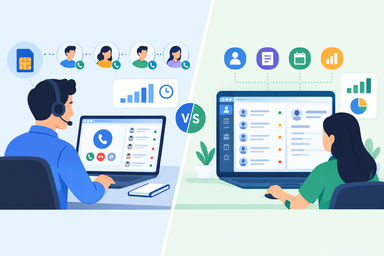
Most outbound sales teams in India end up with a CRM built for a generic sales process, not a team that spends its day on the phone.
Someone picked it based on pipeline management, contact storage, and reporting, and on paper it did all three fine. It gets loaded with leads, a few pipeline stages get named, and everyone assumes the calling part will sort itself out.
It rarely does. It does not take long before team leaders realize that while the CRM tells them which lead belongs to whom, it says nothing about whether there was a call made to them.
Call counts are entered manually at the end of the shift from memory. Questions are being asked from managers about the number of calls made by the team, how many were connected and what their duration was.
This is the moment someone ends up comparing a telecalling CRM vs regular CRM and realizes that the software used is not designed for their outbound work environment.
A telecalling system treats the call itself as the thing to track, not the lead record sitting quietly in a pipeline stage. Sounds like a small shift. It isn't. It changes how a sales floor gets run day to day.
Telecalling CRM vs Regular CRM: What Actually Separates Them
A regular CRM was designed for a world where sales happens mostly through email, meetings, and the occasional call logged after the fact.
Salesforce, HubSpot, and most legacy Indian CRMs grew up in that environment. The main thing they track is the deal or contact moving through pipeline stages.
Calling is one more activity you can optionally note against that record, similar to logging an email sent or a demo scheduled.
A telecalling CRM flips that priority. The call is the primary event. Everything else- the lead status, the follow-up reminder, the performance report- gets built around what happened on that call and how quickly the next one needs to happen.
This matters for teams that live on the phone: real estate brokers doing 80 to 150 calls a day, insurance agents on renewal lists, EdTech counsellors chasing admission deadlines, collections teams working overdue accounts.
Where a Regular CRM Starts to Break Down
The cracks usually show up in three places:
- Call data is incomplete or manually manipulated. Regular CRMs depend on the agent to log call outcomes by hand, and manual logging is inherently lossy. Short calls, wrong numbers, and dead-air attempts often go unrecorded, since there's no system-level trigger forcing the entry.
Over a full reporting cycle, this creates a data integrity problem: connect rate, call volume, and conversion numbers are all built on a dataset with unknown gaps. It's also an audit problem, since an agent under quota pressure can inflate a call count with no verification layer to catch it.
- There's no real-time operational visibility. Most regular CRMs update on activity logs, not live call events, so what a manager sees is historical, not current. A dashboard checked at 11 AM reflects yesterday's closed activity, not this morning's dialing.
An agent averaging four calls in three hours instead of forty won't get flagged until the shift is nearly over, by which point the lost output can't be recovered.
- Follow-up scheduling isn't tied to call disposition. A follow-up date in a regular CRM is just a timestamp. It carries no information about whether the previous call connected, went to voicemail, or wasn't picked up at all.
A lead who never answered gets the same "follow up tomorrow" treatment as a lead who said "call me after lunch." Without disposition-linked scheduling, the leads most likely to convert don't get called back any faster than the ones that went nowhere.
None of this makes regular CRMs bad tools. They're excellent for what they were built for: relationship-driven, longer-cycle B2B sales where a handful of calls happen inside a larger workflow of emails, proposals, and meetings. The problem shows up specifically when call volume itself is the business.
What a Telecalling CRM Adds to the Equation
The difference between regular CRM and telecalling CRM setups becomes clear the moment you look at how each treats the phone call as data.
That automatic logging gives you things a regular CRM structurally can't offer:
- Real-time call dashboards that show connect rates, average call duration, and idle time between calls as the day unfolds, not the next morning.
- Automatic call recording for every conversation, useful for quality audits, dispute resolution, and training new agents on what a good pitch sounds like.
- Idle time and productivity tracking that flags when an agent has gone quiet for an extended stretch, something a pipeline-stage CRM can't see.
- Lead-to-call mapping, where every inbound and outbound call is tied back to the correct lead record automatically, cutting out manual matching.
- Team and agent performance reports built from actual call logs rather than self-reported activity, which turns the conversation between managers and agents from "trust me" into "here's the data."
Choosing the Right One for Your Team
The bottom line is: Are your teams' main sales tasks being done over the phone? Or is this just one step in a series of multiple sales channels?
When your reps are spending their days making calls – be it outbound prospecting, lead nurturing, collections, renewals or anything else – a telecalling CRM will help you spot issues a traditional CRM won't be able to reveal: low connect rate during a certain hour, an agent taking too much time between the calls.
If your sales cycle runs mostly through scheduled meetings, proposals, and email threads, with calls playing a supporting role, a regular CRM's pipeline and relationship management features will serve you better.
Plenty of outbound-heavy teams run both, using a regular CRM for pipeline and account management while a telecalling CRM handles the calling function, feeding data back through integration. The telecalling CRM vs regular CRM question, in that setup, isn't about picking a winner. It's about matching the tool to the part of the process it's built to handle, instead of asking one system to do a job it was never designed for.