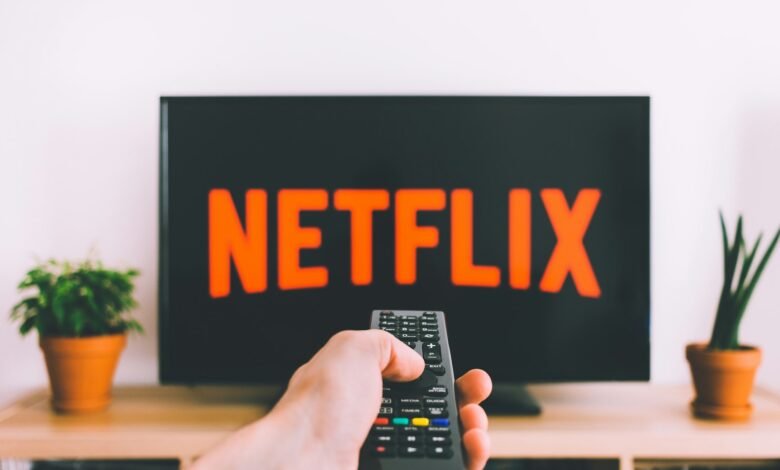
According to Netflix’s Help Center, if you encounter the error code E118, you’ll often see a message such as:
“Your plan does not support streaming on this device.” Netflix Help Center+2islaBit+2
Here’s how to interpret that:
The message is saying that your current Netflix subscription plan (or the specific device you’re using) is not compatible with streaming on that device in the way Netflix expects. Netflix Help Center+1
More specifically (based on third-party summaries), Netflix error code E118 most often arises when you’re on Netflix’s ad-supported plan, and your device is not compatible with that ad-supported version of the service.
It could also mean that your device or its software is too old or has unsupported hardware/firmware for the version of Netflix with ads. islaBit+1
So, in short: E118 typically signals a mismatch between your plan, your device’s capabilities, and Netflix’s requirements for that plan.
Why it happens
There are several underlying causes, and many users have reported them in forums.
Ad-supported plan vs device compatibility
The ad-supported tier of Netflix is cheaper (or cheaper in some regions), but it comes with technical requirements because Netflix must show adverts (and track playback) differently. If your device cannot support the necessary ad-infrastructure (for example older smart TV hardware, older streaming box), Netflix may refuse playback and show E118.
For example:
“It worked fine 3 days ago … I get E118 saying I need to upgrade my plan to a non ad plan or update (I guess get a new) device.” Reddit
Another user:
“After investigation … the cheapest Netflix plan (with commercials) won’t work with the older Minis.” Reddit
Outdated software/hardware
Even if you are on the correct plan, if your device’s firmware or the Netflix app is not updated and cannot support the ad-plan, you may see Netflix error code E118. In a forum thread, a user stated their smart-TV set-top-box was too old and did not support Netflix anymore under certain plan conditions. Orange Community+1
Also, third-party summaries show:
“The Error E118 appears when your device is not compatible with the advertising plan of Netflix. … Your device should have Android 7 or newer to run Netflix correctly.” islaBit
Subscription plan change or regional plan shift
Sometimes Netflix changes the plans in a region (for example introducing an “ad-supported” tier) and older devices or older plan configurations may not automatically map to the new tech requirements. For example, users in the French telecom-forum indicated that Netflix’s plan with ads was only compatible with certain decoders/boxes (“TV UHD and TV 6 only”) which caused Netflix error code E118 on older boxes. Orange Community+1
Service provider or aggregator issues
When Netflix is bundled via a TV-provider or set-top-box (e.g., a decoder or TV box from a telecom operator), the provider’s device might need to support the Netflix version for the plan, or the provider may need to activate a service update. Some complaints indicate the telecom box was too old even though Netflix account was valid. Orange Community+1
How to try to fix it
Here are steps you can take, in order, to attempt resolution:
1. Confirm your Netflix plan
Log into Netflix on a browser (on PC/mobile) → go to Account → check which plan you are on.
If you are on the ad-supported plan, consider switching to a non-ad (standard) plan and see if that fixes the issue (if device compatibility is the limiting factor).
While Netflix’s official article is a bit general, multiple sources indicate that E118 often resolves when you switch to a plan without ads if your device is incompatible with the ad plan. Reddit
2. Verify device compatibility
Check Netflix’s Help Center for “which devices are compatible with which plans (with ads vs without)” in your country/region.
On your device: Check for firmware / OS updates. For example, if it’s a smart TV, check settings → system updates. If it’s an Android box, make sure it’s Android 7+ (if that requirement applies) per one summary. islaBit
If your device is very old (for example old set-top decoder, old smart TV model), it may no longer support the required DRM/ad-infrastructure for the ad-plan.
3. Update the Netflix app
On the device, go to the app store/library → check for “Netflix” update → install any available update.
After updating, restart the device and try again.
4. Restart your device and network
Fully power off the device (unplug if possible) for 1-2 minutes, then plug back in.
Optionally reboot your router/modem. Sometimes simply a fresh start helps refresh the service handshake.
Sign out of Netflix on the device, then sign back in.
5. Clear cache/data (if applicable)
On Android/Apple TV/streaming boxes, you may be able to clear the Netflix app’s cache or data (in device settings → apps → Netflix). Then reopen and log in fresh.
While Netflix doesn’t list this specifically for E118 (they list other codes like tvq-st-118) Netflix Help Center, clearing cached data is a common general troubleshooting step.
6. Test on another device
Try logging into Netflix on another device (for example a smartphone or computer) using the same account.
If it works on other devices, then the issue is isolated to the original device and its compatibility.
If it fails on all devices, then it could be a plan/account issue.
7. Contact Netflix support or your service provider
If you go through the above steps and still get E118, contact Netflix support, giving them the error code and details of your device (make/model, OS version, Netflix app version).
If your Netflix is provided via a telecom operator/set-top-box (e.g., you watch via a decoder from your ISP), then also check with the operator to see if your box is certified for the current Netflix plan (especially the ad-version). As seen in forums, some users were told by their provider that their decoder was too old and needed replacing. Orange Community+1
Why the error might persist / what to watch out for
Device too old: Even if you update software, some older hardware may not support the required ad-infrastructure (e.g., secure video paths, DRM, ad-injection), so the only fix is a newer device or switching to ad-free plan.
Plan changed by Netflix: If your region changed plans (for instance migrating ad-supported tier, changing requirements), your device may have worked before but now fails because new requirements apply.
Bundled device limitations: If your Netflix is through a third-party box (cable/ISP), you depend on that box being updated by the provider. If not, you may get E118 even though your Netflix account is fine.
App or OS update missing: Sometimes the Netflix app or your device’s OS may be several versions behind. If the app expects a newer OS feature (especially for ads), that mismatch can trigger E118.
Regional availability/compatibility quirks: Some devices might be compatible in one region but not in another, due to Netflix’s regional licensing or hardware certification requirements.
Example real-world user experiences
One user reported:
“Just started today. Things worked fine 3 days ago … I get E118 saying I need to upgrade my plan to a non ad plan or update (I guess get a new) device.” Reddit
Another:
“After investigation, it seems that the cheapest Netflix plan (with commercials) won’t work with the older Minis. I upgraded to the next higher plan and now can use the Minis to watch Netflix.” Reddit
From a French telecom forum:
“Sur la TV de mon salon j’ai le code erreur E118 … j’ai souscrit la formule avec pub … sur la TV situé dans ma chambre Netflix fonctionne très bien.” Then later: “Il faudra… acheter pour 40 € un nouveau décodeur.” Orange Community
These experiences reinforce the theme: plan + device + compatibility mismatch = E118.
What this means for you (especially in India)
Here are some tailored take-aways for your situation in India:
If you are using Netflix in India and you have subscribed to an ad-supported tier (if available in your region) or you are on a lower-priced plan with adverts, check whether your device supports that plan. If you are on a “regular” Netflix plan with no adverts, then likely the device-compatibility angle is less relevant — but still check your device.
If you are watching via a smart TV, set-top box (from your cable or internet provider), streaming stick/box (Chromecast, FireTV, Android TV), or game console, check the manufacturer’s site or Netflix’s device compatibility list to confirm it supports the current Netflix plan. Older devices may have reached end-of-life in terms of Netflix support.
If you’re streaming on a smartphone, tablet or PC, also check that you have the latest app version and OS version. Android below version 7 was flagged in one summary as potentially problematic for Netflix advert-plan. islaBit
If you are comfortable shifting to a higher plan (ad-free) and your device is old, that may be the simplest fix: switch plan instead of buying new hardware. But that comes with cost implications.
Summary & Final Thoughts
Error E118 is primarily not a generic “network error” or “app crashed” issue — rather it’s a plan-vs-device compatibility issue. It means Netflix is refusing to play on that device under your current subscription (typically because of the ad-supported plan or older hardware). Key actions: check your subscription plan, confirm device compatibility and update software/app, and if needed switch plan or upgrade device.
If after doing the fix steps you still see E118, most likely you’ve hit a hardware limitation (old device) or a provider device limitation (set-top decoder that is not supported). In that case: upgrade device OR contact support for your provider/Netflix.
Tags : Netflix Error Code E118