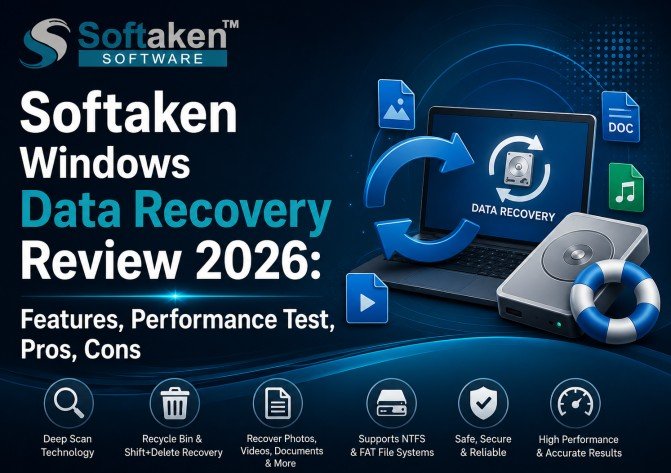
Softaken Windows Data Recovery Review 2026: Features, Performance Test, Pros, Cons
By barrettjoy 31-08-2026 7
Losing important files by mistake can be very frustrating, particularly if the files were deleted from the Recycle Bin or using the Shift + Delete command. In these scenarios, Windows users require a powerful data recovery tool to scan the storage device, identify recoverable files, preview the results, and recover selected data to a safe location.
Softaken Data Recovery Software is intended to recover deleted files from Windows systems. It supports FAT and NTFS file systems and features like Recycle Bin recovery, Shift + Delete recovery, Deep Scan, advanced search and filtering, duplicate-file handling, and batch recovery.
What is Softaken Windows Data Recovery?
Data Recovery Software is a Windows based utility for deleted or lost file recovery.
According to the official product page, it can recover common file types including:
- Images
- Sound files
- ideos Archives
- Additional supported files
The software supports FAT and NTFS file systems, and has both standard scanning and Deep Scan. It can also recover files deleted from the Recycle Bin and files deleted by Shift + Delete.
Data Recovery Software Prominent Features
1. Restore from Recycle Bin
Softaken also scans the Windows Recycle Bin and retrieves mistakenly deleted files. The software can restore files with their real names and meta data, if available, the vendor says.
Screenshot 1: Recover Recycle Bin

Caption: Softaken Data Recovery scanning recycle bin of windows for deleted files.
2. Shift+Delete Recovery
Files deleted with Shift + Delete usually go straight to the Trash. Softaken offers a recovery option for permanently deleted files by scanning the storage drive.
Screenshot 2: Recover Shift + Delete

Caption: How to recover deleted files with Shift + Delete.
3. Deep Scan Technology
Deep Scan is built for when a normal scan might not find the files you need.
The software also digs deep into deleted data and has technical capabilities like NTFS MFT analysis, FAT directory-entry recovery, low-level sector analysis and file-signature detection.
Screenshot 3 : Deep Scan

Caption: Deep Scan looking for more data to recover on the disk.
4. Support for NTFS and FAT
Softaken supports FAT and NTFS file system. The product documentation also lists NTFS Master File Table analysis and FAT directory-entry recovery.
It is good for users who are working with different Windows storage configurations.
5. Filter and Search
A big recovery scan can find thousands of files. It can take time to go through each result manually.
Softaken has robust Search and Filter options that assist users in finding specific files and refining their recovery results.
Screenshot 4: Search and Filter

Caption: Search and Filter to find certain recoverable files.
6. Batch Recovery for Files
The software supports to recover multiple files at a time, instead of recovering a single file. This can save time if you have a lot of files to recover.
Screenshot 5 Batch recovery
Caption: Batch recovery to select and recover multiple files together
Recover deleted files: step-by-step guide
Let’s take a look at the whole recovery process now.
Step 1: Install and Open the Program
To get started, Download Softaken Data Recovery Software in your Windows PC.
After installing it, open the application.
The software features a straightforward interface that walks users through the recovery process.
Screenshot 6: Main GUI
Caption: Softaken Data Recovery Software Main Screen.
Step 2: Choose the Drive
Once you have launched the app, select the drive where your deleted files were located.
For example:
- C: Drive.
D: Local Disk
Outdoor storage
usb stick
Other supported storage types
Screenshot 7: Choose Drive
Caption: Choose the drive that contains the deleted or lost files.
Step 3: Begin Scanning
click on the scan option.Now you can start scanning the selected drive.
The software scans the drive for files that it may be able to recover.
Scanning time may depend on the drive size, the amount of data, the file system, and the scanning method you choose.
Screenshot 8: Process of scanning
Caption: Softaken scanning the chosen drive for deleted data.
Step 4: Review the scan results
Once the scanning process is complete, Softaken shows the files it has found.
The user can then scroll through the results and select which files to recover.
The software also features searching and filtering for specific files.
Scan Results Screenshot 9:
Caption: Preview recovered files before starting recovery.
Step 5: Search and add filters
If the scan yields many results, use the Search and Filter features.
Instead of selecting all the files, you can filter the results and get the files you want.
Screenshot 10: Filter and Search
Caption: Scan results are filterable to find specific files for recovery.
Step 6: Choose Files
Select the files you need to restore.
Softaken provides batch selection facility to select and recover multiple files at once.
Screenshot 11: Choose Files
Caption: Choose single or multiple files to recover.
Step 7: Choose the recovery destination
Choose the location where the recovered files should be saved.
For better recovery safety, save recovered data to a different drive or storage device whenever possible, instead of back to the source drive.
The software provides a user-selectable destination option.
Screenshot 12: Selecting Destination
Caption: Choose a destination location for the recovered files.
Step 8: Start Recovering
Select the destination and initiate the recovery process.
Softaken restores the selected files at the defined location.
Screenshot 13: Process of Recovery
Caption: Restore files to the specified destination.
Step 9: Check the files you recovered
Once the recovery process is finished, open the destination folder to view the recovered files.
Check:
1 Names of files
2. File size
3. File suffixes
4. Documents
5. Videos Images
6. Audio files Archives
However, even successful detection does not mean that all files will be restored properly, particularly when the deleted data has already been overwritten.
Performance Testing:
Performance is an important consideration in any review of data recovery software.
technical capabilities are real-time progress monitoring, drive scanning, file detection, meta data recovery, integrity verification, duplicate handling, progress tracking and memory optimization.
Actual performance will vary by use, configuration and other factors.
- What Influences Recovery Rate
- Drive Size
- Number of files deleted
- File system type
- Health of the drive
- SSD / HDD speed
- CPU
- Free RAM
- Scanning mode
- Amount of data written over
So, one should not assume that each computer has a fixed recovery time.
Suggested Performance Test
Use a test drive containing a mixture of deleted files for a real-world review.
- Test Parameter Example
- Test Drive 100GB+
- Documents 100
- Figure 100
- 20 Videos
- Archives 20
- File System: FAT/NTFS
- Scan Mode Complete Scan
Data Recovery Precision
Much of the success of data recovery depends on what happened after the file was deleted.
If the original sectors on the disk have been overwritten by new data, it may not be possible to fully recover it.
recovery functions include file integrity verification, meta-data recovery, file signature detection and validation.
When the process is completed open a few recovered files to test.
Test These File Types
Images: Open JPG, PNG or other images retrieved
Documents: Opens PDFs, DOCX and other documents.
Videos: Reproduce recovered video files.
Play MP3 and other audio files. Audio:
Archives: Test ZIP/RAR Files
This is a better measure of practical recovery quality.
Handling of Duplicate Files
A deep scan can find duplicates of the same file.
Softaken provides options to find and remove duplicate files. Users can choose what to do with duplicate results, rather than restoring lots of copies unnecessarily.
This might help to keep the recovery destination tidy.
Activity history
also has the ability to export and log activity.
The software records information about recovery activity that can be useful when performing larger recovery jobs or documenting the process.
- Pros and Cons
Pros - Simple and easy to use interface
- Recycle Bin restore
- Shift+Delete recovery
- Deep Scan 2
- NTFS and FAT support
- Search & Refine
- Batch recovery
- Duplicate file handling
- Supports popular file types
- Custom recovery target
- Activity Log
- File integrity check
- Windows 10/11 compatible
- Free demo version included
Cons - Windows-only workaround
- Larger drives may take longer to do a deep scan
- How well the recovery is depends on the state of the storage device.
- Files that have been overwritten may not be recoverable in full
- Administrator permissions required
- Users should verify important files after the recovery
Conclusion
Softaken Windows Data Recovery is a useful feature to recover deleted files from the Windows storage. Its combination of Recycle Bin recovery, Shift + Delete recovery, Deep Scan, NTFS/FAT support, Search & Filter, batch recovery, duplicate handling and integrity verification makes it a useful option for common Windows data-loss situations.
Questions & Answers
1. Can Softaken restore files deleted from the Recycle Bin?
Yes. Software is designed to scan and recover deleted Recycle Bin items and it can preserve original names and metadata where available.
2. Can Shift+Delete files be recovered?
Yes. supports recovering files deleted using the Shift + Delete command.
3. Does Softaken support Deep Scan?
Yes. Deep Scan is added to search more thoroughly for deleted files permanently.
4. What file systems are supported?
The software supports the NTFS and FAT file systems.
5. What kind of files can it recover?
There are common categories listed on the official page like images, audio, videos and archives.
6. Can I restore multiple files at the same time?
Yes, Softaken provides batch file recovery option that allows you to select and recover multiple files at a time.
7. Does it have search and filter options?
Yes. The software has advanced search and filter functionality to get the desired recovery results.
8. Do you offer a free trial?
Yes . Its official page has a free/demo version that lets users test its recovery capabilities.