Mailvare’s Free PDF Wizard Review: An All-in-One PDF Utility for Everyday Document Management
By Joana Wilson 13-06-2026 610
Introduction: Why Efficient PDF Management Matters
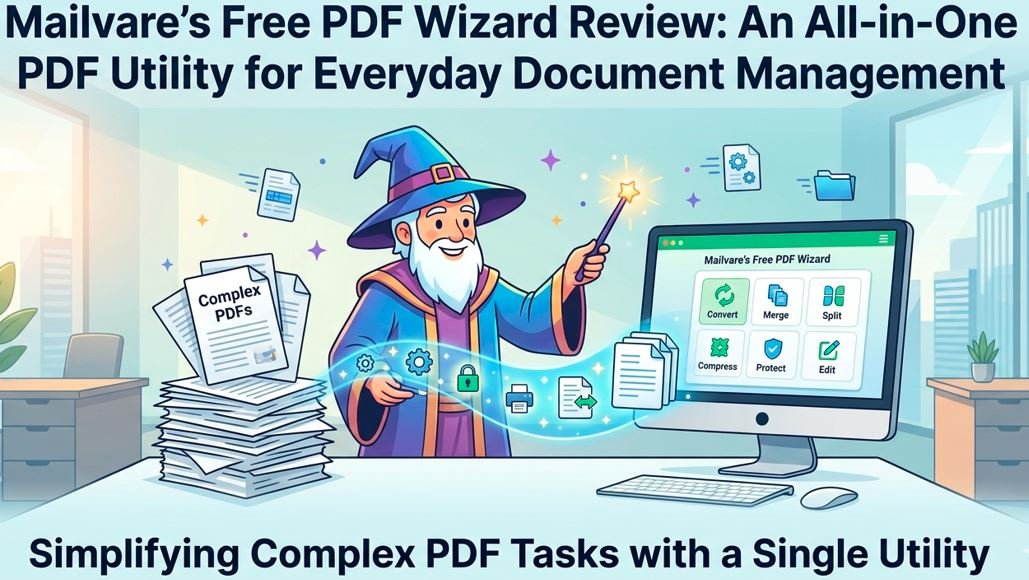
Usually you require different tools to work with pdf files – one for merging documents, one for splitting files, and another for password protecting or watermarking them. Free PDF Wizard is designed to solve this problem by incorporating several PDF management features in one Windows-based application. The developer states that the software can merge, split, lock, unlock, watermark, convert PDFs to images, and even generate invoices from PDF documents.
This review takes a practical view of the tool, discussing its features, usability, strengths, and weaknesses, as well as real-world use cases, and not marketing claims.
Overview
Free PDF Wizard is a desktop application for Windows users who need simple PDF management in one place. Instead of having to download separate utilities for different PDF tasks, you get multiple functions in one interface. Supported operations:
• PDF Merger
• PDF Splitter
• Password protection and security for PDF
• PDF unlocking (with original password)
• Adding a watermark
• PDF to image conversion
• Invoice Generation
• Managing restrictions (copy, print, edit permissions)
The software is advertised as a standalone utility that does not require Adobe Reader or any other applications in order to perform these tasks.
Installation and First Impressions
Installation is easy. The application is available as a Windows desktop download supporting 32-bit and 64-bit Windows operating systems. The application can be installed on Windows 10, Windows 8, Windows 7, Vista and XP.
Upon launching the application, the user is greeted with a simple interface that allows:
1. Upload PDF files
2. Select the needed operation.
3. Choose an output location.
4. Process the Files.
It looks like the setup is meant to be simple, not heavily customizable. This makes the software easy to use for non-technical users but may seem rudimentary for power users who want extensive PDF editing capabilities
Key Features Assessed
1. PDF Merge Functionality
One of the more useful functions the package provides is merging PDFs. Combine multiple PDF files into one without needing to switch between different applications. The software claims it can work on files of all sizes, with no restrictions on size.
Practical Benefit:
There are often many different departments that send documents to organizations that need to be put into one report. The merge feature helps make that process simpler.
Verdict Review:
The merging feature is very handy and saves the use of separate freeware tools
2. PDF Splitting Function
The split feature lets you split a large PDF file into smaller pieces (by page number). The user can define which pages to extract and save the result in a separate file.
Practical advantage:
Large manuals, contracts or reports may be divided into smaller files for easy sharing and storage.
Review Summary:
The page-based split option is useful, but users looking for more sophisticated split criteria (e.g., book marks or file size limits) may find the options limited.
3. Password Protect PDF
The application enables users to set passwords and restrictions on PDF documents. Users can disable unauthorized editing, copying and printing of PDF files.
Practical advantage:
Businesses sharing sensitive information can add another layer of security prior to sharing documents.
Review Conclusion:
The password protection feature is useful for basic document security requirements.
4. PDF Unlocker
When you have the original password, the software can remove restrictions and open up the PDF files. It supports to remove edit, print and copy restrictions from protected PDFs.
Important Notice:
The software does not skip unknown passwords. Users need to know the existing password to remove protection.
Editorial Decision:
The approach is consistent with sound document management practices and avoids the often inflated claims of PDF utility software.
5. Adding Watermark
You can add text or image watermark to PDF files. The software allows for customization of the font size, color, position and opacity.
Real-world advantage:
Companies can add branding, confidentiality notices or ownership markings to documents before sharing them externally.
Verdict:
A useful addition for business users who deal out official PDFs regularly
6. Convert PDF to image
The application supports conversion of PDF documents to image formats such as JPG, PNG and BMP.
Practical Advantage:
Perfect for publishing on websites, social media, or places that don’t accept PDF uploads.
Review conclusion:
A useful function that expands the range of the program's use outside of normal PDF handling.
Case Studies in Practice
Case Study 1: HR Department - Employee Forms Management
Separate PDF documents containing employment forms are received by a human resources team. Rather than going through a dozen files, they combine all of the documents into one archive PDF and password protect it before storing it internally.
The result is:
• Basic document storage
• Strengthened security controls
• Faster file access
This is a case where the merge and protection features play nicely together.
Case Study 2: College Student Sharing Notes
A student has a 200 page PDF study guide, but only wants to share certain chapters with classmates. The student uses the split feature to obtain the relevant pages and creates smaller pdf files.
Outcome:
• Smaller file size
• Easy email sharing
• Quicker downloads for recipients
Case Study 3 Small Business Billing
A small business owner needs to create invoice documents for clients with company branding.
They can use the invoice generator and watermarking tools to:
• Generate invoices
• Adding company logos
• Enhance document appearance
Outcome:
A professional looking document without multiple software solutions at a cost.
How the Tool Operates
According to the official workflow of the developer, the process is simple:
Step 1: Download the software, install it and run it.
Step 2: Browse and add the PDF file needed.
Step 3: Choose the operation of your choice, e.g.:
• Blending
• Demarcated
• Lock
• Unlocking
• Watermark
• Transform to Image
4. Step: Select where you want the output folder to be.
Step 5: Click on Process and wait for the process to complete.
The workflow is simple enough for even users with little technical experience.
Benefits & Limitations
Advantages
• Multiple PDF functions, all in one application
• User-friendly interface.
• No Adobe Reader installation needed.
• Supports password protection and restriction management
• Supports watermarking of text and images.
• Convert PDF to image
• Supports many versions of Windows.
• Handle large PDF files as per vendor documentation.
Limitations
No software is perfect and there are a number of limitations worth noting.
Only Available for Windows
The application is for Windows operating systems. Other options will have to be found by Mac and Linux users.
The Final Verdict
Mailvare Free PDF Wizard is more of a handy all-in-one PDF management utility than a full-fledged PDF editor. The biggest advantage of this software is the convenience. Without switching between multiple applications, users can merge, split, protect, unlock, watermark and convert PDFs.
The software offers an easy solution to students, office workers, freelancers and small businesses who frequently perform basic PDF management tasks. Advanced users will eventually outgrow its feature set, but casual and intermediate users will probably like the simplicity and consolidated functionality.
Overall Score 4.2 out of 5
Best For: Everyday PDF Work, Document Management, Basic Security Features and PDF Conversions.