A fast and dependable Wi-Fi connection has become essential for modern homes. From remote working and online learning to 4K streaming, gaming, video calls, and smart devices, almost every daily activity relies on a stable internet connection. Yet many homeowners still experience slow speeds, dead zones, dropped connections, and unreliable performance.
The good news is that improving your home Wi-Fi doesn't always require purchasing the most expensive equipment. With the right planning, quality hardware, and professional setup, you can enjoy fast, secure, and consistent wireless coverage throughout your home.
At Home IT Services, we help homeowners design reliable networks that support everything from everyday browsing to advanced home automation services. Here's everything you need to know about building a faster and more reliable home Wi-Fi network.
1. Understand What Slows Down Your Wi-Fi
Before upgrading your network, it's important to understand why Wi-Fi performance declines.
Several factors can affect wireless speed and reliability, including:
- Thick brick or concrete walls
- Large homes with multiple floors
- Too many connected devices
- Older routers
- Poor router placement
- Wireless interference from neighbouring networks
- Outdated firmware
- Slow broadband packages
Many people assume their internet provider is responsible for every speed issue, but in reality, the Wi-Fi network inside the home is often the biggest limitation.
Identifying these weak points is the first step toward creating a stronger and more dependable network.
2. Choose the Right Router for Your Home
Your router is the heart of your wireless network.
If you're still using the router supplied by your internet provider several years ago, you're likely missing out on significant improvements in speed, coverage, and security.
When selecting a new router, look for features such as:
- Wi-Fi 6 or Wi-Fi 6E compatibility
- Dual-band or tri-band support
- Gigabit Ethernet ports
- Advanced security features
- Beamforming technology
- Quality of Service (QoS)
- Easy firmware updates
The right router should also match the size of your property. Larger homes often benefit from more advanced networking solutions rather than relying on a single wireless router.
Professional advice from Home IT Services ensures you choose equipment that fits your home's needs instead of paying for features you may never use.
3. Optimise Router Placement for Maximum Coverage
Even the most powerful router cannot perform well if it's placed in the wrong location.
Many homeowners hide routers inside cupboards, behind televisions, or in corners of the house. Unfortunately, these locations weaken wireless signals.
For the best performance:
- Place the router near the centre of your home.
- Keep it elevated on a shelf or desk.
- Avoid placing it behind metal objects.
- Keep it away from microwaves and cordless phones.
- Avoid positioning it directly next to thick walls.
A properly positioned router distributes signals more evenly and reduces weak coverage areas.
If your property has multiple floors or an unusual layout, professional Wi-Fi planning can make a dramatic difference.
4. Eliminate Dead Zones with Mesh Wi-Fi Systems
One router isn't always enough.
Large homes often contain rooms where the Wi-Fi signal becomes weak or disappears completely.
A Mesh Wi-Fi system solves this problem by using multiple wireless access points that work together as one seamless network.
Benefits include:
- Strong coverage across the entire property
- Automatic switching between access points
- Consistent speeds in every room
- Better support for smart home devices
- Reduced buffering and connection drops
Unlike traditional range extenders, mesh systems create one continuous network, meaning your devices automatically connect to the strongest signal as you move around the house.
Many home automation services also perform more reliably when supported by a professionally installed mesh network.
5. Secure Your Network While Improving Performance
Security and speed go hand in hand.
An unsecured network can allow unknown devices to connect, reducing available bandwidth while creating potential security risks.
To keep your Wi-Fi safe:
- Use strong, unique passwords.
- Enable WPA3 encryption where available.
- Change default administrator credentials.
- Update router firmware regularly.
- Disable unused features.
- Create a separate guest network.
- Remove devices you no longer use.
Regular maintenance helps ensure your network continues operating efficiently while protecting personal information.
At Home IT Services, security is included in every network optimisation project because a secure network is a reliable network.
6. Prepare Your Home for Smart Technology
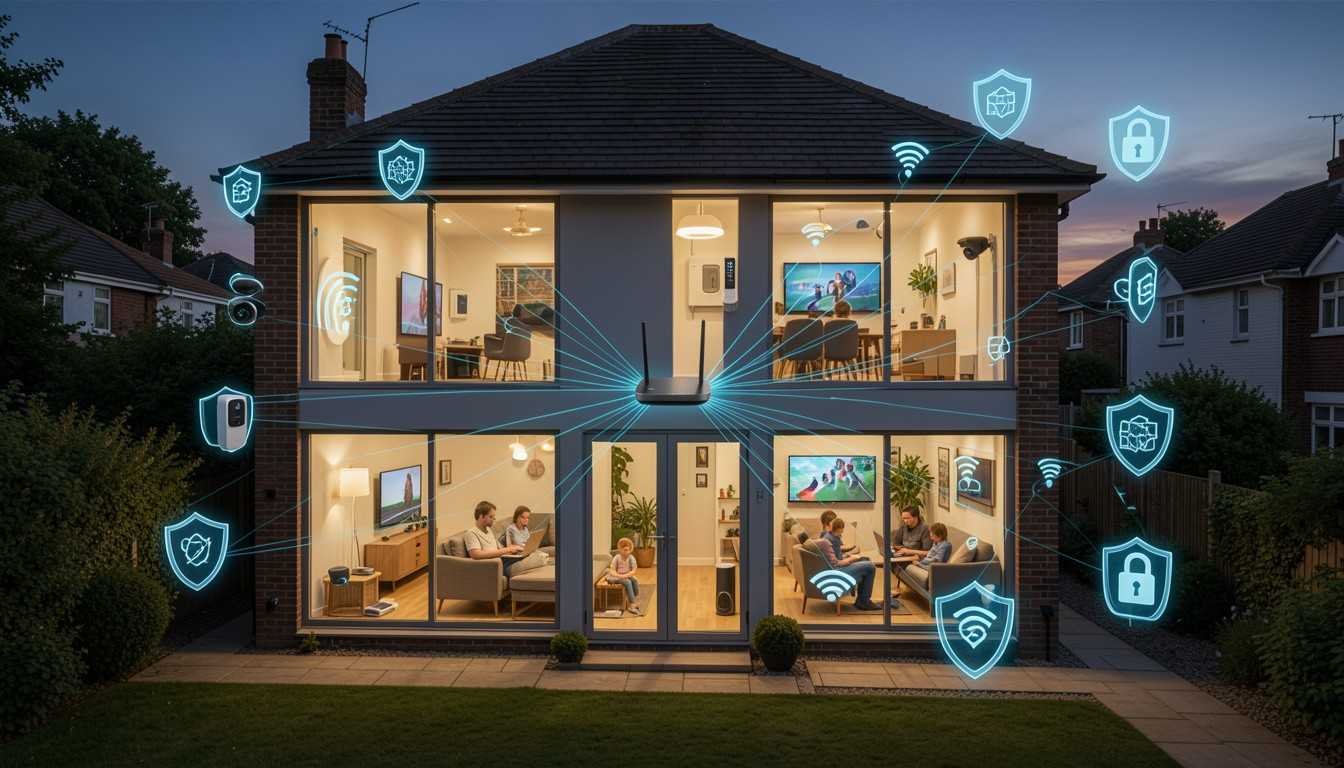
Modern homes now include dozens of connected devices.
Examples include:
- Smart lighting
- Security cameras
- Video doorbells
- Smart speakers
- Heating controls
- Home entertainment systems
- Smart TVs
- Voice assistants
- Network storage devices
Each additional device places greater demands on your wireless network.
Without proper planning, these devices compete for bandwidth, leading to slower speeds and unreliable performance.
Professional home automation services focus on designing networks that can support today's technology while remaining ready for future expansion.
Instead of simply adding more devices, your network should be built with scalability in mind.
Why Professional Installation Makes a Difference
Many homeowners attempt to improve Wi-Fi by purchasing new equipment without addressing the underlying problems.
Professional installation offers several advantages:
- Complete property Wi-Fi surveys
- Optimised router placement
- Advanced network configuration
- Mesh system installation
- Wired Ethernet integration where required
- Security configuration
- Device optimisation
- Ongoing support
A professionally configured network delivers better long-term performance than simply replacing hardware.
At Home IT Services, we design customised home networks based on your property's layout, internet usage, and future technology plans.
Whether you work from home, stream movies, enjoy online gaming, or rely on connected smart devices, we ensure every part of your home receives strong, reliable wireless coverage.
Final Thoughts
Your home Wi-Fi network is now one of the most important parts of your home's technology infrastructure. As families connect more devices than ever before, a reliable wireless network is no longer a luxury—it's a necessity.
By choosing the right router, positioning it correctly, upgrading to mesh networking where needed, securing your network, and planning for future smart home expansion, you can enjoy faster speeds, greater reliability, and a better online experience.
If you're tired of buffering, dropped connections, or weak Wi-Fi signals, professional assistance can save time, eliminate frustration, and ensure every room in your home stays connected.
At Home IT Services, we specialise in designing dependable home networks that deliver outstanding performance today while supporting tomorrow's technology. From expert Wi-Fi optimisation to complete home automation services, we help homeowners build smarter, faster, and more reliable connected homes.
Whether you're upgrading an existing network or planning a new smart home installation, investing in the right network foundation will provide benefits for years to come. A strong Wi-Fi network is the backbone of every modern connected home, and with expert guidance, achieving reliable coverage throughout your property has never been easier.