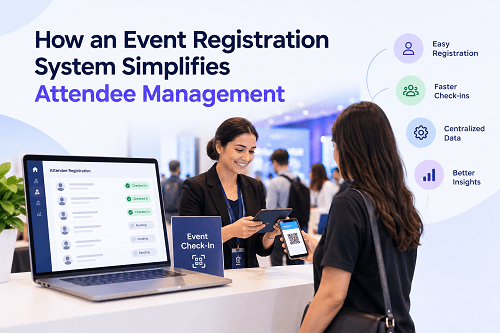
An event registration system brings attendee information, registration, payments, confirmations, check-in, and attendance records into one place. This makes it easier to know who is attending, what access they have, and where they are in the event journey.
For small events, attendee management can be handled with spreadsheets and email. Once registrations increase, those methods become difficult to maintain. Changes have to be updated manually, duplicate records become harder to identify, and onsite teams may not have the latest attendee information.
An event registration system for attendee management reduces these problems by keeping registration data in a centralized system and automating routine tasks.
TL;DR
An event registration system simplifies attendee management by creating one record for each attendee and connecting it with registration, ticketing, payments, communications, badges, check-in, and attendance tracking.
Instead of maintaining separate lists for registered attendees, paid attendees, VIPs, speakers, exhibitors, and walk-ins, organizers can manage these categories within the same platform.
Key Takeaways
- Registration data can be stored in one centralized attendee database.
- Automated confirmations and reminders reduce manual communication.
- Attendee categories and access permissions can be managed before the event.
- QR codes and digital credentials make check-in easier to track.
- Changes to attendee information can be updated without maintaining multiple spreadsheets.
- Real-time attendance information helps onsite teams understand who has arrived.
- Post-event reports provide a usable record of registration and attendance.
What Is an Event Registration System?
An event registration system is software that manages the process of collecting and organizing attendee information before and during an event.
An organizer can create a registration form, decide which information to collect, configure ticket types, accept payments, send confirmations, and manage attendee records from the same system.
The system can also connect registration with other event operations. An attendee who completes registration may receive a confirmation email and QR code. At the venue, that QR code can be scanned to verify the registration and record attendance.
This connection is what makes registration software useful for attendee management. The registration record does not disappear after someone submits a form. It becomes the attendee's operational record throughout the event.
How an Event Registration System Works
Understanding how an event registration system works starts with the attendee record.
An organizer first creates the registration form and decides what information is required. This could include name, email address, phone number, company, job title, attendee type, dietary requirements, session preferences, or other event-specific information.
Once an attendee submits the form, the system creates a record.
For paid events, payment information and ticket status can be associated with that record. The attendee may then receive a confirmation message, ticket, or QR code.
Before the event, organizers can update categories, review registrations, send reminders, and identify incomplete registrations.
At the venue, the same record can be used for QR check-in, badge printing, access validation, or session attendance.
The important point is that these activities use the same underlying attendee information instead of creating separate records for every stage.
How Does It Simplify Attendee Management?
The main advantage is that organizers do not have to repeatedly move attendee information between different tools.
Without a centralized system, an organizer might maintain one spreadsheet for registrations, another list for payments, a separate document for VIPs, and another list for onsite check-in.
Every update creates another opportunity for information to become inconsistent.
A centralized registration system keeps these details connected. If an attendee changes their company name or registration category, the update can be reflected in the main attendee record instead of requiring changes across several files.
This becomes especially useful when an event has thousands of attendees or multiple teams working on registration and onsite operations.
How Does Automated Attendee Management Reduce Manual Work?
Automated attendee management handles repetitive actions that would otherwise require staff intervention.
For example, after an attendee registers, the system can automatically send a confirmation. A reminder can be sent closer to the event. A QR credential can be generated for eligible attendees. Payment status can determine whether a ticket is confirmed or still pending.
These actions do not require an organizer to manually check every registration.
Automation can also be useful for different attendee categories. VIPs, speakers, exhibitors, delegates, media, and general attendees may receive different communications or access permissions based on information stored in their records.
The organizer still controls the rules. The system simply applies them consistently.
How Can Organizers Manage Different Attendee Categories?
Most events do not treat every attendee in exactly the same way.
A conference may have speakers, sponsors, exhibitors, delegates, VIPs, media, and staff. An exhibition may need separate access for exhibitors and visitors. A corporate event may have employees, partners, guests, and invited executives.
An event registration system can assign categories during registration or afterward.
These categories can then be used for ticket pricing, badge types, communication, access permissions, or reporting.
This is more manageable than maintaining separate spreadsheets for every group because the categories remain connected to the main attendee database.
How Does Registration Data Support Check-In?
Registration and check-in are closely connected but perform different jobs.
Registration answers whether someone has signed up for the event. Check-in confirms whether that person has actually arrived.
An attendee who registers online may receive a QR code. When they reach the venue, staff can scan the code and retrieve the corresponding attendee record.
If the registration is valid, the system can mark the attendee as checked in. Depending on the setup, it can also trigger badge printing or confirm access to a particular area.
This creates a direct link between pre-event registration and onsite attendance.
What Is an Event Attendee Tracking System?
An event attendee tracking system records attendee activity that the organizer needs to monitor during the event.
At its simplest, this can mean tracking whether an attendee has checked in.
More advanced setups can record session attendance, access to specific zones, or participation in activities. The exact tracking capabilities depend on the event technology being used.
The benefit is that organizers can work with current attendance information instead of relying on manual headcounts.
For example, an onsite team can check how many registered attendees have arrived without manually comparing the check-in desk's records with the original registration list.
How Does Centralized Attendee Management Help Event Teams?
Centralized attendee management gives different event teams access to the same underlying information, subject to their permissions.
The registration team can manage attendee records. The finance team can review payment status. The onsite team can handle check-in and badge printing. The event operations team can review attendance information.
Without centralization, these teams may work from different versions of the same data.
A centralized system reduces this duplication.
It also makes it easier to identify the current status of an attendee. Instead of asking whether someone has registered, paid, received a ticket, or checked in, the team can review those details against the attendee's record.
How Can Organizers Handle Walk-In Attendees?
Walk-ins are common at some conferences, exhibitions, public events, and corporate gatherings.
The problem begins when walk-in registrations are handled separately from online registrations. A paper form or standalone spreadsheet can create duplicate records and make attendance reporting less accurate.
An event registration platform can add eligible walk-in attendees to the same registration database.
The onsite team can collect the required information, assign the appropriate ticket or category, process payment if necessary, and issue a credential.
This keeps online and onsite registrations within the same attendee-management structure.
How Does It Help With Attendee Communication?
Attendee communication becomes easier when registration information is stored in one place.
Organizers can send communications based on registration status or attendee category. Someone who has completed registration may receive event instructions, while a person with an incomplete payment may receive a different message.
The same data can support reminders before the event.
After the event, organizers may also need to send certificates, feedback forms, thank-you messages, or other follow-ups.
Using registration data as the source reduces the need to manually create separate mailing lists.
How Does an Event Registration System Improve Data Accuracy?
Manual data entry is one of the common causes of attendee-management problems.
An attendee's name may be entered differently in two systems. A payment may be recorded in one spreadsheet but not another. Someone may update their registration details without the change reaching the onsite team.
A centralized system reduces these inconsistencies by giving teams a common attendee record.
Validation rules can also be used during registration. Required fields, predefined categories, payment status, and other conditions can prevent incomplete or unsuitable information from entering the system.
Data accuracy still depends on how the registration form and processes are configured. Technology cannot correct poorly designed registration requirements on its own.
How Can Organizers Use Attendee Data After the Event?
Attendee management does not end when the venue closes.
Registration and attendance records can help organizers understand the difference between registrations and actual attendance. They can review attendee categories, payment status, session participation, and other available information.
This can support planning for future events.
For example, if a large number of registered attendees did not attend, the organizer can investigate possible reasons. If particular sessions consistently attract high attendance, future scheduling can take that pattern into account.
The system therefore becomes a record of what happened, not just a tool for collecting registrations.
What Should You Look for in an Event Registration System in Dubai?
Organizations looking for an event registration system in Dubai should evaluate the platform according to their actual event requirements rather than choosing based only on the registration form.
Key areas to check include:
- Custom registration forms
- Multiple attendee categories
- Free and paid registration
- Online payment options
- QR code credentials
- Automated confirmations and reminders
- Badge printing
- Onsite check-in
- Walk-in registration
- Session or zone access
- Attendance reports
- Real-time attendee data
- Data access controls
- Offline or connectivity recovery options
- Integration with other event tools
For large conferences and exhibitions, onsite hardware and technical support also deserve attention. A registration platform may work well online but still create operational problems if badge printers, scanners, kiosks, or network connectivity are not properly planned.
How to Manage Event Attendees More Efficiently
The most effective approach is to treat attendee management as one connected operation instead of several unrelated tasks.
Start with a registration form that collects only the information the event actually needs. Define attendee categories and access rules before registration opens. Automate routine confirmations and reminders. Connect registration records with payment and ticket status.
Before the event, clean the attendee database and test the check-in process using real scenarios. Include duplicate registrations, payment failures, category changes, lost QR credentials, walk-ins, and badge reprints.
At the venue, make sure onsite staff can access current attendee information and have a clear process for exceptions.
After the event, retain the useful attendance and registration records according to the organization's data-management requirements and use the information to evaluate the event.
Final Takeaway
An event registration system simplifies attendee management by keeping registration, attendee records, payments, communication, credentials, check-in, and attendance information connected.
For organizers, the practical benefit is fewer disconnected lists and less repetitive manual work. For onsite teams, it provides a clearer view of who has registered and who has arrived.
The right system should fit the event's size, attendee categories, payment requirements, check-in setup, and reporting needs. When these pieces are connected properly, attendee management becomes easier to control before, during, and after the event.
FAQs
1. What is an event registration system for attendee management?
It is software that collects attendee information and manages related processes such as registration, payments, ticketing, communication, check-in, badge printing, and attendance records.
2. How does an event registration system track attendees?
It can associate each attendee with a registration record and use QR codes, badges, scanners, or other credentials to record check-in and, where supported, session or access activity.
3. What is automated attendee management?
Automated attendee management uses predefined rules to handle repetitive tasks such as registration confirmations, reminders, ticket issuance, QR generation, and attendee categorization.
4. Can an event registration system handle walk-ins?
Yes, if the platform supports onsite registration. Walk-in attendees can be added to the same attendee database used for online registrations, helping avoid separate attendance records.
5. How does centralized attendee management help large events?
It gives event teams a common source of attendee information. Registration, payment, check-in, badge, and attendance data can be connected instead of being maintained in separate files.
6. Can registration software manage different attendee categories?
Yes. Most event registration platforms can support categories such as VIPs, speakers, exhibitors, delegates, sponsors, staff, and general attendees, with different registration or access rules where required.