Free vs Paid Website Audit Tools: Which Should You Use?
Choosing the right website audit tool can make SEO work easier, but it can also create confusion. Some tools are available for free and provide useful information about technical errors, page speed, indexing, and on-page SEO. Others require a subscription but offer deeper crawling, competitor analysis, automated reporting, and features for managing multiple websites.
The challenge is understanding which features you actually need. Paying for an advanced platform does not automatically improve your website, and relying only on free tools may leave important problems undiscovered as your website grows.
The right choice depends on your website's size, SEO goals, available resources, and the type of problems you need to investigate. This guide compares free and paid website audit tools, explains their strengths and limitations, and helps you choose an approach that fits your requirements.
What Is a Website Audit Tool and What Should It Check?
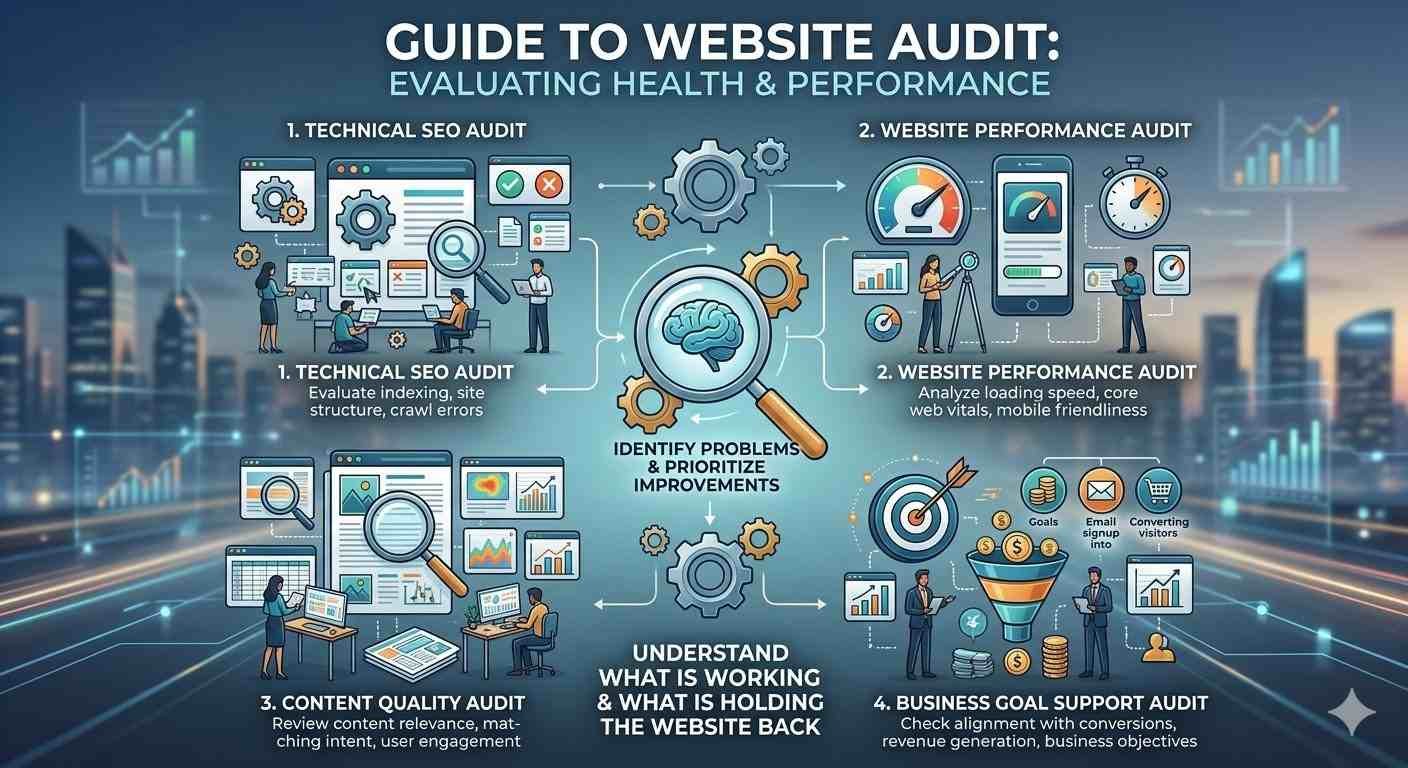
A website audit tool helps identify problems that may affect a website's technical health, search visibility, performance, content, or user experience. Depending on the tool, it may crawl pages, examine metadata, check links, measure loading speed, review indexing signals, or generate recommendations for improvements.
However, not every audit tool examines the same things. A page speed testing tool may explain why a page loads slowly but provide little information about duplicate content. A technical SEO crawler can identify broken links and missing metadata, but it may not explain whether a service page answers the questions potential customers have.
Before comparing free and paid options, determine what you want to audit.
Technical SEO tools help identify issues such as broken internal links, redirect chains, missing canonical tags, duplicate titles, and pages that search engines may struggle to access. Search performance tools provide information about impressions, clicks, indexing, and search queries. Performance tools measure loading speed and responsiveness, while content tools help evaluate page structure and keyword targeting.
Some platforms combine several of these capabilities into one dashboard. Others focus on a specific task and work best alongside additional tools.
A useful website audit should also connect findings with business goals. For example, an online store may need to identify crawlable product URLs, slow category pages, and problems in the checkout journey. A service business may care more about organic landing pages, local search visibility, contact forms, and conversion tracking.
You can begin with a free website audit tool to identify common website problems before deciding whether a paid platform is necessary. The important step is to examine the findings rather than automatically treating every warning as something that needs fixing.
A good tool should make its findings understandable, show which pages are affected, and provide enough evidence to investigate the cause. Ideally, it should also help you monitor changes over time. The goal is not to collect the longest possible list of errors. It is to identify problems that matter and resolve them efficiently.
What Can You Do With Free Website Audit Tools?
Free website audit tools can provide substantial value, particularly for small businesses, individual website owners, freelancers, and people learning technical SEO. Several tools cover essential auditing tasks without requiring a paid subscription.
Google Search Console is one of the most useful starting points. It provides information about search performance, indexing, sitemap processing, and certain website experience issues. You can inspect individual URLs, review search queries, and investigate why important pages may not be indexed. Because it reports data from Google's perspective, it is especially useful for understanding how Google interacts with your website.
Google PageSpeed Insights is another valuable option. It measures page performance and provides recommendations for improving loading speed and responsiveness. Where available, it combines laboratory testing with real-user performance data. This can help you distinguish between a page that performs poorly under testing conditions and one that also creates problems for actual visitors.
Google Analytics can complement these tools by showing how visitors interact with the website. It can help you examine landing pages, engagement, traffic sources, and conversions, provided the tracking setup is configured correctly. Analytics does not replace a technical crawler, but it helps explain which pages and user journeys deserve attention.
Other free options include browser developer tools, free crawler versions, and limited audit reports from SEO platforms. Depending on the product, these can help identify broken links, missing metadata, redirect issues, or basic on-page problems.
The main advantage of free tools is that they allow you to investigate specific problems without committing to a recurring expense. You can test a page, inspect indexing, and measure performance using separate tools selected for each task.
There are limitations, however. Some free crawlers restrict the number of URLs you can analyse. Certain platforms limit historical data, keyword research, scheduled audits, exports, or competitor analysis. You may also need to combine several dashboards to understand the complete condition of a website.
Free tools are therefore most effective when the scope of the audit is manageable and you have enough time to interpret the results. They can support serious SEO work, but the workflow may become slower as the website, client portfolio, or reporting requirements expand.
What Do Paid Website Audit Tools Offer?
Paid website audit tools generally become valuable when you need greater coverage, deeper analysis, more frequent monitoring, or a more organised workflow. Instead of checking a limited set of pages individually, you may be able to crawl a larger website, schedule recurring audits, compare historical results, and export findings for further analysis.
One major benefit is crawl capacity. A small website with a few dozen pages may be manageable with a free crawler, while a large ecommerce store can contain thousands of product URLs, category pages, filters, and parameter-based variations. Paid crawlers often provide more capacity and additional controls for examining these structures.
Advanced filtering can also make investigations more efficient. You may be able to isolate pages with specific status codes, identify redirect chains, examine canonical inconsistencies, and group errors by page template. This is useful when the same problem affects hundreds of URLs and needs to be corrected at its source.
Some paid SEO platforms combine technical audits with keyword research, backlink analysis, rank tracking, and competitor research. This can be helpful when an SEO team needs to understand not only whether a website has technical problems but also how its search visibility compares with competing websites.
Reporting is another important difference. Agencies and in-house teams may need branded reports, scheduled exports, project dashboards, and historical comparisons. These features can reduce manual work and make it easier to communicate findings to clients, developers, and management.
Paid platforms may also provide alerts when new problems appear. Regular monitoring can help identify broken pages, unexpected changes in indexability, or technical issues introduced during a website update.
However, a subscription does not guarantee more accurate decisions. Paid tools can produce false positives, miss context, or recommend changes that are inappropriate for a particular website. A reported issue still needs to be checked against the site's structure, business priorities, and actual search behaviour.
For example, a crawler might flag a large number of URLs with similar titles. That could indicate a genuine problem, but it might also reflect a deliberate template used for pages serving different purposes. Similarly, not every page excluded from Google's index needs to be indexed.
Paid tools are most useful when their additional capabilities solve a real operational problem. If your current process already identifies and resolves the important issues efficiently, adding another subscription may create expense without delivering meaningful value.
Free vs Paid Website Audit Tools: The Main Differences
The biggest difference between free and paid website audit tools is not simply the number of features. It is how efficiently they help you collect evidence, analyse problems, coordinate fixes, and monitor results.
Free tools are often sufficient for individual checks, basic technical reviews, and smaller websites. Paid platforms are more useful when the audit involves large numbers of URLs, multiple projects, recurring reporting, or advanced SEO investigations.
Consider these practical differences when evaluating your options:
- Website coverage: Free versions may restrict crawl limits or the number of pages you can inspect. Paid plans commonly provide greater capacity.
- Technical analysis: Free tools can reveal many common issues, while paid crawlers may offer deeper filtering, segmentation, and more advanced reporting.
- Search and competitor research: Dedicated paid SEO platforms may combine audits with keyword, backlink, and competitor data.
- Monitoring: Some free tools offer ongoing performance or search data, but paid platforms may provide more flexible scheduled crawls, alerts, and historical comparisons.
- Reporting: Basic reports may be enough for personal projects, while agencies often benefit from exports, reusable reports, and client-facing dashboards.
- Cost and complexity: Free tools reduce direct expenses but may require more manual work. Paid tools introduce recurring costs and may require training to use effectively.
The right comparison is therefore based on the total effort involved, not just the subscription price. A free workflow that requires several hours of manual analysis every week may be less efficient than a paid platform that automates repetitive tasks. On the other hand, paying for features that you rarely use is unlikely to be worthwhile.
For businesses targeting multiple markets, the audit process may also need to cover language versions, regional landing pages, and international SEO signals. For example, companies targeting Arabic-speaking customers in the UAE may need to assess translated content, local search intent, and language-specific technical configuration. Arabic SEO services in Dubai may be relevant when specialist support is needed to evaluate these areas alongside the wider technical audit.
Ultimately, both free and paid tools can contribute to a reliable website audit. The best choice is the one that gives you enough accurate information to make better decisions without adding unnecessary cost or complexity.
Add a practical decision framework
Best Free Website Audit Tools to Start With
You do not need an expensive SEO platform to begin evaluating a website. Several free tools can cover essential auditing tasks, and using them together can provide a useful overview of your website's condition.
Google Search Console should be one of your first choices. It helps you examine organic search performance, indexing status, sitemap information, and certain technical problems reported by Google. It is particularly valuable when you need to understand whether important pages are appearing in search results and which queries bring visitors to your website.
Google PageSpeed Insights is useful for testing page speed and Core Web Vitals. It provides performance measurements and recommendations for improving loading speed, responsiveness, and visual stability. Test important pages individually because a homepage score does not necessarily represent the performance of product pages, service pages, or blog posts.
Google Analytics can help you understand what happens after visitors arrive. You can examine landing pages, engagement, traffic sources, and conversions. It is most useful when events and conversion tracking are configured correctly, allowing you to connect website improvements with meaningful business outcomes.
Screaming Frog SEO Spider offers a free version that can crawl a limited number of URLs per crawl. It can help identify broken links, redirects, missing metadata, and other technical SEO issues. This makes it useful for smaller websites and targeted investigations, although larger websites may need more capacity or advanced features.
Bing Webmaster Tools provides additional search performance and website diagnostic information for Bing. Its tools can complement Google Search Console, particularly if Bing visibility matters to your audience.
The important point is that these tools have different purposes. Search Console helps you understand Google's view of your website, PageSpeed Insights evaluates performance, and a crawler examines the links and page elements it can access. Analytics helps you evaluate visitor behaviour. Together, they can provide a stronger picture than relying on one tool alone.
Start with the tools that address your most important questions. If your main concern is indexing, begin with Search Console. If visitors complain about slow pages, investigate performance. If a website migration has created broken links and redirect chains, use a crawler to inspect the affected URLs.
This focused approach keeps the audit manageable and prevents you from spending time collecting data that does not support a clear decision.
When Should You Upgrade to Paid Website Audit Tools?
A paid website audit tool becomes worth considering when your current workflow can no longer handle the size, complexity, or frequency of your auditing requirements.
One common reason is website growth. A site with a few dozen pages may be easy to review manually, but a large ecommerce website can contain thousands of products, categories, filters, and URLs generated by its search functionality. At that scale, crawl limits and manual analysis can slow down investigations.
Another reason is the need to manage several websites. Freelancers, SEO agencies, and internal marketing teams may need to audit multiple projects, compare performance over time, and prepare reports for different stakeholders. A paid platform can make these recurring tasks more organised.
Consider upgrading when you regularly need:
- Larger website crawls and more detailed technical analysis.
- Scheduled audits and alerts for newly detected problems.
- Keyword tracking, backlink analysis, or competitor research alongside technical audits.
- Historical comparisons, data exports, and reusable reporting.
- Collaboration features for teams managing multiple projects.
The decision should be based on actual requirements rather than the number of features advertised on a pricing page. Make a list of the tasks that consume the most time in your current workflow. Then compare paid tools against those specific needs.
For example, if your team spends several hours every week manually combining crawl reports from different websites, a paid platform with project management and reporting features may save enough time to justify its cost. If you only audit one small website every few months, the same subscription may offer little additional value.
Before purchasing, test the platform using a real website or trial account when available. Check its crawl limits, data freshness, export options, and ability to identify the problems you actually encounter. Confirm whether essential features require a higher subscription tier.
Also consider the learning curve. An advanced platform can provide extensive data, but it will not help much if nobody on the team knows how to interpret the reports. Training and implementation time should be part of the overall cost.
How to Choose the Right Website Audit Tool for Your Needs
The best tool depends on your website, objectives, and working process. Rather than selecting a platform because it is popular, match its capabilities to the problems you need to solve.
For beginners and small websites: Start with free tools. Google Search Console, PageSpeed Insights, Analytics, and a free crawler can cover many essential checks. Learn how to interpret indexing, performance, and crawl reports before adding more complex software.
For growing businesses: Consider a paid crawler or SEO platform when the number of pages, frequency of changes, or need for historical reporting makes manual auditing inefficient. Prioritise features that directly address your biggest limitations.
For SEO agencies: Look closely at project limits, reporting, scheduled audits, exports, and team access. The right platform should help you manage several clients without creating unnecessary manual work.
For ecommerce websites: Focus on crawl capacity, duplicate URLs, canonical signals, redirect handling, indexability, and template-level problems. The tool should be able to analyse the site's URL structure without becoming overwhelmed by filters and parameter variations.
For developers and technical SEO specialists: Advanced crawling, custom extraction, log-file analysis, JavaScript rendering, and flexible filtering may be more valuable than a simple dashboard. Choose features according to the complexity of the website and the investigations you regularly perform.
For local businesses: A large enterprise SEO platform may be unnecessary if the website is relatively small. Begin by checking indexing, mobile performance, service pages, location information, and conversion paths. Add paid capabilities only when they provide a clear benefit.
You should also consider how the tool fits into your existing workflow. If your team already uses several platforms, another subscription may create duplicate reports rather than improve efficiency. A good setup combines complementary tools and establishes a clear process for investigating and resolving findings.
Finally, remember that audit software cannot fully evaluate every aspect of website quality. It may identify missing headings or weak internal links, but it cannot always determine whether the content genuinely helps customers. Human review remains important for understanding search intent, business relevance, accuracy, and user expectations.
How to Get Better Results From Free and Paid Audit Tools
Regardless of which tools you choose, a repeatable audit process is more valuable than collecting large amounts of data without a plan.
Start by defining the purpose of the audit. You might want to investigate a decline in organic traffic, prepare for a website migration, improve page speed, or find technical problems affecting important landing pages. A clear objective helps you select the right tools and avoid unrelated work.
Next, establish a baseline. Record important measurements before making changes, including indexed pages, organic clicks, relevant conversion rates, and performance metrics. The exact measurements will depend on the problem you are investigating.
Run the appropriate checks and validate important findings. If a crawler reports a broken link, inspect the URL. If Search Console shows an indexing problem, examine the affected page and its directives. If a performance tool recommends reducing JavaScript, determine which scripts are responsible and whether removing or changing them could affect essential functionality.
Prioritise problems according to their impact. An error affecting hundreds of valuable pages may deserve more attention than a missing description on a low-value page. Likewise, a broken enquiry form may be more urgent than a minor technical warning because it directly prevents potential customers from contacting the business.
Document the findings, assign responsibility, and verify completed fixes. After implementation, repeat the relevant tests and monitor the website to determine whether the changes achieved the intended result.
For businesses that need broader help connecting technical findings with content and search performance, Triple Minds can be considered when evaluating professional SEO support. The important thing is to ensure that any support or software investment is tied to specific problems, measurable goals, and a practical implementation plan.
Conclusion
Free and paid website audit tools both have a place in an effective SEO workflow. Free tools can cover essential checks for indexing, performance, visitor behaviour, and technical errors. Paid platforms become more valuable when a website grows, audits become frequent, or teams need advanced crawling, competitor research, automated reporting, and monitoring.
You do not need to purchase a premium subscription simply to conduct a useful audit. Start with your goals, identify the limitations of your current process, and invest in additional capabilities only when they solve a real problem.
The best audit setup is not necessarily the most expensive one. It is the one that helps you find meaningful issues, prioritise the right fixes, and measure whether your website is becoming healthier over time.
Frequently Asked Questions
1. Are free website audit tools good enough for SEO?
Yes. Free tools can support many essential SEO tasks, including indexing checks, page speed testing, and basic technical crawling. Their limitations usually involve crawl capacity, advanced analysis, reporting, and automation rather than a complete lack of useful information.
2. Are paid website audit tools more accurate?
Not automatically. Paid tools may provide broader data and more advanced analysis, but their findings still need to be verified. Accuracy depends on the tool, its data sources, the website configuration, and how the results are interpreted.
3. Can I use several free tools instead of one paid platform?
Yes. Combining Search Console, PageSpeed Insights, Analytics, and a crawler can provide broad coverage. However, using multiple tools may require more manual work and make reporting less convenient.
4. When should a small business pay for an SEO audit tool?
Consider paying when free tools no longer meet your needs, such as when the website grows, regular monitoring becomes necessary, or reporting takes too much time. The subscription should solve a clearly identified problem.
5. Do website audit tools fix the problems they find?
Most audit tools primarily identify issues and recommend possible solutions. Some platforms support workflows or integrations, but technical corrections generally require implementation, testing, and verification.
6. How often should I use website audit tools?
Monitor important performance and search signals regularly. Run comprehensive crawls periodically, with the schedule based on website size and complexity. Perform additional checks after redesigns, migrations, major releases, or significant changes to the website.
Tags : website audit website health