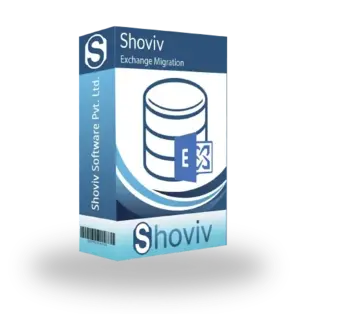
Shoviv Exchange Migration Tool is a reliable solution that makes migrating Exchange mailboxes to newer Exchange versions, Microsoft 365, or other environments easier. It is suitable for organizations of any size and helps administrators execute secure, fast, and error-free migrations without unnecessary technical hassle. The tool supports migrations from Exchange Server 2010, 2013, 2016, and 2019, ensuring data integrity throughout the process. With its user-friendly interface and robust capabilities, Shoviv Exchange Migration Tool has gained trust among IT professionals.
Key Features of Shoviv Exchange Migration Tool
Multiple Migration Options: Supports migrations from Exchange to Exchange, Exchange to Office 365, and Public Folder migrations, offering flexibility for various business needs.
Preserves Data Integrity: Keeps the original folder structure, email metadata, read/unread status, permissions, and attachments intact during migration.
Incremental Migration: Only transfers newly added or modified data during later migration runs, saving time and preventing duplication.
Selective Migration: Enables users to migrate specific mailboxes, folders, or items using filters like date range and folder selection.
No File Size Limitation: Can migrate large mailboxes without size restrictions, handling enterprise-level data smoothly.
Automapping of Mailboxes: Automatically matches source mailboxes with destination mailboxes, cutting down on manual work and mistakes.
OneDrive to OneDrive Migration: This tool also migrates OneDrive to another OneDrive.
Public Folder Migration: Helps move Exchange Public Folders to another Exchange server or Office 365 while maintaining the complete structure.
Advanced Scheduling Option: Let users schedule migration tasks to meet business needs, reducing downtime.
On-premises Exchange and Offline EDB Support: Works with both On-premises Exchange servers and offline EDB files, providing more flexibility in migration situations.
Detailed Migration Reports: Creates thorough reports and logs to track progress, audit, and verify actions.
High-Level Security: Ensures secure authentication and data transfer without saving user credentials, upholding compliance and privacy.
User-Friendly Interface: Designed for both technical and non-technical users, making the migration process straightforward and manageable.
Parallel Mailbox Migration: Supports simultaneous mailbox migrations to cut down overall migration time.
Compatibility with Latest Exchange Versions: Fully compatible with modern Exchange Server versions and Microsoft 365 environments.
Free Demo Version: Provides a free trial version that allows users to test features and performance before buying the full license.
Gallery
Shoviv Exchange Migration Software
London-
4.0Ratings
- 1+Reviews
- 0 + Followers
Opening Hours
| Open | 24 x 7 Hours |
|---|
Recent Questions and Answers
Have a question? Ask away!
Related Listing
Shoviv Lotus Notes to Office 365 Migration Softwar...

M40Tech

Gerry Brown
Smooth and Reliable Migration Experience