WholeClear PST Converter Review: Efficient Outlook Data Management Tool
By Misty Lyons 13-05-2026 97
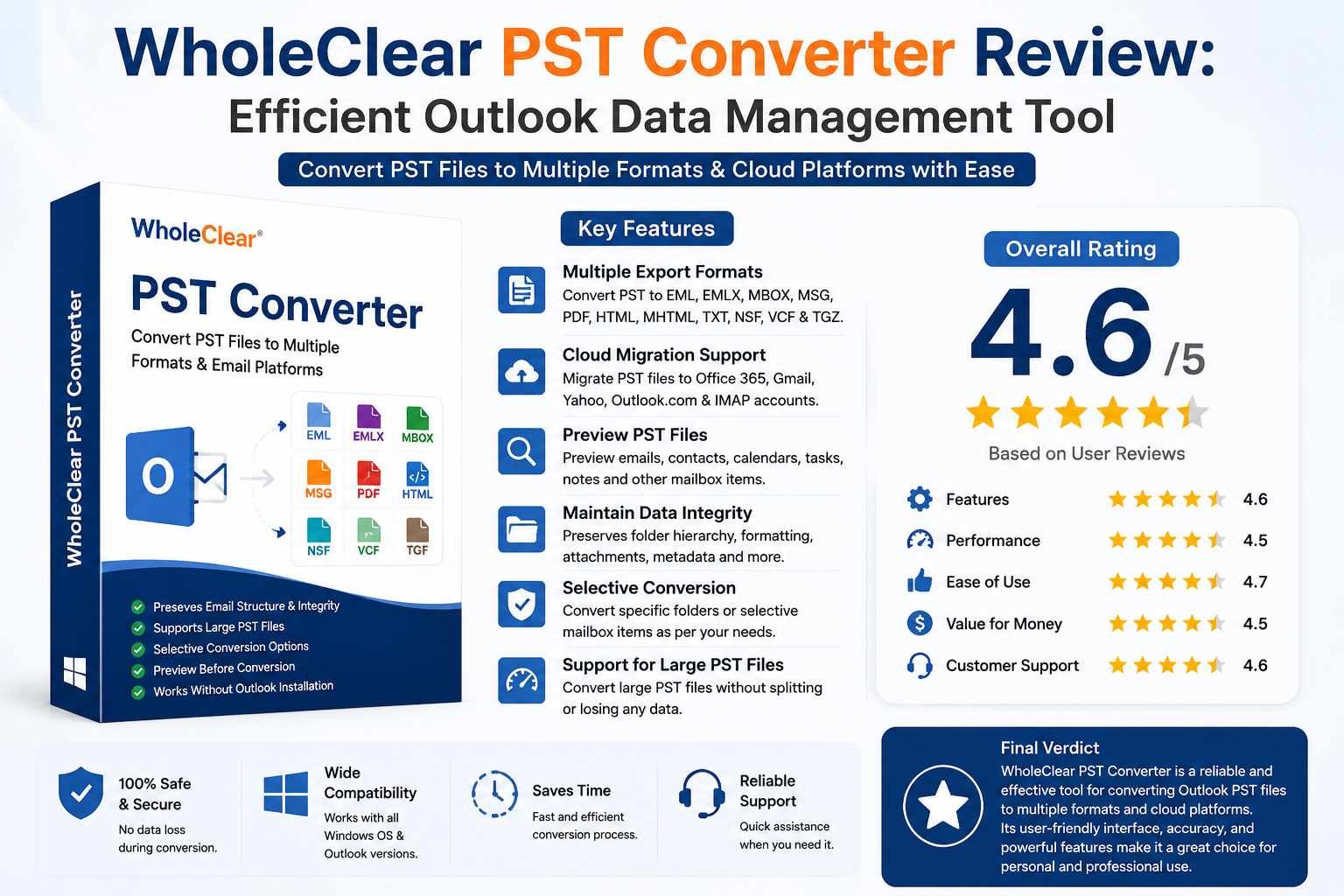
As mailbox data expands over time, managing Outlook PST files gets more challenging. Oversized PST files, migration difficulties, compatibility issues and the requirement to access Outlook data across several platforms are among the obstacles that users frequently encounter. Many users rely on PST conversion tools that make email migration easier while maintaining mailbox integrity in order to address these issues.
It is intended to assist users in exporting Outlook PST files into various cloud-based systems and formats without requiring laborious manual processes. The program seeks to offer an easy-to-use environment for converting mailbox data while preserving the structure, attachments, and information of emails.
The software's features, benefits, shortcomings, system requirements, recent advancements, and potential improvements for upcoming editions are all covered in this thorough and impartial evaluation.
Overview of the Tool
The program was created for people who need to convert Outlook PST files into different formats for accessibility, backup, or migration. Conversion into formats like these is supported:
EML.
EMLX.
MBOX
MSG
HTML
MHTML
TXT.
NSF
TGZ
VCF.
The program facilitates transfer to cloud and IMAP-based email services, including Office 365, Gmail, Yahoo Mail, and Outlook.com, in addition to local file conversion.
The program is made to maintain the original mailbox settings during the export process and supports both ANSI and Unicode PST files. Additionally, users can preview mailbox contents before to conversion, which might aid in confirming the correctness of the data.
Users with little technological expertise can utilize the interface because it is really straightforward. A step-by-step process can be used to do most jobs.
Key Elements
Various Export Choices
The range of export formats accessible is one of the utility's main advantages. The software helps resolve compatibility gaps between various email clients that support various mailbox formats.
As an example:
Thunderbird and Apple Mail can import MBOX output.
Several desktop email programs are compatible with EML files.
Printing and archiving documents can benefit from PDF export.
The program is useful for both personal and professional migration activities because of its flexibility.
Maintains Mailbox Security
Maintaining mailbox structure during PST conversion is crucial. The program is made to uphold:
The attachments
The format of emails
Details of the sender and recipient
Internet headers
Inline pictures
The metadata
Folder structure
Maintaining these components lowers the possibility that mailbox data may be lost or corrupted following migration.
Preview of Features
Users can preview mailbox components like these before starting the conversion process:
E-mails
Networks
Schedules
A note
A task
The journals
Before exporting, this function assists users in making sure the right data is chosen.
Particular Conversion
Users can select particular folders or mailbox items rather than converting the full PST file. This can cut down on needless data export and save time.
When customers simply require archived contacts, emails or a certain mailbox folder, selective transfer is especially helpful.
Compatibility with Big PST Files
Large PST files can be supported by the tool without the need for manual splitting. For users managing outdated Outlook archives that might hold years' worth of email data, this is helpful.
Support for large mailboxes can make backup and migration efforts more convenient.
Password-Secure PST Assistance
As long as the files are readable and uncorrupted, the program can also handle password-protected PST files.
When working with secured Outlook archives, this functionality gives users more options.
Help with Cloud Migration
The tool enables migration to IMAP accounts and cloud-based email providers in addition to local conversion. Organizations switching from desktop-based Outlook setups to cloud platforms may find this useful.
The software's usability for contemporary email management needs is improved with the addition of cloud migration capabilities.
Advantages of the Software
Interface Suitable for Novices
The graphical user interface is simple and easy to use. Technical complexity is decreased by guiding users step-by-step through the migration procedure.
Because of its simplicity, the software can be used in both home and small business settings.
Wide Adaptability
Several Outlook editions are supported by the utility, including:
2021 Outlook
2019 Outlook
2016 Outlook
2013 Outlook
2010 Outlook
Older versions of Outlook
Additionally, it works with Windows 11, 10, 8.1, 8, 7, Vista and XP, among other Windows operating systems.
Preserves the Initial Data Structure
Migration issues can be minimized by maintaining the original folder hierarchy and mailbox layout. When moving professional email archives, where organization is crucial, this is especially crucial.
Bulk Conversion Assistance
Large migration projects can benefit from the software's efficient handling of numerous mailbox items.
Additionally, improvements in bulk transfer efficiency for Office 365-related operations are suggested by recent product announcements.
Limitations and Disadvantages
Users should be aware of certain limitations, even if the application works effectively for typical PST migration jobs.
Windows-Specific Software
The Windows operating system is the main focus of the software's development. There is currently little or no native macOS compatibility.
Mac users might require virtual Windows environments or alternative solutions.
Absence of PST Repair Features
PST repair is not the utility's primary concern; conversion is. Before migrating, a different repair program could be needed for corrupted or seriously damaged PST files.
For users who are coping with broken mailbox archives, this can add an additional step.
Minimal Automation in Enterprises
Advanced administrative functions like these are absent from the program when compared to enterprise-grade migration solutions.
Dashboards for centralized management
The automation of commands
Sophisticated reporting tools
Support for enterprise deployment
More scalable solutions can be needed for organizations managing very large migration projects.
Limited Benchmarking by Third Parties
Compared to bigger migration software providers, there are fewer unbiased technical benchmark assessments available.
Therefore, before utilizing the program for enterprise-scale projects, users might need to do their own review.
System specifications
The program is compatible with the majority of regular Windows systems and has minimal system requirements.
Operating Systems Compatible
11 Windows
10 Windows
8.1 Windows
8. Windows
7. Windows
Vista Windows
Outlook Compatibility for Windows XP
2021 Outlook
2019 Outlook
2016 Outlook
2013 Outlook
2010 Outlook
Earlier versions
Hardware specifications
At least a 1 GHz processor 512 MB or more of RAM
A minimal amount of free storage space for exported and installed files
The application is compatible with both new and older computers thanks to these minimal needs.
Overview of Trial Version
For testing purposes, the software provides a free demo version. Before buying the licensed version, users can try key features using the trial edition.
The demo version allows for:
Preview capabilities
Verification of folder structure
Limited conversion of mailboxes
Export options are accessible
Information that is accessible to the public indicates that the trial version only transforms a small number of items from each folder. Rather than carrying out whole migration procedures, this restriction is meant to assist users in assessing performance.
The trial version nevertheless offers a fair chance to examine compatibility, interface usability, and conversion quality in spite of this restriction.
New Developments and Enhancements
Improvements seem to be the focus of recent updates: Performance of bulk migration
Support for cloud migration
PST scanning velocity
Managing a large mailbox
Adaptability to more recent versions of Windows
The product listings also show that Office 365-related migration scenarios and current Outlook editions are still supported.
These enhancements point to further research and development focused on enhancing platform compatibility and migration efficiency.
Suggested Improvements
Even while the utility now provides helpful features, a few enhancements could make it even more competitive.
1. Include the option to repair and recover PST.
2. Before export, implement duplicate email detection.
3. Include sophisticated sorting by subject, sender, or date.
4. Boost automation support at the enterprise level.
5. Provide compatibility with native macOS.
6. Include export logs and comprehensive migration reporting.
7. Provide Microsoft 365 with contemporary authentication support.
8. Offer choices for direct mailbox synchronization.
IT administrators and individual users would both find these additions more user-friendly.
Rating: 4.7/5
Final Opinion
For customers who need to migrate mailbox data to cloud platforms or convert Outlook PST files into numerous formats, WholeClear PST Converter offers a useful solution. Selective conversion, preview capabilities, compatibility for big PST files, and mailbox structure preservation are just a few of the software's helpful features.
It is appropriate for home users, independent contractors, and small enterprises handling moderate email migration duties because of its user-friendly interface and wide compatibility.
The program works well for basic Outlook data management and conversion needs, even if it might not have sophisticated enterprise-level automation or PST repair capabilities.
All things considered, it seems to be a dependable and easy-to-use choice for users looking for simple PST conversion and migration features without needless complication.
Tags : PST Software review