WholeClear NSF to PST Converter: How to Move Lotus Notes Data to Outlook
By sylviaplath 19-09-2026 19
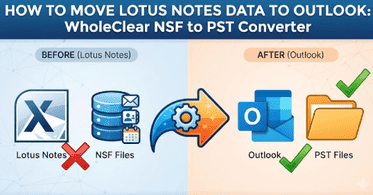
Sooner or later, most teams that rely on Lotus Notes face the same question. What happens to years of email, contacts, and calendar entries once everyone shifts to Outlook? The answer usually comes down to two file formats, NSF and PST, which were never built to work together.
This guide explains how the two formats differ, what to prepare before a move, and how WholeClear NSF to PST Converter handles the job on a Windows computer.
What Is an NSF File in Lotus Notes?
NSF is Notes Storage Facility. It is the database format of Lotus Notes (now IBM Notes). An NSF file is not just a mail box. It is a database on its own. It contains documents, views and folders all in one container.
An NSF setup often consists of a number of NSF files, each running a separate job:
• mailbox.nsf has email messages, calendars and to do lists
• names.nsf contains the contact information
• bookmark.nsf saves bookmarks
• busytime.nsf has local free time information
• peerweb.nsf Stores Browser Data
For most migrations, the mailbox and contacts files are most important. The other ones are rarely needed in Outlook.
On the Outlook side, we have PST, which is Personal Storage Table. It bundles mail, contacts, calendars and tasks into a single file that can be opened directly in Outlook.
Why Do People Convert NSF to PST?
There are many reasons but a few keep coming up:
• Company transitions from Notes to Outlook or Microsoft 365
• An employee leaves but their old mail must still be available for reference
• Open archived NSF without Notes server
• An audit or legal request requires old messages in a searchable format
Whatever initiates the transmission, the core purpose is unchanged. Once the data is in Outlook, nothing should get lost and the folder structure should still make sense.
What Mailbox Items Can be Exported to PST?
A good conversion is more than just emails. This converter exports emails, calendars, contacts, notes, journals and tasks in PST format. Email properties are added on to each message, with attachments tagging along for the ride.
Message formatting is preserved and the original folder hierarchy of the database is maintained. The process does not modify the source NSF file. The last point is important. If something looks wrong, you can always revert back to the original and start over.
How to Convert NSF to PST Step by Step
WholeClear NSF to PST Converter takes 4 steps.
1. Start the application and import the NSF file you want to convert.

2. Browse the NSF file and its subfolders. The preview displays the email properties so you can verify that you have selected the correct database before anything is written.

3. Select the destination path where the PST file should be saved.

4. Click the Convert Now button and wait for it to complete.

Open Outlook, go to File, then Open & Export, then Open Outlook Data File when it's done. Navigate to the new PST and the converted folders show up in the navigation pane. You can also export a single selected NSF file if you don't need the whole set.
Can You Convert Large NSF Files Safely?
A lot of people get caught by big NSF files. Years of mail with attachments can add up to several gigabytes, and a failed run on such a file means wasted hours.
The software can handle unlimited file size. It is built to work with large NSF files without corruption or data loss. But there are some habits which help:
• Allow plenty of free space on the drive that will hold the PST
• Make a copy of the NSF before you start
• Convert one file at a time and check the output before moving on
You are not limited in the number of NSF files that you convert either with a licensed version. They are handled individually.
What to Check Before You Start
Most failed conversions are due to a missing requirement, not a bad tool. First, go through this list.
Lotus Notes is required. Notes client is installed on the same computer to read NSF files. This is the most ignored requirement by the people.
You need a computer with Windows. The software is compatible with Windows versions such as Windows 10 and Windows 11. It is not for Mac.
Verify your versions. Compatible with Lotus Notes 10.0.1 and previous versions. The PST it generates can be opened in Outlook versions up to Outlook 2019.
Be prepared in Outlook. It is needed to open and check the final PST file.
Keep the original safe. Backing up costs almost nothing, even when the source file has not changed.
Testing the Free Version First
The core functionality remains identical across both free and paid tiers. The only difference is the number of items it converts which is limited to the first 25 items from the NSF file.
This is enough to see how folders, attachments and dates look like in Outlook. A small test on a small database or a single folder builds your confidence before you take on a full migration. The licensed version has no item limit.
Manual Export or a Converter?
Lotus Notes has its own export options and for a few messages they may be all you need. But the catch is that the built in options mostly spit out flat files. Flat files don't have folder structure or attachments like a PST so rebuilding the mailbox in Outlook can be a long manual task.
For a single small mailbox, you might be okay with a manual export. When working with large archives, multiple users or any project where a folder structure is important, a dedicated converter saves time and the risk of missing data. Neither is right for every case so match the method to the size of the job.
A Simple Checklist for a Smooth Migration
Please check the following before closing the project:
• PST file opens in Outlook without errors
• Folder names and nesting are the same as in the original database
• Some sample messages have attachments that open correctly
• Calendar entries and contacts are where you expect them
• Original NSF files are kept safe until sign off
A spot check of twenty or thirty items in various folders will usually be enough to catch any problems early on.
Final Thoughts
Moving from Lotus Notes to Outlook does not have to feel like a gamble. Once you understand what an NSF file contains, what a PST expects, and what the setup requires, the actual conversion is a short task. For teams that work on Windows and want a guided way to do it, WholeClear's NSF to PST Converter offers a straightforward path, with a free trial to test the results first. Prepare your environment, test on a small sample, verify the output, and the rest usually goes without surprises.