WholeClear 11.0 Free Trial Review: Converting a Real 25 File EML to PDF Batch Before the Trial Limit Kicks In
By Emma Watson 17-08-2026 188
Testing a Free Trial Without the Usual Catch
This is the way most free trials of conversion software work: you get to try two or three sample files, you decide you like what you see and then you hit a pay wall the moment you try anything approaching a real workload. This is a demo, not a test. So, the idea with the testing of WholeClear 11.0’s EML to PDF converter was to see what actually happens when you run it against a real-world batch, not just a few cherry-picked files.
Making a Real Test, Not a Toy Test
The test was performed on a folder of 25 EML files gathered to simulate a real-life mailbox export, not a curated, clean and simple message set. WholeClear is a simple four step process: Source, Explore, Destination and Convert. The source folder was locked in with all 25 emails automatically detected, the conversion target was set to PDF with attachments and email headers included, plus subfolder scanning turned on so nothing nested got missed.
Then it is simply a matter of choosing "Convert all" for the entire batch, confirming the output folder, and letting the engine do its thing. No breaking the batch into smaller runs, no separate steps for each file.

What Happened Once the Batch Was Done
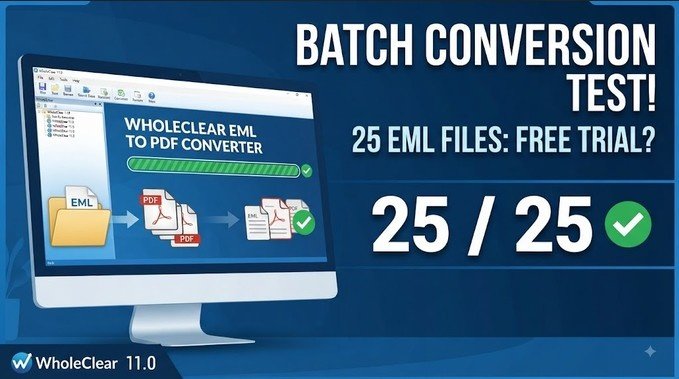
Conversion complete. 25 messages processed, zero warnings, zero failures. This produced a separate PDF for each EML file with headers and attachments and saved the output to the destination folder as configured.
So here’s the part worth stating clearly: the trial does have a limit, and that limit is 25 items per conversion. When the batch was done, WholeClear showed a message, "Trial complete — 25 of 25 item limit," explaining that unlicensed use stops at 25 items and that a product key or purchase is needed for anything more.

That’s a significant difference from tools that restrict trials to two or three files. A 25 file ceiling still allows you to run something not far off a real world batch and review real output across a range of messages and judge accuracy and formatting before spending anything. It’s not unlimited, but it’s not a toy demo either.
More Than The Basic Conversion
A few details stood out, beyond the core convert-and-done flow. Customizable output naming (the test used Subject + Unique ID to avoid overwriting files). Folder structure from the source is preserved automatically in the output, which matters if archiving from a mailbox with a lot of internal organization.
The interface also supports 19 languages from a dropdown menu, from Japanese and Arabic to Norwegian and Czech, so this isn’t a tool built around a single-language user base.

Where the Trial Cap Really Counts
For anyone migrating away from an email client or converting messages for compliance and record-keeping, a 25 item ceiling is enough to really stress-test the software before you buy: enough files to catch formatting inconsistencies, attachment handling issues, or header issues that a single test file would never reveal. It simply means that anyone with a mailbox bigger than 25 messages will need a license to complete the whole job, not merely to unlock more features.
Bottom Line:
WholeClear 11.0 EML to PDF trial isn’t unlimited, but it’s far more practical than the typical two-file demos most conversion tools give. You can download twenty-five files to see how the engine handles a real batch, verify that attachments and headers survive the conversion and decide whether the output quality is worth buying a license — all before you spend a cent.