When My PST Files Grew Out of Control: An Honest Review of a File Management Tool
By Misty Lyons 15-06-2026 292
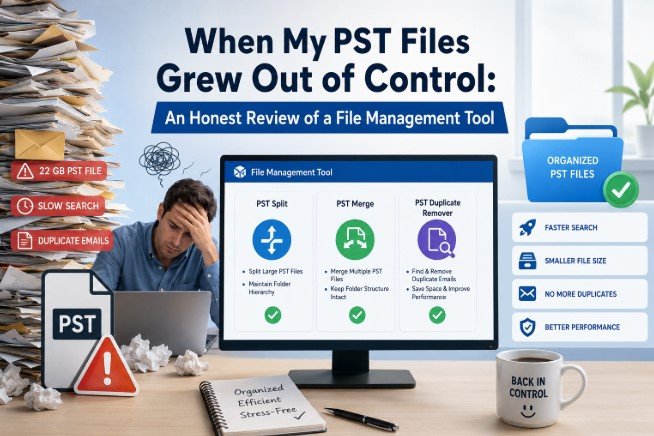
For the past seven years or so, I have been a self-employed HR consultant. The majority of my work involves using Outlook to document contracts, onboarding letters, policy drafts and assessment email conversations. I have an obsession with archiving and I transfer everything from my active mailbox into a PST file, mark it by year and store it on an external drive at the beginning of each new financial year. For a very long period, this method worked wonderfully for me.
Until it stopped working.
When the Problems Began
By the end of 2024, I was managing 3 distinct issues that had subtly accumulated over the years, all of which culminated at the same moment.
First Issue
The size of my 2021–2022 PST file had increased to 22 GB. Every time I attempted to search within Outlook, it crawled. Outlook's starting time increased by almost forty seconds when it was opened by itself. Due to the archive's age and my infrequent usage of it, I had been ignoring it until a former client contacted me and requested that I retrieve communications from that time period for a reference dispute. Outlook was making it difficult for me to immediately access that file when I suddenly wanted to.
Second Issue
During a period of transition in 2020, I had two different PST archives: one from my previous laptop and another from a temporary device I utilized for roughly eight months while my main computer was being repaired. The emails were annoyingly dispersed throughout both files. I had to open both files independently, perform the identical search twice, then mentally cross-reference the results each time I needed to search during that time.
Third Issue
The third issue was that a project folder I had been using for three years had gathered auto-replies, CC'd copies of the same threads, forwarded chains, and duplicate emails. After doing a rough count once, I calculated that there were at least 600–700 duplicates in that folder alone, silently increasing the file size while serving no purpose at all.
By itself, none of these were emergencies. Together, they had made managing my archives something I secretly feared.
What I First Attempted
I started by using Outlook's built-in compress option for the large PST. I'd read that it might minimize file size by removing soft-deleted data and removed elements. The file was decreased by nearly 600 MB during its twenty-minute run. That was hardly perceptible out of 22 GB.
I then investigated utilizing Outlook's Import/Export feature to manually split the file by exporting folders into distinct PST files. I didn't realize how manual the procedure was until I was halfway through. You pick an export location, pick one folder at a time, wait, and then repeat. It would have taken the better part of a day to complete this correctly given my folder arrangement. After two hours, I gave up on it.
I attempted sorting by subject and manually eliminating blatant duplicates in order to address the duplicate issue. I had deleted about eighty emails after forty minutes and I was far from finished. That method was not scalable.
A coworker noted that she had dealt with similar problems using a specialized PST management application. After considering several possibilities, I finally decided on the WholeClear File Management Tool. Split, merge, compact and duplicate removal were all described on the product page as separate tasks that you pay for separately, as opposed to a single bundled package that you purchase whether or not you need it all. This was nearly exactly the mix of issues I faced.
How to Configure the Tool
Because it differs from most software, it is worthwhile to explain. PST Split, PST Merge, PST Compact, PST Repair, Upgrade ANSI PST to Unicode, Remove PST Password and duplicate removers for PST, EML, EMLX, MSG and MBOX formats are just a few of the various file management tasks covered by the WholeClear File Management Tool. You can download and test each tool separately. Only the ones you truly need are paid for.
PST Split, PST Merge and PST Duplicate Remover were the three that I required. Before making any purchases, I downloaded the trial versions of all three.
Using the Tool: What Really Took Place
The first thing I ran was PST Split. Before you commit, the trial allows you to try the procedure, but it restricts export output sufficiently to ensure the program works on your particular file. After loading the 22 GB archive, I decided to split it by size, setting the desired size per file to 5 GB, and I let it run. It generated four output files, each of which had the original folder hierarchy preserved and was neatly divided. Contacts, calendar entries and attachments are all preserved throughout the divided files. For a 22 GB file, the entire procedure took about eighteen minutes, which seemed adequate.
I loaded the four smaller files into Outlook after buying the Split license and used the full version. The change in search performance was noticeable right away. On the relevant smaller archive, the same search that had been taking twelve to fifteen seconds over the enormous file suddenly produced results in less than two seconds.
The two divided 2020 archives were managed via PST Merge. After loading both files and choosing the merge option, the program merged them into a single, cohesive PST in roughly nine minutes. Instead of condensing everything into a single inbox, the final file arranged the combined content according to the original folder structure from both sources. I was concerned about that particular detail because I had carefully arranged the files and didn't want to manually reconstruct the structure.
I was most hesitant to enter PST Duplicate Remover. I wasn't clear if the definition of a "duplicate" was based solely on subject-line matching or anything more sophisticated. The sender, recipient, subject, date, and message body content were all found to be used. 714 emails were eliminated by running it on the project folder I mentioned. About thirty of the deleted items were spot-checked from the log it created before to deletion, and each one I looked at was actually a duplicate thread with the identical content that had been received or forwarded several times.
What Is Effective
- The most useful feature of this suite is the pay-per-tool model. I only paid for the three items I truly required Split, Merge and Duplicate Remover.
- I could have uploaded the password removal tool and PST repair separately if I had needed them.
- None of these tools require the installation of Outlook. PST files are directly processed by them.
- This is helpful if Outlook isn't installed on your computer or if Outlook is contributing to the issue.
- Before making a purchase, you can confirm that the program functions properly on your particular file using the trial versions.
- Before making a purchase, I wanted to make sure the Split tool could handle a file I had that was an older ANSI format PST from 2018. The trial proved that it could.
Where It Is Inadequate
- The user interface is outdated. It appears to have not had a design update in a number of years, yet it is practical and everything is accessible.
- It may appear a little cramped and narrow on a high-resolution display.
- Mac support is nonexistent. Only Windows (Windows 7 through 11) is used for everything.
- I had to complete all of this on my primary PC because my secondary device is a MacBook.
- Because of the trial restriction, you can check functioning but not finish the task before making a purchase.
- I can see why, but it does imply that you are committing to a financial obligation in the middle of the procedure.
Software Pricing Information
Each tool in the File Management suite has its own license. Every tool adheres to the same three-tier framework. Since pricing could change, I would advise visiting the page directly:
Personal
- Installation on a single machine.
- Personal and non-commercial use.
- Priced at $29.
Business
- Up to 50 machines.
- Small to medium-sized businesses.
- Priced at $99.
Enterprise
- Unlimited Enterprise Machines.
- Big businesses.
- Priced at $299.
Within these tiers, each tool has a different price. I bought personal licenses for three separate tools PST Split, PST Merge and PST Duplicate Remover to use on my one workstation for personal, non-commercial purposes. Since this was a one-person cleanup job and I wasn't managing an office, the Personal tier was the ideal choice.
Ratings
- Usability: 4/5
- Performance & Speed: 4.5/5
- Dependability: 4.5/5
- UI/Design: 3/5
- Value for Money: 4.5/5
- Flexibility (pay-per-tool): 5/5
- Overall: 4.3 out of 5
Summary
If you've already used up all of Outlook's capabilities and you're dealing with issues like oversized PST archives, fragmented email data spread across multiple files or duplicates quietly piling up inside your Outlook folders, this suite offers solutions that are easy to use and transparent about what the trial version can and cannot do.
It was the better option for me than alternatives that combine everything into a single license because of the pay-per-tool strategy. I didn't pay for PST repair or password recovery because I didn't need them. In this sector, such a pricing structure is uncommon and valuable.
In terms of time saved over the ensuing months, the performance improvements from separating that 22 GB archive alone more than offset the Split tool's cost.
The trial is a great place to start if you're in a similar circumstance. Download the precise tool you believe you need, test it against your real file and you'll know in a matter of minutes whether it solves your problem before investing any money.