File conversion has become a routine part of using computers, smartphones, and other digital devices. A document may need to be changed into PDF before sharing, an image might need to be converted to a different format for a website, or an audio or video file may need to be made compatible with another application. Because these tasks are so common, online file converters have become a convenient option for people who do not want to install dedicated software.
However, not every converter provides the same experience. Consumers should consider supported formats, ease of use, privacy, processing methods, and overall convenience before choosing an online conversion tool.
Why File Format Matters
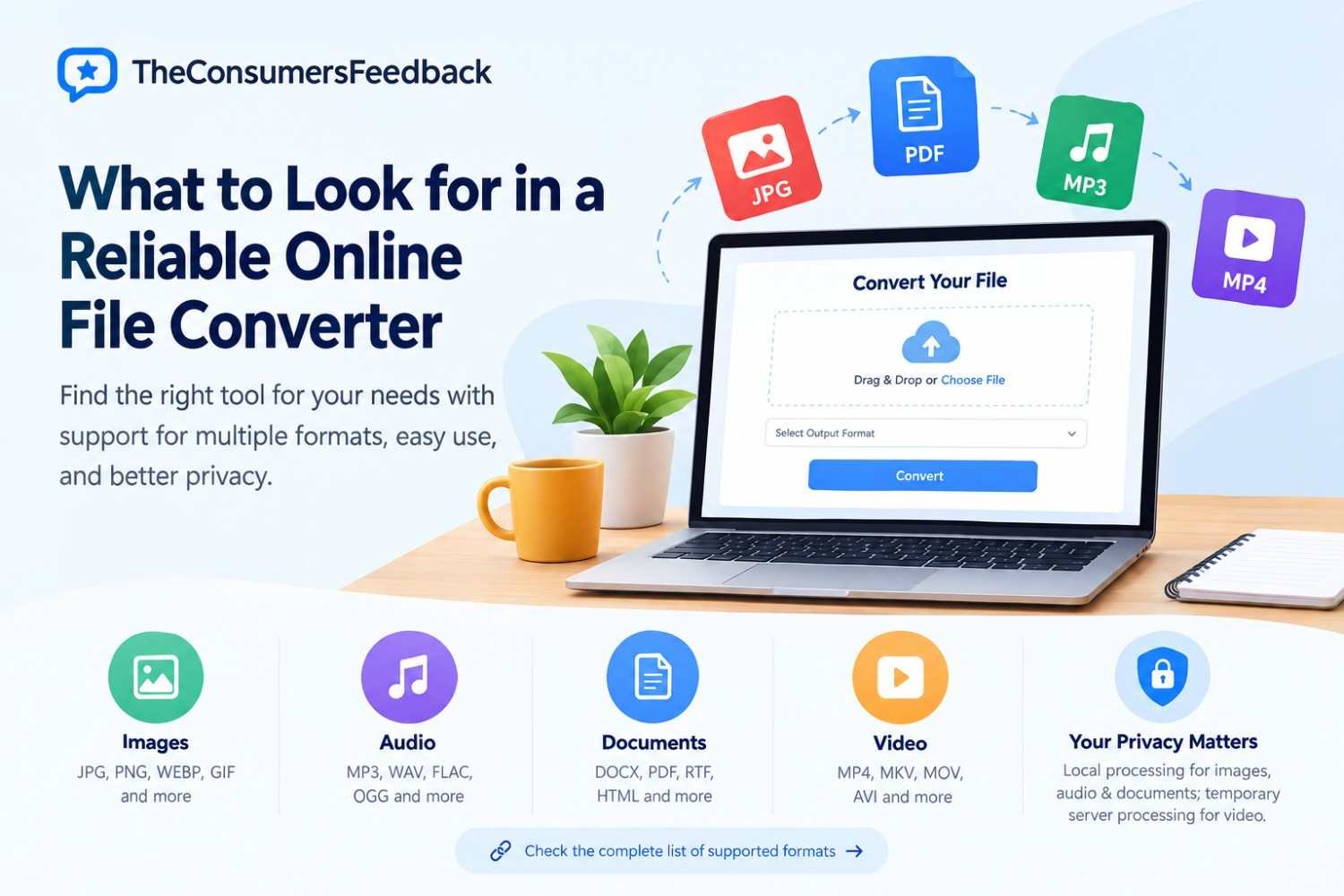
Different file formats are designed for different purposes. For example, JPG and PNG are widely used for images, while formats such as WEBP can be useful for web-based content. Audio files may be stored as MP3, WAV, FLAC, or OGG, depending on the desired balance between quality, compatibility, and file size.
Documents also come in many formats, including DOC, DOCX, RTF, HTML, Markdown, and PDF. Video files can use formats such as MP4, MKV, MOV, AVI, and WEBM.
The correct format depends on what you intend to do with the file. A format that works well for editing may not always be the best option for sharing or uploading. This is why checking a converter's available formats before starting a conversion can save time.
Consumers can review the complete supported file formats to see which image, audio, document, PDF, and video formats are available for conversion.
Convenience Is an Important Factor
One of the main reasons people choose online converters is convenience. Installing desktop software for an occasional conversion can be unnecessary, especially when the task only takes a few minutes.
A browser-based converter can be accessed from a computer without requiring a traditional software installation. A simple interface can make the process even easier. Ideally, users should be able to select a file, choose an output format, start the conversion, and download the finished file without navigating through complicated menus.
This approach can be particularly useful for students, office workers, freelancers, content creators, and anyone who occasionally needs to work with different file types.
Check Supported Formats Before Uploading
A common frustration with online conversion services is discovering that a particular input or output format is not supported. Before uploading a file, consumers should check the service's format list.
Easy Converter provides a range of conversion options for images, audio, documents, and video. Its supported formats include popular choices such as PNG, JPG, JPEG, WEBP, GIF, SVG, MP3, WAV, FLAC, OGG, OPUS, DOCX, DOC, MD, HTML, RTF, CSV, MP4, MKV, WEBM, AVI, WMV, and MOV.
The complete format compatibility list can help users determine whether the file they have is compatible before beginning the conversion process.
Privacy Should Not Be Overlooked
File conversion can involve more than simply changing a file extension. Users may be working with personal photographs, private documents, business files, recordings, or other information they do not want unnecessarily shared.
For this reason, consumers should understand how an online converter handles uploaded files. Important questions include whether files are processed locally, whether files are sent to a server, how long server-processed files remain available, and whether an account is required.
Easy Converter is designed with browser-based processing in mind. According to its service information, images, audio, and documents can be processed locally in the browser whenever supported. Video conversion uses temporary server processing, with converted files deleted after processing.
This distinction is useful because consumers can understand that different file categories may be handled differently.
No Account Can Make Occasional Tasks Easier
Another factor consumers may consider is whether registration is required. Creating an account can be useful when a service offers saved settings, conversion history, cloud storage, or other account-based features. But for a simple one-time conversion, registration can add unnecessary steps.
Easy Converter does not require users to create an account before using its conversion tools. This makes the workflow relatively straightforward for someone who only needs to convert a file and download the result.
Look Beyond Marketing Claims
When comparing online services, consumers should look beyond phrases such as "fast," "secure," or "easy." These descriptions can be useful, but more specific information is generally more helpful.
For example, a service explaining which file types it supports and how different categories are processed gives users more practical information than a generic security statement.
Consumers should also consider whether a converter works with their browser, whether the interface is understandable, and whether the resulting file meets their requirements.
When an Online Converter Makes Sense
An online converter can be useful when you need to perform an occasional format change without installing specialized software. It can also be convenient when working from different computers or when you want a straightforward browser-based workflow.
For more advanced tasks, however, dedicated desktop applications may still be appropriate. Professional users working with large media projects, batch processing, detailed editing, or specialized codecs may require features beyond those offered by a basic online converter.
Final Thoughts
Choosing an online file converter is ultimately about finding a service that matches your specific requirements. Supported formats, privacy practices, ease of use, account requirements, and processing methods are all worth considering.
Easy Converter provides a browser-based approach for converting images, audio, documents, PDFs, and video files. By checking the supported formats before starting and understanding how different files are processed, consumers can make more informed decisions about whether the service fits their needs.
Whether you need to convert a single document or regularly work with different media formats, taking a few moments to evaluate a converter can help avoid compatibility problems and unnecessary complications.