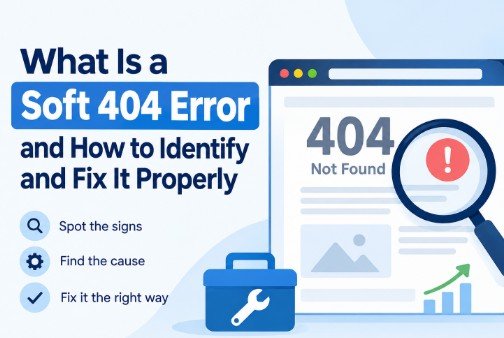
If you have spent any time in Google Search Console, you have probably come across the ‘Soft 404’ label in your Coverage report, often next to a URL you were sure was working fine. A soft 404 is more stealthy and misleading than a hard 404, which is loud and obvious. It can be hurting your site’s crawl efficiency and rankings and you may never even notice a broken link.
What is a Soft 404?
A soft 404 occurs when a page responds with a 200 (i.e. “OK, this page exists and loaded successfully”) but the content on the page indicates otherwise — an empty page, a “no results found” message, a thin placeholder, or text that reads like an error page (“Sorry, this item is no longer available”).
The server says it's fine but the content says otherwise. Google’s crawlers are smart enough to see that mismatch. When Googlebot discovers a “successful” page that lacks useful content, it will label that page as a soft 404 and, in most cases, will not include that page in the index. The server technically never returned an error, but the page will be excluded.
This isn't like a proper 404 where the server tells the browser and search engines that the page doesn't exist. A soft 404 is a false positive. The server is lying (albeit unintentionally) about the status of the page.
What Causes Soft 404s
You’ll see soft 404s often in a few common situations:
• Decommissioned products on ecommerce sites that redirect to a generic “product not found” page, but still return a 200 status code
• Fix for opening empty category or search results pages without products
• Custom error pages not configured to actually return a 404 or 410 status code to the server
• Expired content (e.g., job postings, event pages, seasonal promotions) that is taken down but the URL still returns a 200
• Pages that are under construction, with little or placeholder text, which search engines see as “not real content”
None of these are necessarily judgment errors – they’re often perfectly reasonable UX decisions. This is just a technical issue: the status code does not match the real page.
Why Soft 404s Are Bad for SEO
It’s easy to ignore soft 404s because the page still “works” for a visitor, technically speaking. But the stakes are high.
1. Wastage of crawl budget. When a crawler comes across a soft 404 page where it was expecting to find genuine content, it’s wasting crawl resources that could have been spent on pages that actually matter. This adds up fast on big sites.
2. Diluted signals of site quality. Many soft 404s across many URLs can quietly tell Google that a meaningful chunk of your site is low value, or poorly maintained. That's not the impression you want to give on a crawl.
3. Uncertainty about indexing decisions Because the page isn’t explicitly blocked, Google has to make a judgment call as to whether to index, ignore or flag it and that judgment call doesn’t always go the way you’d want.
4. Internal linking problems that are not immediately obvious. Soft 404s are often associated with internal links (navigation, related-product widgets, or legacy sitemaps) so you might be actively sending users and crawlers down dead ends.
How to Detect Soft 404s on Your Website
The easiest way to find soft 404s is to go to the Coverage or Pages report in Google Search Console and look at the “Excluded” section. Google specifically labels these as “Soft 404” so it takes the guesswork out of detection. You just need to check periodically since new ones tend to crop up as content ages or is taken down.
A full site crawl is a more comprehensive way to do this beyond Search Console, particularly on larger sites where checking URLs one by one manually is not realistic. This is where the dedicated crawler is not optional but mandatory. Take KWT Spider for example which is built for just this kind of diagnostic work – it crawls a site and breaks out response-code issues from content quality issues across dozens of dedicated tabs instead of lumping everything into one vague “errors” bucket. It runs locally, not through a cloud crawl limit, making it practical to run repeat audits on the same site without having to worry about credits or upload restrictions – which matters if you are checking for soft 404s on a regular cadence rather than once.
When you do a manual audit look for pages that:
• 200 status code returned.
• Contain very little original content (thin content)
• Use generic language like “not found” or “no results” or “unavailable”
• Look a lot like other pages with no or very little content on the site

How to Repair Soft 404s
Once you know which pages these are the fix depends on what the page is supposed to do.
• If the content is really gone for good and isn't coming back: Return a proper 404 or, if the removal is permanent and intentional, a 410 (Gone) status. This makes it clear to search engines that the page should not be indexed, instead of leaving it up to their imagination.
• If a close substitute exists: Use a 301 redirect to point users and crawlers to the most relevant existing page – similar product, updated version of the content or parent category.
• If the page should exist but is empty for some time: Use real content Even a short explanation, couple of links or alternatives options will make the page not to look empty.
• In the case of a search/filter page with no results: Consider returning a 404 for truly empty result sets, or noindexing them so they don’t accumulate as low value pages in the index.
What all these fixes have in common: Make sure the message from the server and the message the page is really sending to search engines are in sync.
The Point of All of This
Soft 404s are one of those issues that rarely appear as an emergency — nothing looks broken to a human visitor — but left unaddressed across enough pages, they chip away at crawl efficiency and index quality over time. The easiest way to catch them before they turn into a larger technical debt issue, is to do a periodic audit (either just Search Console or a full crawl with a tool like KWT Spider).