What Causes Digital Signature Failure in ZATCA E-Invoices and How to Fix It
By Rahman Iqbal 16-06-2026 119
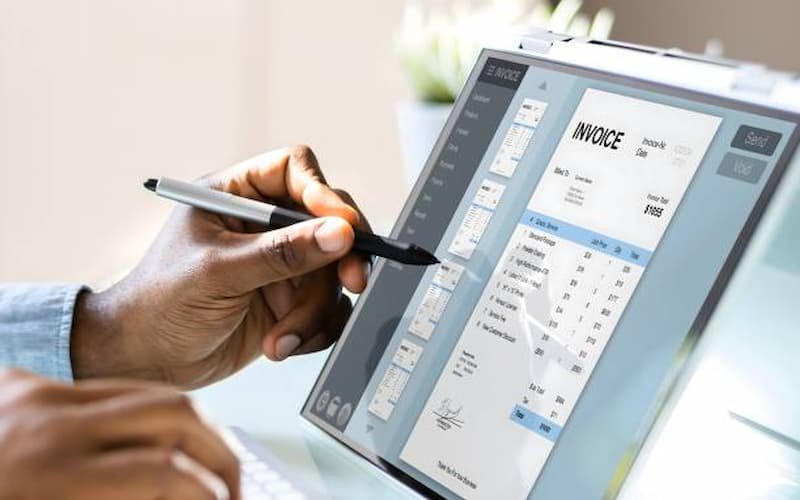
Digital signature failure is one of the most common and frustrating issues businesses face when working with zatca e invoicing software in Saudi Arabia. Even when invoices are correctly generated, they may still get rejected due to signature validation errors. Understanding the root causes and applying the correct fixes is essential for ensuring compliance and uninterrupted invoice processing.
In this article, we break down the exact reasons why digital signature failures happen in ZATCA e-invoicing and provide practical, step-by-step solutions to fix them.

1. Invalid or Expired Cryptographic Certificate
One of the primary causes of digital signature failure is an invalid or expired cryptographic certificate. ZATCA requires businesses to use a valid digital certificate issued by an approved certification authority. If the certificate is expired, revoked, or incorrectly installed, the invoice signature will automatically fail validation.
How to fix it:
Check the validity period of your certificate regularly
Renew the certificate before expiry
Ensure correct installation in your invoicing system
Verify that the certificate chain is complete and trusted
2. Incorrect Private Key Usage
The digital signature relies heavily on the private key associated with the certificate. If the wrong key is used, or if the key is corrupted or inaccessible, the signature will not match the invoice data.
How to fix it:
Ensure the correct private key is linked to your certificate
Store the key securely and avoid unauthorized modifications
Re-import the key if system migration has occurred
Test signature generation after configuration changes
3. XML Structure Modifications After Signing
A very common issue occurs when invoice data is modified after the digital signature has been applied. Even a small change in XML structure, whitespace, or field order can invalidate the signature.
How to fix it:
Always finalize invoice data before signing
Lock the XML file after signature generation
Avoid post-signature formatting or edits
Validate workflow sequence in your invoicing system
4. Hashing Algorithm Mismatch
ZATCA requires specific cryptographic hashing algorithms for generating invoice signatures. If the system uses an unsupported or incorrectly configured algorithm, the signature verification will fail.
How to fix it:
Use only ZATCA-approved hashing algorithms
Ensure system configuration matches regulatory standards
Update outdated cryptographic libraries
Test invoice generation in sandbox before production
5. Incorrect Base64 Encoding
Digital signatures are often encoded in Base64 format. If encoding is applied incorrectly or partially, ZATCA systems will reject the invoice signature.
How to fix it:
Ensure proper Base64 encoding during signature generation
Avoid double encoding or truncation
Validate encoded output before submission
Use standardized libraries for encoding processes
6. Time Synchronization Issues
If the system clock is not synchronized with a trusted time source, signature timestamps may not align with ZATCA validation rules. This can lead to rejection even if the signature itself is correct.
How to fix it:
Enable automatic time synchronization (NTP servers)
Ensure server time is always accurate
Avoid manual time changes in production systems
Monitor time drift regularly
7. Incorrect Canonicalization of XML
XML canonicalization ensures that the invoice data is converted into a standard format before signing. If canonicalization is not performed correctly, the generated signature will not match the expected output.
How to fix it:
Use standard XML canonicalization methods (C14N)
Ensure consistent formatting before signing
Avoid custom or non-standard XML transformations
Validate canonical output using testing tools
8. Mismatch Between Signed Data and Invoice Content
Sometimes the invoice content used to generate the signature does not match the final submitted invoice. This mismatch leads to signature verification failure.
How to fix it:
Ensure signing occurs after final invoice generation
Avoid parallel edits during signing process
Maintain a single source of truth for invoice data
Implement strict workflow control in ERP systems
9. Integration Issues with ERP Systems
When ERP systems are not properly integrated with ZATCA requirements, they may generate inconsistent invoice data or incorrect signatures.
How to fix it:
Ensure ERP is fully ZATCA-compliant
Use validated middleware for integration
Perform end-to-end testing before deployment
Regularly update ERP connectors and modules
10. Unsupported Signature Format
ZATCA mandates specific signature formats. If the system uses an outdated or non-compliant format, the invoice will fail validation.
How to fix it:
Use only ZATCA-approved signature formats
Update invoicing software regularly
Validate output format using sandbox environment
Avoid legacy signature libraries
11. Certificate Chain Validation Failure
If the certificate chain is incomplete or not trusted by ZATCA systems, signature validation will fail even if the signature itself is correct.
How to fix it:
Install full certificate chain (root + intermediate certificates)
Verify trust settings in system configuration
Use certificates issued by approved authorities
Test certificate chain validation periodically
12. Data Corruption During Transmission
Sometimes invoice data gets corrupted while being transmitted between systems, leading to signature mismatch errors.
How to fix it:
Use secure transmission protocols (HTTPS, TLS)
Avoid manual file transfers
Implement checksum validation
Monitor network stability during invoice submission
13. Using Multiple Signing Instances
If multiple systems attempt to sign the same invoice, it can result in conflicting signatures and validation errors.
How to fix it:
Ensure single-point signing authority
Prevent duplicate invoice processing
Implement locking mechanisms in workflow
Audit system logs for duplicate actions
14. Software Configuration Errors
Incorrect configuration in invoicing software can lead to improper signature generation or validation failures.
How to fix it:
Review system configuration settings
Align software with ZATCA technical documentation
Conduct periodic configuration audits
Use staging environments for testing changes
Final Thoughts
Digital signature failure in ZATCA e-invoicing is usually caused by technical misconfigurations, certificate issues, or workflow errors rather than system-wide problems. Businesses that follow structured implementation practices, maintain valid certificates, and ensure proper system integration can significantly reduce these errors.
A properly configured system ensures smooth compliance, faster invoice clearance, and fewer disruptions in business operations under Saudi Arabia’s digital tax framework regulated by Zakat, Tax and Customs Authority.