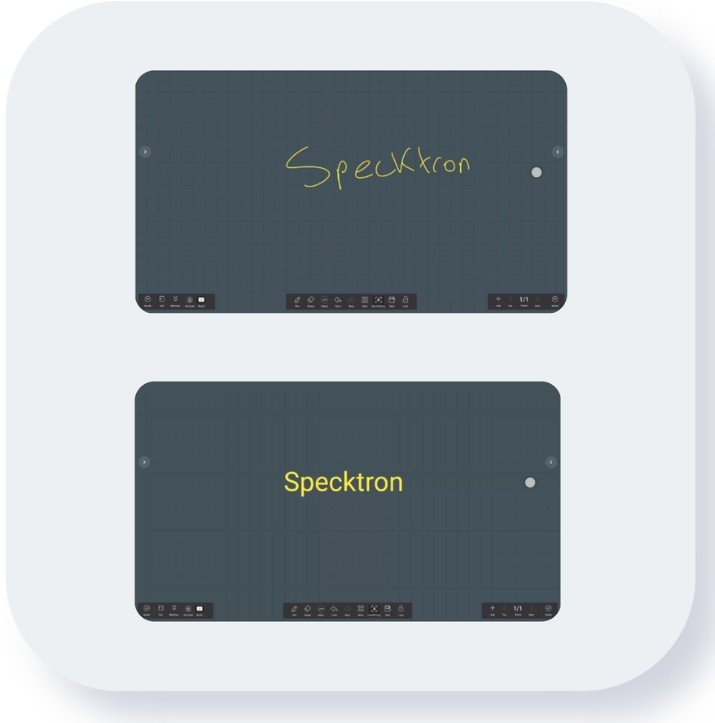
The way teams collaborate has changed dramatically over the past few years. Today's workplace is no longer limited to a single office or conference room. Employees work from home, travel between client locations, and collaborate with colleagues across different countries. As a result, businesses need technology that keeps everyone connected without slowing down communication. A digital whiteboard has become one of the most valuable collaboration tools because it combines brainstorming, presentations, file sharing, and real-time teamwork into one interactive platform.
Unlike a traditional whiteboard that only serves people inside the meeting room, a digital whiteboard solution allows every participant to contribute simultaneously, regardless of location. Team members can write notes, draw diagrams, upload files, and edit content in real time. Many platforms also integrate with video conferencing software, making hybrid meetings more engaging and productive. According to Microsoft, digital whiteboards help teams stay aligned, speed up decision-making, and reduce time spent taking manual notes through features like cloud saving and live collaboration.
Businesses are also adopting these solutions because they simplify project planning and improve employee engagement. Instead of switching between multiple applications, teams can brainstorm, organize ideas, assign tasks, and present concepts from a single interface. Whether you're managing product development, marketing campaigns, client meetings, or training sessions, an interactive whiteboard creates a shared visual workspace that keeps everyone focused on the same objective.
The Shift from Traditional Whiteboards to Digital Collaboration
Traditional whiteboards have supported brainstorming sessions for decades. They are simple to use and encourage open discussions. However, they have several limitations. Once the meeting ends, the information often disappears unless someone takes photographs or rewrites the notes. Sharing ideas with remote employees is also difficult because only people physically present can participate fully.
Digital whiteboards eliminate these challenges by storing every idea automatically in the cloud. Teams can return to previous sessions, continue editing documents, and share updates instantly. This flexibility makes them particularly valuable for organizations with remote or hybrid workforces. Digital collaboration also reduces misunderstandings because everyone sees the same information in real time instead of relying on verbal explanations or handwritten notes.
Another reason companies are moving toward digital collaboration is efficiency. Employees spend less time recreating documents, searching for meeting notes, or emailing multiple file versions. Everything remains accessible in one secure location. Modern digital whiteboards also support images, videos, PDFs, spreadsheets, web pages, and live annotations, creating richer discussions than a standard whiteboard ever could. Gartner analysts have also noted that digital whiteboards fulfill a growing need for collaborative visual workspaces within enterprises.
How Digital Whiteboards Improve Team Productivity
Productivity isn't simply about completing more tasks. It's about reducing delays, improving communication, and making better decisions faster. Digital whiteboards achieve these goals by allowing every participant to contribute without waiting for their turn. Multiple users can write, draw, and edit simultaneously, creating a natural brainstorming experience even when people are working from different locations.
Visual collaboration also helps teams understand complex ideas more quickly. Instead of reading long emails or discussing abstract concepts, employees can sketch workflows, map customer journeys, organize timelines, and create diagrams that everyone understands immediately. Visual communication reduces confusion while improving meeting outcomes.
Digital whiteboards also remove repetitive administrative work. Meeting notes are saved automatically, action items remain visible, and project updates can be shared instantly with absent team members. According to Promethean, digital whiteboards improve collaboration through real-time interaction, multimedia integration, and seamless compatibility with workplace tools, helping teams reach decisions faster and work more efficiently.
Another productivity advantage comes from integration. Many whiteboards connect directly with Microsoft Teams, Zoom, Google Workspace, project management software, and cloud storage platforms. Employees spend less time switching between applications and more time focusing on meaningful work. This streamlined workflow reduces interruptions while supporting better collaboration across departments.
Top Digital Whiteboard Features Every Business Should Look For
Choosing the right digital whiteboard requires understanding which features genuinely improve teamwork. Many products offer impressive specifications, but only a handful of capabilities directly impact productivity. Businesses should prioritize solutions that simplify collaboration instead of adding unnecessary complexity.
1. Real-Time Multi-User Collaboration
Perhaps the most valuable feature is simultaneous editing. Multiple participants should be able to contribute at the same time without delays or version conflicts. Live collaboration keeps brainstorming sessions energetic while encouraging every team member to participate equally.
2. Multi-Touch Support
Modern interactive displays support multiple touch points, allowing several users to write or draw simultaneously. This feature creates a more natural meeting experience, especially during workshops and design sessions.
3. Cloud Storage with Auto Save
Automatic cloud saving eliminates the risk of losing valuable meeting notes. Every update remains securely stored and accessible from any authorized device.
4. Wireless Screen Sharing
Wireless casting allows participants to present content directly from laptops, tablets, or smartphones without complicated cable connections. Meetings start faster and experience fewer technical interruptions.
5. Built-in Annotation Tools
Employees should be able to highlight documents, draw diagrams, write comments, and mark important sections during presentations. Annotation tools make discussions clearer and encourage interactive participation.
6. Video Conferencing Integration
Hybrid meetings work best when digital whiteboards connect seamlessly with platforms like Microsoft Teams and Zoom. Participants inside and outside the office can collaborate equally during presentations and brainstorming sessions.
7. AI-Powered Productivity Features
Many modern smart whiteboards now include AI-assisted handwriting recognition, meeting summaries, intelligent search, and voice transcription. These features reduce manual note-taking while improving documentation accuracy. Industry experts also identify AI integration as one of the fastest-growing trends in interactive collaboration technology.
8. Easy File Sharing
Users should easily import and export PDFs, PowerPoint presentations, spreadsheets, Word documents, and images. Smooth file compatibility keeps meetings productive without requiring multiple software conversions.
9. Ready-to-Use Templates
Templates for brainstorming, project planning, SWOT analysis, Kanban boards, customer journey mapping, and meeting agendas help teams begin working immediately instead of creating layouts from scratch.
10. Enterprise-Level Security
Business information must remain protected. Look for secure user authentication, encrypted cloud storage, user permissions, and administrator controls when selecting a digital whiteboard solution.
Digital Whiteboards Across Different Industries
Digital whiteboards have become valuable tools across many industries because they improve communication, simplify collaboration, and support faster decision-making. While every organization has unique requirements, the need for effective teamwork remains the same. Interactive whiteboards provide a flexible workspace where teams can brainstorm, present ideas, share files, and collaborate regardless of location. Instead of relying on static presentations or handwritten notes, businesses can create dynamic discussions that encourage participation from everyone involved.
Corporate Offices
In modern workplaces, teams often work across multiple offices or remotely. Digital whiteboards help bridge this gap by providing a shared workspace that everyone can access simultaneously. Marketing teams can plan campaigns, HR departments can conduct employee training, sales teams can present proposals, and project managers can track progress using visual workflows. Since all updates happen in real time, meetings become more productive and require fewer follow-up discussions. Employees also spend less time creating separate meeting notes because everything is automatically saved and shared.
Education
Schools, colleges, and training centers are increasingly replacing traditional whiteboards with digital alternatives. Teachers can combine handwritten notes with videos, presentations, animations, and online resources to make lessons more engaging. Students also benefit from interactive learning activities that encourage participation rather than passive listening. Lessons can be saved and shared after class, helping students review important topics whenever needed. This flexibility supports both classroom and remote learning environments.
Healthcare
Hospitals and healthcare facilities use digital whiteboards to improve communication between medical teams. Patient information, schedules, treatment plans, and department updates can be displayed securely, reducing communication delays. During training sessions, healthcare professionals can explain complex medical procedures using diagrams, videos, and digital annotations. This improves knowledge sharing while supporting better patient care.
Retail
Retail businesses use digital whiteboards for staff meetings, sales planning, product launches, and customer presentations. Managers can display sales targets, promotional campaigns, and inventory updates in a visually engaging format. Team members remain informed without relying on printed notices, making communication faster and more effective.
Manufacturing
Manufacturing companies use interactive whiteboards to improve production planning, quality control, and operational meetings. Supervisors can display production schedules, maintenance plans, safety instructions, and workflow diagrams in one place. Teams can quickly identify issues and discuss solutions without interrupting daily operations. This visual approach helps reduce errors and keeps production moving efficiently.
How to Choose the Right Digital Whiteboard
Selecting the right digital whiteboard involves more than comparing screen sizes or prices. The ideal solution should match your organization's workflow, collaboration style, and future growth plans. Before making a purchase, identify how your teams will use the display. Will it primarily support presentations, brainstorming sessions, classroom teaching, hybrid meetings, or customer demonstrations? Understanding your primary use case helps narrow your options and prevents unnecessary spending on features you may never use.
Display quality should be one of your top priorities. A high-resolution screen with excellent brightness ensures clear visibility in meeting rooms with different lighting conditions. Touch responsiveness is equally important because delays during writing or drawing can interrupt the natural flow of collaboration. A smooth writing experience makes digital whiteboards feel more like using a traditional marker while providing the benefits of modern technology.
Software compatibility is another critical factor. Choose a digital whiteboard that integrates with platforms your organization already uses, such as Microsoft Teams, Zoom, Google Workspace, or cloud storage services. Seamless integration reduces learning time and helps employees adopt the new technology more quickly. Wireless screen sharing, remote collaboration, and cloud synchronization should also be standard features rather than optional extras.
Security should never be overlooked, especially for organizations handling confidential business information. Enterprise-grade security features such as user authentication, encrypted cloud storage, administrator controls, and secure login options help protect sensitive data while allowing authorized employees to collaborate freely.
Finally, consider long-term value rather than simply choosing the lowest-priced option. A reliable digital whiteboard should continue supporting your business as it grows. Investing in a scalable solution with regular software updates, reliable customer support, and durable hardware often provides greater value over time than purchasing a cheaper alternative that quickly becomes outdated.
Why Businesses Should Invest in Digital Whiteboards Today
The workplace continues to evolve, and collaboration tools must evolve alongside it. Businesses can no longer rely solely on traditional meeting methods when employees work from multiple locations and projects require constant communication. Digital whiteboards provide a flexible solution that supports brainstorming, planning, presentations, training, and decision-making from one centralized platform.
Beyond improving collaboration, these interactive displays also help organizations save time and reduce operational inefficiencies. Teams can share ideas instantly, revisit previous sessions, and eliminate the need for manual note-taking. As artificial intelligence, cloud computing, and hybrid work become standard across industries, digital whiteboards are becoming an essential part of modern workplaces rather than a luxury technology.
Organizations that invest in the right digital collaboration tools often experience faster communication, better employee engagement, and more efficient project management. Whether you're managing a corporate office, educational institution, healthcare facility, or retail business, a well-equipped digital whiteboard creates an environment where ideas flow more naturally and teamwork becomes significantly more productive.
Conclusion
Digital whiteboards have transformed the way teams communicate, collaborate, and solve problems. They combine the simplicity of a traditional whiteboard with the power of modern digital technology, enabling employees to brainstorm, present, annotate, and share ideas from virtually anywhere. Features such as real-time collaboration, multi-touch functionality, wireless screen sharing, cloud storage, AI-powered tools, and seamless software integration help teams work smarter rather than harder.
As businesses continue to embrace hybrid work and digital transformation, investing in a feature-rich digital whiteboard is becoming a practical decision for improving productivity and collaboration. By selecting a solution that aligns with your organization's goals and daily workflows, you can create more engaging meetings, faster decision-making processes, and stronger teamwork. The right digital whiteboard is not just a display—it's a powerful collaboration hub that helps teams stay connected, organized, and productive in today's fast-changing work environment.
Tags : .....