The Role of MBOX Files in Modern Email Archiving: Why You Should Convert Old Outlook Backups
By Tyler Butler 17-09-2026 12
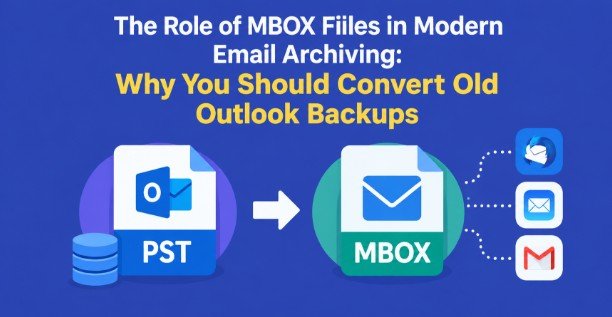
As organizations change email clients, operating systems or archiving strategies, old email backups are a management headache for Outlook users and IT pros. Converting PST to MBOX is one of the methods to transfer Outlook email archives into a format that can be used by several other email applications. This can be useful if an organization wants to retrieve historical messages and does not want to be forced to use only Microsoft Outlook.
Then you will learn about the difference between PST and MBOX files, when it is worth considering the conversion of old Outlook backups, methods of manual and software conversion and best practices for protecting email data during the migration.
What Are PST and MBOX Files?
Knowing how the two email formats work will help you decide on an archiving strategy.
What is a PST File?
PST stands to Personal Storage Table. Microsoft Outlook data file for storing emails, attachments, contacts, calendars, tasks, notes and other mailbox data. There are many Outlook users who create PST files to store and back up their personal data, export emails and store data for a long period.
PST files are great in the Microsoft world, but outside of Outlook, they can be a pain to access. This is a problem if an organization changes email client or if they need to recover messages from an old computer.
What is an MBOX file?
MBOX is a mailbox storage format that stores email messages in a single file. Some email clients like Thunderbird and Apple Mail do support this format. But the import process will be different depending on the client and the operating system.
PST file is not the same as MBOX mailbox. An MBOX mailbox is based on the email messages themselves, not the entire Outlook data environment that a PST file provides. This can be particularly useful if you want to retain and access email correspondence in another mail application.
Why is PST to MBOX Conversion Important for Modern Archiving?
Email archiving is not simply dumping old messages to a hard drive. This is about making historic communication available, searchable and useful when the original email system has disappeared.
For example, an IT department might have Outlook backups of ex-employees going back a number of years. If those employees used Outlook on Windows and the organization is now using Thunderbird or Apple Mail, accessing the archives can be needlessly complicated.
Here are some of the advantages of converting Outlook data to MBOX:
Multi-platform access: enables access to archived emails in applications compatible with MBOX.
Reduced Dependence on Outlook: Users can access the email messages without the original Outlook installed for each archive.
Easy Email review: Open and sort past messages in a compatible email client.
Flexibility to migrate: Migrate from Outlook to Thunderbird or any other desktop mail environment.
Long-term accessibility: Creates a second copy of the email data in a format that is consistent with supported archiving workflows.
Remember that MBOX contains only email messages. Other items like Outlook calendars, contacts, and tasks won't transfer to an MBOX file and must be exported separately (e.g. as .vcf for contacts or .ics for calendars) alongside email.
When should I update old Outlook backup?
Not all PST files have to be converted. Consider these cases before starting a migration.
1. Migrating from Outlook to Thunderbird
If your organization has switched from Outlook to Thunderbird, you can convert old Outlook backups to get access to historical correspondence through the new email client. This is especially useful for employees who wish to look back at previous conversations, but don’t want to switch apps to do so.
2. Move to Apple Mail
MBOX is a simple migration option for Mac users who want to import Outlook emails into Apple Mail. Before you begin, ensure the destination version of Apple Mail can import the import process you want to import.
3. Preserve Ex-Employee Emails
Companies often retain the email addresses of former employees for compliance or internal investigation purposes. Converting PST archives to MBOX archives will facilitate reviewing those messages in a supported application.
4. Less reliance on an old Windows machine
If you have an archive on an aging Windows system, you can migrate the email contents to a compatible MBOX based application to help ensure that you still have access to it after you retire the old computer.
5. Joining Email Files
IT teams may have several Outlook backups in several folders and computers. Converting selected archives to MBOX can help you to organize and review email systematically.
Always check your organization's retention policies, privacy requirements, and legal obligations before moving or deleting archived mail.
Manual Methods to Export Outlook Emails to MBOX
Outlook has no native option to export full PST mailbox into MBOX in one click. But users can look for indirect options with Outlook, Thunderbird or any other compatible email app.
Method 1. Use Thunderbird & Outlook
This might work for Outlook users and those with a supported install of Thunderbird.
Steps
- Open Microsoft Outlook, and find the PST file containing the messages you need.
- Import or Open PST Data into Outlook.
- Choose the emails or folders that you want to migrate.
- Export or drag-and-drop messages as.MSG files (or use a third-party add-in) to convert them to a format that Thunderbird can read, such as .EML.
- Open Thunderbird and import the saved messages using a compatible import or add-on workflow.
- Sort the imported messages into the correct mailbox folders.
- Verify that messages, attachments and key metadata are present.
Limitations: Large archives may take a long time to process. Exporting messages individually can be a bit of a drag, and folder structures or some Outlook-specific items may not translate exactly as expected.
Method 2: Using an intermediate email account
Or, you can move the messages with an email account that both Outlook and the email client you target can access.
Steps:
- Set up a proper IMAP email account in Outlook.
- Archive in separate folder.
- Move some Outlook messages into that folder.
- Synchronize Messages with the Email Server.
- Repeat the setup on Thunderbird or compatible client.
- View messages in sync and local sort.
If needed, export or archive mailbox to the target application supported format.
Limitations: This method is reliant on server storage, upload speed, mailbox limits and account configuration. It could also raise more privacy and security concerns. Not always suited for very large PST archives.
Tool Based Method
GainTools PST to MBOX Converter is a Windows based utility which helps IT professionals to export Outlook PST data to MBOX format if they are looking for a more straight forward workflow. According to the vendor’s documentation, it supports PST selection, mailbox preview, folder selection and saving the created MBOX file to the location of choice.
How to Convert Outlook Data File to MBOX?
Download and install the software: Run the software Download and install the converter on your compatible Windows PC.
Connect PST file: Browse to locate and select the Outlook data file.
Look at the mailbox: Export will check folders, messages and available details.
Select MBOX as the export format: Choose the conversion you want.
Choose the destination folder: Select a location that has enough free storage for the output.
Start Conversion: Hit the convert button and wait until the conversion is finished.
This general workflow is described in the vendor's guide. The product page provides more information regarding its folder selection and preview features.
Advantages
- Reduces the need to export emails manually again and again.
- Provides a simple workflow for accessible PST files.
- Users can choose specific folders or preview mailbox data before converting.
- Converts MBOX copy for other email applications.
- May make archive access easier for users changing email platforms.
System Requirements
The requirements stated are based on the published specifications of product:
Requirement | Specification |
|---|---|
Operating System | Windows 11, 10, 8.1, 8 or 7 operating system |
Architecture | 32-bit and 64-bit |
Processor | 1.0 gigahertz (GHz) or faster processor |
Memory (RAM) | 512MB minimum RAM |
Free disk space | 100 MB |
Display Resolution | 768 x 1024 |
Note: The vendor minimum requirement to launch the app is 512 MB RAM but in practice you need at least 4 GB to 8 GB RAM to process multi-GB archives without system slowdowns or crashes.
Best Practices for Secure Email Archiving
Steps to Take Before You Move an Old Outlook Archive
Do not modify the original PST file: Create a separate backup before converting.
Verify the archive integrity: If Outlook is not able to open the file, troubleshoot the issue before starting the migration.
Provide ample storage space: Leave room for the output MBOX file, and a temporary working copy.
Start with a small trial: Try to convert a limited folder, and see results.
Verify key metadata: Check sender, recipient, subject, dates, attachments and folder structure.
Protect sensitive information: Safe storage of and access to private business correspondence.
Keep a retention file: Log source file, date of conversion, destination, and verification results
Who is this method for?
This strategy may be adapted to:
- IT administrators who manage legacy Outlook Archive.
- Organizations wanting to migrate Outlook to Thunderbird.
- Outlook users who want to transfer PST to Mac Mail in a proper process.
- Internal reference for organizations archiving historical emails.
- Users who want to import an Outlook archive to Thunderbird without exporting each message manually.
It may be less suitable for users who need to migrate the full Outlook calendar, contacts, tasks and journal or who only work on Linux, with no access to Windows.
Frequently Asked Questions
Can you convert PST to MBOX without Outlook?
Yes, you can work with accessible PST without installing Outlook with a special converter. The specific requirements will depend upon the software and what environment it supports.
Can PST files be imported to Apple Mail directly?
PST files cannot be opened natively by Apple Mail, unlike regular mailboxes. Usually requires a conversion / intermediate import process for compatibility.
Is the attachment stored in the MBOX?
MBOX can contain both e-mail messages and attachments. But always check exported messages and attachments after migration.
How to repair a corrupted PST file?
Not all the converters support the corrupted PST file. As indicated in the product documentation mentioned above, the conversion process is designed to work with accessible PST files, not corrupted data.
How to import an Outlook archive to Thunderbird?
Yes. You can use an intermediate export workflow or import into a compatible Thunderbird mailbox after converting the PST to MBOX.
Will my Contacts and Calendars be migrated?
The vendor talks about support to scan and export multiple PST data items. But the MBOX file is primarily for e-mail and contacts and calendars should be handled separately and checked independently.
Large PST file is supported by the converter?
May be useful for large archives. Performance depends on the size of the file, resources and condition of the source after testing a sample folder, process the whole archive.
Conclusion
Today, email archiving is about a lot more than just saving old Outlook backups. Retrieval of historical correspondence needs a pragmatic approach, as needs change for applications, operating systems and organizations. The MBOX format is a helpful mailbox format for supported email clients and is relevant for Outlook users looking at a migration.
For smaller collections, manual methods may be used, but may require more procedures and verification. An easy-to-use PST file converter offers a convenient workflow. By keeping the original backup, testing the migration and reviewing the resulting messages, IT teams can build a more structured and reliable email archiving process.