The PC Components That Matter Most in 2026 (And the Ones You Can Ignore)
By Brevis Alt 02-07-2026 575
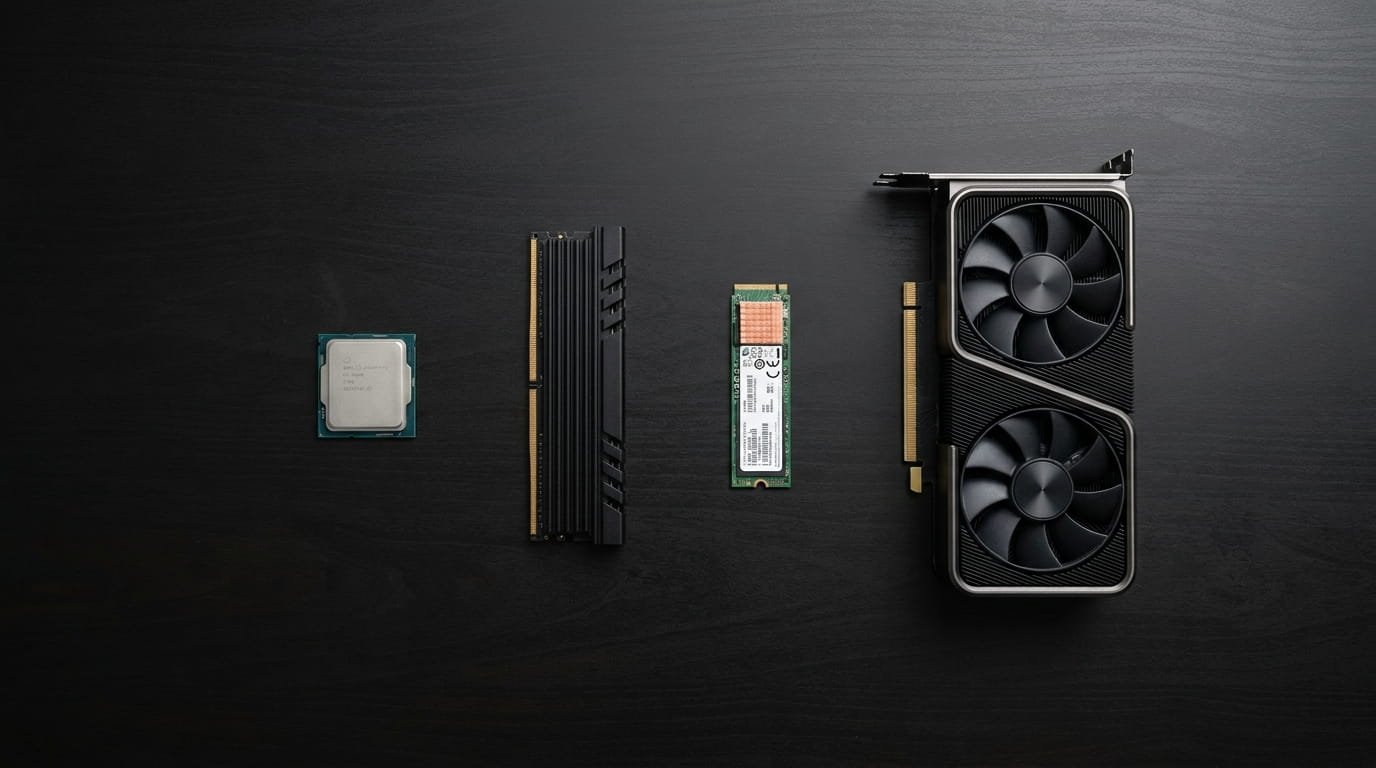
Building or upgrading a PC in 2026 means navigating a market that is more capable, more complex, and more unevenly priced than ever before. Some components deliver a noticeable improvement when you invest more, while others provide only modest gains despite a significantly higher price. Understanding the difference helps you allocate your budget more effectively and avoid spending heavily on hardware that contributes little to everyday performance. This guide highlights the components that deserve the most attention and identifies the areas where a more balanced approach is often sufficient.
The CPU Still Anchors Everything
The processor remains one of the most important components in a PC build in 2026, whether you are assembling a workstation for video editing, a development machine for compiling code, or a gaming system for modern titles. Every task your computer performs relies on the CPU, and the difference between a capable modern processor and an older or lower-performance model is often noticeable across many workloads.
One important change in recent years is that the performance gap between the highest-end processors and well-equipped mainstream models has become much smaller. Current mid-range CPUs from AMD and Intel provide performance that is very similar in practice for office work, web browsing, moderate content creation, and gaming. Higher-end processors continue to offer advantages in workloads such as 3D rendering, large-scale video encoding, and scientific computing, where additional cores and processing power are used more extensively. For many users, a mid-range processor represents a practical balance between performance and cost.
It is also helpful to pair the processor with components that complement its capabilities. A high-performance CPU combined with slow memory or a mechanical hard drive may limit overall system responsiveness during everyday tasks.
RAM: Getting the Right Capacity Matters
Random access memory is one of the components where insufficient capacity can quickly affect the user experience, while purchasing significantly more than most applications require often provides only limited practical benefit. Choosing an appropriate configuration involves balancing these two considerations.
In 2026, 16GB is generally considered the minimum for a system handling modern workloads comfortably. A browser with numerous tabs, communication software, a code editor, and productivity applications can collectively use more memory than many users expect. Systems with only 8GB may rely more frequently on storage as temporary memory, which can reduce overall responsiveness. For many users, 32GB provides comfortable headroom for multitasking and demanding applications without the additional expense of configurations that exceed typical requirements.
Memory speed has also become more relevant than in previous generations. Modern AMD Ryzen processors, in particular, can benefit from faster RAM because of the relationship between memory speed and the processor's internal architecture. Choosing faster memory within a reasonable price range can be worthwhile, while the highest available memory speeds often provide only modest improvements relative to their additional cost.
The GPU Decision Depends on Your Workloads
Graphics processing units serve different purposes depending on how a computer is used. For office productivity, web browsing, document creation, and many software development tasks that do not rely on GPU acceleration, integrated graphics included with modern processors are often sufficient. In these situations, purchasing a dedicated graphics card may provide little practical benefit.
For gaming, content creation, 3D design, and AI-assisted applications, a dedicated GPU is generally necessary and often has a significant influence on overall performance. It renders game graphics, accelerates video encoding in creative software, supports AI features that are becoming increasingly common in modern applications, and drives high-resolution multi-monitor setups efficiently.
Choosing an appropriate graphics card depends on matching the hardware to the intended workload and display. A 4K high refresh rate gaming system benefits from a more powerful GPU, while a 1080p gaming setup can often achieve excellent results with a more moderately priced option.
Storage: An Upgrade That Improves Everyday Use
Storage is one of the hardware categories where upgrading from the minimum acceptable standard to a capable NVMe SSD can provide an immediate improvement in everyday use. Compared with a mechanical hard drive, an NVMe SSD allows the operating system, applications, and games to load much more quickly, resulting in a system that responds faster during typical workloads.
In 2026, PCIe Gen 4 NVMe SSDs have become the standard choice for primary system storage across most desktop builds. Fast startup times, quicker application launches, and shorter game loading times are among the improvements users commonly experience.
Additional spending on premium PCIe Gen 5 NVMe drives is less noticeable for many everyday workloads. While these drives achieve impressive sequential read and write speeds in benchmarks, typical desktop usage often depends more on random access performance, application optimization, and available memory. For many users, a PCIe Gen 4 SSD offers a balanced combination of speed and value.
Motherboard and Power Supply: Focus on Reliability
The motherboard and power supply are components where selecting reliable, well-built hardware from established manufacturers is generally more valuable than purchasing premium models with features that may never be used.
A motherboard should support the selected processor, provide the necessary connectivity and expansion options, deliver stable power, and include the features required for the intended workload. Many mid-range motherboards meet these requirements successfully. Premium models often include advanced overclocking features, additional expansion capability, enhanced aesthetics, and other extras that many users may not need.
The power supply deserves careful attention because it supports every component in the system. A low-quality unit can increase the likelihood of instability or hardware issues over time. Choosing a model from a reputable manufacturer with appropriate efficiency certification and sufficient wattage for future upgrades helps improve long-term system reliability without requiring the most expensive option available.
Components That Usually Deserve Lower Priority
When purchasing PC components for a modern system, there are several categories where additional spending provides only limited benefits for many users.
High-end aftermarket cooling beyond a quality mid-range air cooler is one example. Unless the system is intended for sustained overclocking or unusually demanding workloads, the practical differences between a capable tower cooler and an expensive liquid cooling solution are often relatively small. Premium thermal paste also tends to provide only minor improvements when compared with reputable mainstream alternatives.
Dedicated sound cards are another example. Audio solutions integrated into modern motherboards have improved considerably, and for many users they provide sound quality that is suitable for gaming, media consumption, and everyday listening. Separate sound cards are most beneficial for users with specialized audio equipment or professional audio production requirements.
Building a capable PC in 2026 is not only about selecting powerful hardware. It is also about understanding which upgrades are likely to provide meaningful improvements for your workload and which features may offer only limited practical advantages. A balanced approach to component selection often delivers better long-term value than focusing exclusively on premium specifications.