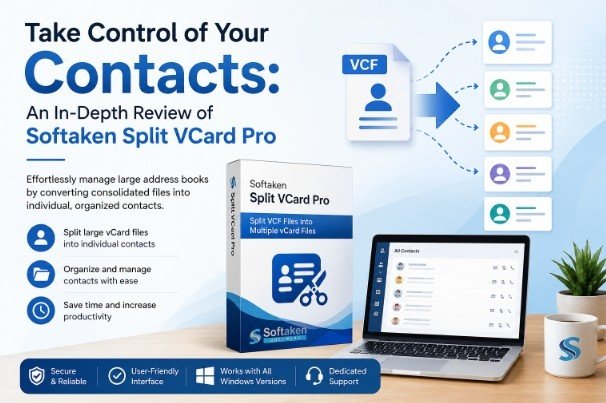
Take Control of Your Contacts: An In-Depth Review of Softaken Split VCard Pro
By Teagan Bullock 25-06-2026 260
Taming Your Digital Contact List: The Trouble with the “Master” VCF
In the professional world, where digital networking is ongoing, the humble vCard (VCF) file is the backbone of our address books. If you are migrating from an old email client, exporting contacts from a legacy CRM, or just backing up your phone’s address book, chances are you’ll run into the standard VCF format. The big problem, though, is that these systems export your entire database as one huge "master" VCF file.
Modern applications such as Gmail, Outlook or Apple iCloud often fail, duplicate or worse leave the receiving software unable to read the data when you import a single file with hundreds of contacts. This is where Softaken Split VCard Pro comes into picture. It’s a specialized utility that addresses the “bloated file” problem by splitting large, consolidated vCard files into individual, manageable contact files. It has a user rating of 4.0 out of 5 stars based on reviews and has established itself as a reliable tool for IT professionals and general users alike.
The Basic Split and the Core Features
Split VCard Pro isn't just a file-slicer, it's a feature-rich utility with real flexibility for complicated data environments. Its main purpose is clear: split a single VCF into individual files, but its usefulness is best demonstrated by its specific options.
• Dual Export Capability: The option of output format selection is a characteristic feature and easily visible in the interface. Export as .vcf (standard VCard) or .msg (Save as Message). This is a must-have option for users migrating into an environment that processes the Outlook-native message formats more efficiently than the generic VCard files.
• Complete Data Integrity: A major fear during data conversion is the potential loss of data. This tool ensures that all contact metadata such as contact names, multiple phone numbers, email addresses, physical addresses, profile images and notes will be completely preserved after the split.
• Universal Platform Compatibility: The individual files created by the tool are very versatile. When the master file is divided, the individual VCF files can easily be uploaded to Google Contacts (Gmail), Yahoo Mail, Apple iCloud and many other cloud-based services without the import errors that are commonly seen with bulk files.
• Intuitive Four Step Process: As shown in image 1 the software uses a simple four step interface. This method removes the requirement of technical expertise, enabling even a novice user to confidently run the software from installation to execution.

Deep Dive: Beneath the User Interface
The first time you load the software you are presented with a clean and logical dashboard as shown in the image 1. The layout The design is supposed to lead the user organically from the top down. The interface is divided into three major input sections, a status window and the operation control.
The most important part of the interface is the “List of VCF Files (After Split)” panel as shown in the image 2. This is not just a progress bar. This is a live, transparent log of the validation. Once you have chosen your source file and specified where you want the output to be saved, the tool reads the file and populates the list with all the separate contacts it has found. For example, in the image you can see specific file names such as "Russell_4f6.vcf" and "Sharon_09b.vcf" listed. It provides the user with instant confirmation that the split was successful, even before they navigate to the output folder. It takes away that “black box” feeling that a lot of data utility tools have.

Real-World Case Scenarios
Case Study 1: The Freelancer’s Exit
A freelancer project manager had kept all of their client contacts in one big, “living” VCF file for five years. The freelancer tried to migrate to a cloud-based CRM, but the system returned a “File Size Exceeded” error because the combined VCF file was too large to upload at once. The freelancer used this Split VCard Pro and was able to split the master file into 150 individual vCard files. Then they could batch import those files, without losing any data, and without the usual headache of merging duplicates.
Case Study 2: Administration Cleanup
A mid-size law firm IT department inherited a database of contacts that had been exported as one big bloated VCF file from a legacy Windows Live Mail setup. The firm had to move these contacts to their new Outlook 365 environment. With the “Save as Vcard” feature, the administrators could generate individual files for every staff member in a matter of minutes. This in turn enabled them to allocate certain contacts to certain departments, making the reorganization of the firm's directory much easier.
Pricing & Technical Specifications
The full version of this Split VCard Pro is $29. This license has the important advantage of unlimited splitting, a very good investment for offices or people who do data migrations often. For those who need to verify performance before committing to a purchase, a free demo version is available. The free demo allows the user to test the software by splitting up to 10 contacts.
Technical Pre-requisites:
•Supported Windows Versions: Windows 11, 10, 8.1, 8, 7.
• Hardware: 512MB RAM minimum, 100MB free disk space.
• Supported Languages: English
How to Use this Split VCard Pro – Step by Step
Here is how to use the software after the process shown in image 1:
1. Select Single VCF File: Click the “Browse” button to the right of field #1. Browse to the folder containing your large, consolidated VCF file and load it into the software.
2. Choose Output Location: Click on the “Browse” button next to the field #2. Select or create a destination folder on your computer for saving the individual files.
3. Choose Export Option: In field #3 select either .vcf (Save as Vcard) or .msg (Save as Message) in your target application.
4. Start Generating: Once you see the list of files in the pane on the right (to ensure that the tool has correctly identified the contacts), click the "Start Generating Now" button at the bottom of the window to finish the operation.
Final Verdict
Softaken Split VCard Pro is a dedicated tool which is very efficient in solving a very specific data management problem with high reliability. It doesn’t try to do too much, but does one thing extremely well: splitting consolidated contact files accurately and safely. If you’re constantly dealing with bloated address book files that don’t cooperate with modern cloud-based apps or enterprise software, this utility offers the precision and simplicity you need to clean up your contacts for good. It is easy to use, its data is intact and its interface is transparent. It is a highly recommended utility for any professional data toolkit.