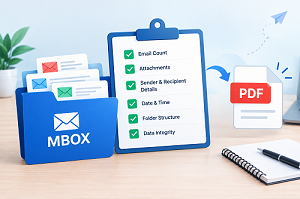
MBOX Email Documentation Checklist: Key Things to Check Before Saving Messages as PDF
By Joy Richards 28-09-2026 13
Introduction
MBOX archives can include useful email discussions, business communications, attachments, and historical information. Converting these messages into PDF files can let you see, share, print, and save them as portable records.
However, if you create PDFs without checking the source data first, you can miss messages, have poor organization, lose attachments, or have incomplete records. A basic checklist can help you analyze the contents of the mailbox before converting them to PDF documents.
Use this checklist to review the source mailbox, conversion procedure, and final PDF records.
Preparation Check: Prepare the MBOX Archive
□ Check the Correct Mailbox
First, make sure you’re working with the right MBOX file.
□ Find the original MBOX archive.
□ Check if several MBOX files are available.
□ Determine the email account or application for each file.
□ Create another backup of the original MBOX data.
Checkpoint: Do you know which MBOX archive includes the emails that you want to document?
□ Review Email Collection
An MBOX file can include both important and unimportant messages.
□ Recognize key conversations.
□ Review important dates and time periods.
□ Search for duplicate or unnecessary communications.
□ Check whether the archive includes more than one type of correspondence.
Checkpoint: Do you know which email messages to convert to PDF records?
□ Review Mailbox Organization
The original folder structure can be important when sorting the generated documents.
□ Check subfolders and directories.
□ Decide if the same organization should be kept for the PDF files.
□ Create a proper folder structure for the output.
Checkpoint: Do you already have an idea of how the final PDF records will be arranged?
During Conversion: Protect Your Valuable Email Information
□ Check Message Information
Email documentation must retain the information necessary to interpret each communication.
□ Sender information
□ Recipient information
□ Subject
□ Date and time
□ Complete message body
Make sure the conversion method you choose can retain the required email information without causing partial documents.
□ Check Attachment Requirements
Attachments can include information as important as the email itself.
□ Identify emails that have attachments.
□ Check for important attachment names.
□ Determine whether attachments need to be preserved separately.
□ Verify that the conversion workflow handles attachment information as expected.
Recall: An email PDF should not immediately be assumed to be a substitute for the original attachment.
□ Choose a Consistent PDF Structure
Use a consistent documentation strategy before processing a large email archive.
□ Choose whether to create a separate PDF for each communication.
□ Decide if related conversations should be grouped.
□ Create a consistent naming scheme.
□ Choose the appropriate folders for various kinds of email.
□ Verify that there is enough space in the destination to receive the output.
Users who need to process MBOX data via a mailbox conversion procedure before working with PDF records can utilize TrustVare MBOX to PST Converter when PST is needed as an intermediate format.
Final Check: Review the PDF Files
The creation of files is not the end of the documentation process. The original archive must not be transferred or deleted until the output has been verified.
□ Perform a Sample Quality Check
Open PDF files from different locations in the archive.
□ Make sure that the entire message is shown.
□ Verify sender and recipient information.
□ Make sure subjects and dates are legible.
□ Watch for missing content or strange page breaks.
□ Check that formatting is still understandable.
□ Match the Records With the Source
A simple comparison can reveal missing output.
MBOX Source:
□ Key messages identified
□ Appropriate folders checked
□ Attachments reviewed
PDF Documents:
□ Corresponding messages created
□ Correct folders used
□ Important information preserved
If a large mismatch is observed, check the conversion process before declaring the archive complete.
□ Organize the Finished Documents
After reviewing the output:
□ Consistently rename files as needed.
□ Organize documents into logical folders.
□ Separate different projects, accounts, or date ranges.
□ Back up essential PDF records.
□ Keep the original MBOX archive until the PDF collection has been confirmed.
Quick 10-Point Final Checklist
Perform a final check before completing the MBOX-to-PDF documentation process:
Checkpoint:
□ Correct MBOX file selected
□ Original archive backed up
□ Important messages identified
□ Folder organization reviewed
□ Email details verified
□ Attachments reviewed
□ PDF naming structure planned
□ Sample PDF files checked
□ Output organized and backed up
□ Original MBOX retained for verification
If all 10 boxes are checked, a basic documentation review of the email archive has been completed.
Conclusion
It is better to check your mailbox before, during, and after the MBOX-to-PDF conversion process. Identify the relevant communications by checking the source archive. Review email details and attachments to help preserve important information. A final PDF review lets you find missing or poorly formatted records.
Don’t think of conversion as a one-step process. Use this checklist as a preparation check, then a conversion check, and finally a verification workflow. It can help build a more structured collection of PDF email records and, at the same time, preserve the original mailbox data to allow for verification.
FAQs
Q1. Why do I need to preview an MBOX file before converting it to PDF?
Q1. Why do I need to preview an MBOX file before converting it to PDF?
Ans. Reviewing the MBOX archive helps you find key messages, folders, attachments, and date ranges before making PDF records.
Q2. Is there a way to preserve MBOX emails as separate PDF files?
Ans. Yes. A professional MBOX-to-PDF conversion tool can help you save individual email messages as separate PDF files, making them easier to organize and reference.
Q3. What email information do I need to check in the PDF?
Ans. Check the sender, recipients, subject, date, message body, and any other information needed to understand the email record.