Mailvare Free EML Attachment Extractor Review: A Simple Solution for Extracting Attachments from EML Files
By Violet Ross 23-06-2026 253
Why it can be difficult to extract attachments from EML files
Handling EML files becomes difficult when you want to get hold of the attachments but not the whole email messages. Manual saving of attachments from hundreds of emails, handling of archived Thunderbird emails, Windows Live Mail backups or Apple Mail EMLX files can take time This review will take a closer look at Mailvare’s Free EML Attachment Extractor, assessing its features, ease of use, performance and real world applications.
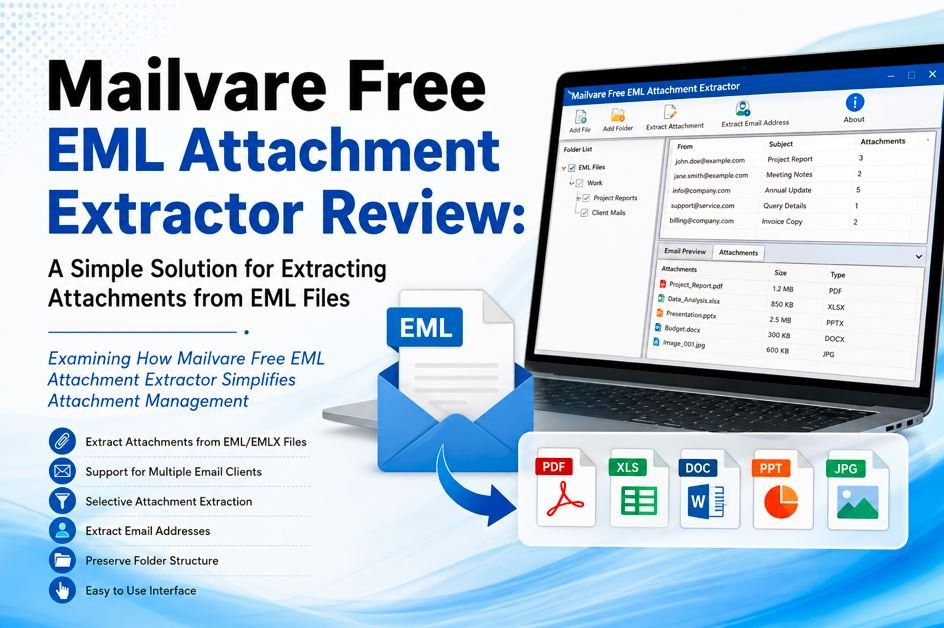
This Free EML Attachment Extractor is a Windows based tool to extract attachments and email addresses from EML and EMLX files. The software works independently without need of any email client installation and supports bulk extraction from multiple EML files and folders.
Fast Fact
Software Category: EML Attachment Extractor Software
Supported Formats: EMLX & EML
Batch Processing: Yes
Email Client Dependency: None
Email Address Scraping: Yes
Selective Attachment Extraction: Yes
Preserve Folder Structure: Yes
Supported OS: Windows 10, 8.1, 8, 7, Vista, XP and above
Website Rating: 4.6/5 (123 ratings)
Main Features
1. Extract Bulk Attachments
The software is capable of loading multiple EML or EMLX files in a single operation and extracts attachments. There are no restrictions on the number or size of EML files that can be processed by this tool.
2. Compatible with Most Email Clients
This utility supports EML files created by many email applications such as Thunderbird, Windows Live Mail, Outlook Express, Zimbra, The Bat, Eudora, Apple Mail, and Windows Mail.
3. Export of Selective Attachment
Instead of extracting every attachment, users can choose specific file types such as DOC, XLS, PDF, HTML, JPG, PNG, and other extensions. This is useful when searching for specific documents in large email archives.
4. Extracting Email Address
One interesting feature is the ability to extract email addresses from the To, From, CC and BCC fields. This is useful for users who handle contact information from archived e-mails.
5. Maintain Folder Structure
The program preserves the original folder hierarchy when extracting, so users can keep large email collections well-organized.
6. Preview Features
Before extraction the software scans the loaded files and shows the structure and the amount of available items so that the user can check the data before processing.
User Interface and User Friendliness
One of the strongest points of the software is its simplicity. The interface is based on a simple workflow and is accessible for technical and non-technical users.
Steps to Extract Attachments from
As per the official process:
1. Get and install the EML Attachment Extractor.
2. Here, you will see two options. File Mode or Folder Mode, select according to your needs.
3. Load and browse EML files
4. Select Export type as Attachment.
5. Choose the attachment types you want.
6. Select the target folder
7. Click Process Now to start the extraction.
Real World Use Cases
Case Study 1: Mining Legal Documents
As a legal consultant, you get hundreds of client emails with PDF contracts. The consultant is able to extract just the PDF attachments from archived EML files and save them to a central location for review without having to open each email individually.
Case Study 2: Email Archiving for the IT Department
An IT admin migrating from Windows Live Mail to a cloud platform may want to retain important attachments and reduce mailbox size. It makes storage management and document retrieval simpler by separating attachments.
Case Study 3: Projects for Academic Research
Researchers frequently get emails with datasets, reports, and spreadsheets. This way they can better organize project files by extracting only XLS and PDF attachments from large email archives.
Performance Assessment
What Goes Well
• Multiple EML files processed at high speed.
• Supports EML and EMLX formats as well.
• No dependence on Outlook or any other email application.
• Selective extraction options increase efficiency.
• Export folder hierarchy.
• Extracts email addresses along with attachments.
Room for improvement
• Only available on Windows systems
Pricing
EML Attachment Extractor software is available as freeware on the official website. The product page itself also does not have any paid pricing information at the time of review, making it accessible for users who are looking for a cost-free solution for attachment extraction.
Compatibility
This tool is compatible with:
• Windows 10
• Windows 8.1
• Windows 8.
• Windows 7 Operating System
• Windows XP / Vista
It also supports EML and EMLX files from many email clients without the need to install those applications locally.
Rating
Ease of Use: 4.8/5
Performance: 4.5/5
Compatibility: 4.5/5
Value for Money: 5/5
Overall Rating: 4.7 out of 5
Conclusion
Mailvare Free EML Attachment Extractor is a handy utility for users who want to extract attachments from large collections of EML and EMLX files. It is good with batch processing, easy to use, can extract selectively and supports multiple email clients. Email address extraction adds another layer of utility beyond just attachment management. Power users might want more advanced filtering features but the software does what it says on the tin and is particularly well suited to email archiving, migration and document management workflows.