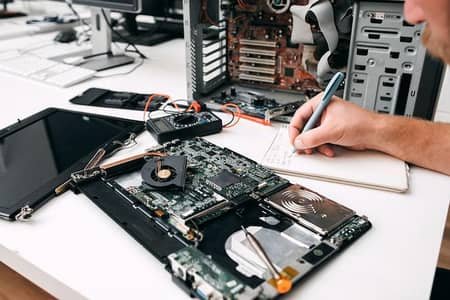
A laptop is an important part of daily life. People use laptops for work, school, business, entertainment, communication, and personal tasks. When a laptop suddenly stops working, even a small problem can cause major delays. A cracked screen, weak battery, slow performance, or charging issue can make normal tasks difficult.
Finding the right laptop repair near me can help you get the problem checked before it becomes worse. A professional repair service can inspect the device, identify the cause, and explain the available repair options.
Common Laptop Problems That Need Repair
Laptops can develop different problems as they become older or experience regular use. Some issues are easy to notice, while others may start slowly.
Slow Laptop Performance
A laptop that takes a long time to start or open programs may have several possible causes. Too many startup applications, limited storage, outdated software, malware, or aging hardware can all affect performance.
A technician can check the system and determine whether the problem comes from software or hardware. In some cases, cleaning the system or upgrading storage and memory can improve everyday performance.
Broken or Cracked Screen
A damaged laptop screen can happen after a drop, impact, or accidental pressure. Lines, dark areas, flickering, or completely missing images may indicate screen damage.
Laptop screen repair usually involves checking the display, cable connections, and related components. If the panel itself is damaged, screen replacement may be necessary.
Battery Problems
Laptop batteries lose capacity over time. A battery that once lasted several hours may eventually last only a short period.
Common warning signs include fast battery drain, unexpected shutdowns, failure to charge, or a laptop that works only when connected to power. Laptop battery replacement may solve the issue when the battery has reached the end of its useful life.
Charging and Power Issues
A laptop that does not charge can be frustrating, especially when you need it for work or school. The cause may be a damaged charger, charging port, battery, or internal power component.
A professional inspection can help separate these possibilities. Replacing a charger without checking the laptop may not solve the actual problem.
If the laptop does not turn on at all, the issue could also involve the motherboard, power circuit, battery, or another internal component. Proper diagnosis is important before replacing parts.
Keyboard and Touchpad Problems
Keyboard keys can stop working because of spills, physical damage, dust, or internal faults. A single damaged key may be repairable, while larger damage can require keyboard replacement.
Touchpads can also develop problems. They may become unresponsive, move the cursor incorrectly, or stop clicking properly. Software settings should be checked before assuming there is a hardware failure.
Overheating and Fan Noise
A laptop needs proper airflow to control its temperature. Dust buildup can block vents and make the cooling system work harder.
If the fan becomes unusually loud or the laptop gets very hot during normal use, the cooling system may need attention. Cleaning internal components and checking the fan can help prevent heat-related problems.
Overheating should not be ignored. Continued high temperatures can affect internal components and may lead to unexpected shutdowns or reduced performance.
Hardware and Software Repairs
Not every laptop problem requires a new part. Some problems are caused by software, drivers, operating system errors, or unwanted programs.
A laptop diagnostic service can help identify whether the problem is hardware or software related. Hardware repair may involve components such as the screen, battery, keyboard, charging port, storage drive, memory, or motherboard.
Software repair may include system troubleshooting, driver checks, operating system issues, and performance problems. Knowing the actual cause helps avoid unnecessary repairs.
When Should You Get Your Laptop Checked?
It is a good idea to have your laptop inspected when a problem keeps returning or begins affecting normal use. Warning signs include frequent crashes, unusual noises, overheating, sudden shutdowns, charging problems, screen flickering, or extremely slow performance.
Searching for a laptop repair near me may be useful when you need a local service that can inspect the device and explain the repair process.
Do not ignore unusual smells, smoke, severe overheating, or signs of battery swelling. Stop using the device and seek professional assistance because these issues can create safety risks.
How to Choose a Laptop Repair Service
Look for a repair service that clearly explains the problem and provides a reasonable repair plan. A good technician should inspect the laptop before recommending major parts or services.
Ask what caused the issue, what needs to be repaired, and whether important data could be affected during the process. It is also useful to understand the expected repair time and whether the replacement part is compatible with your laptop model.
Before handing over the device, back up important files whenever possible. Keep passwords and private information secure, especially when the repair does not require access to personal accounts.
Frequently Asked Questions
How do I know if my laptop needs repair?
Repeated crashes, overheating, charging problems, screen damage, unusual sounds, and very slow performance are common signs that a laptop needs inspection.
Can a slow laptop be repaired?
Yes. Slow performance can come from software problems, low storage, insufficient memory, or aging hardware. A diagnosis can identify the main cause.
Can a damaged laptop screen be replaced?
In many cases, yes. If the display panel is physically damaged, a compatible replacement screen may restore normal use.
Why is my laptop not charging?
Possible causes include a faulty charger, damaged charging port, worn battery, or internal power problem. Testing can help identify the exact cause.
Is it worth repairing an older laptop?
It depends on the laptop's condition, repair cost, performance, and intended use. A technician can assess the device and help you understand the practical options.
Final Thoughts
Laptop problems can interrupt work, study, and everyday tasks, but many common issues can be repaired. Getting the device diagnosed early can prevent a small problem from becoming more expensive. Whether the issue involves the screen, battery, keyboard, charging system, software, or internal hardware, proper diagnosis is the first step toward a suitable solution.
For customers looking for dependable computer service, Infinite Tech Repair provides practical repair solutions for common laptop problems. A professional inspection can help identify the issue and determine the right next step for your device.
Tags : .....