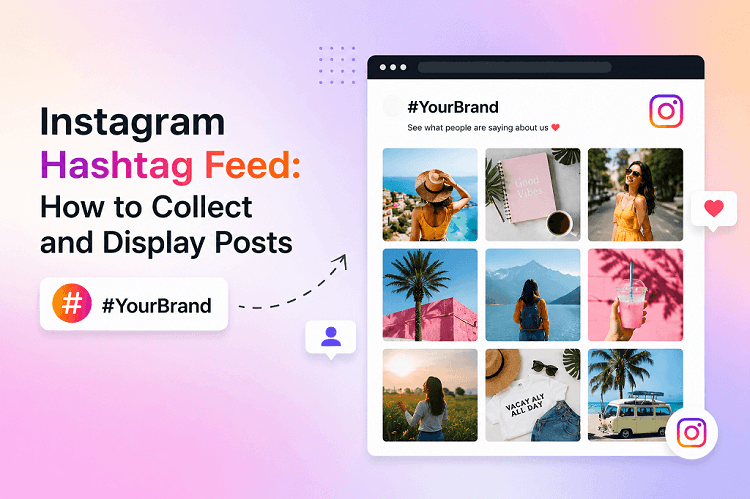
An Instagram hashtag feed collects relevant posts associated with a hashtag and displays them on a website. Instead of sending visitors away from your site to search Instagram, you can bring selected social content directly to your website.
For brands, this can turn Instagram activity into website content, increase social proof, encourage user-generated content (UGC) and create a more engaging browsing experience.
What is an Instagram Hashtag Feed?
An Instagram Hashtag Feed Widget is a website display that collects Instagram posts associated with a specific hashtag and presents them in an organised layout.
Depending on the tool being used, an Instagram hashtag widget can display images, videos, captions, usernames and other available post information.
This creates a connection between social media and a brand's website. Instagram becomes more than a platform for publishing content; it becomes a source of fresh, community-driven website content.
Why Should Businesses Display Instagram Hashtag Posts?
A website visitor may be interested in your products or services but promotional statements alone may not always be enough to build confidence. Content created by real customers can provide an additional layer of credibility.
Here are some important benefits of embedding an Instagram hashtag feed.
1. Showcase User-Generated Content
One of the biggest advantages of hashtag feeds is their ability to showcase user-generated content. Customers naturally create media, reviews and experiences around brands. When they use your branded hashtag, their content can become part of a larger community gallery.
For example:
- A restaurant collecting customers' food photos.
- A fashion brand showcasing customer outfits.
- A hotel displaying guest experiences.
- A university highlights student activities.
- An event organiser can showcase attendee posts.
- A fitness brand can feature customer achievements.
Displaying this content on your website helps visitors see how real people interact with your brand.
2. Build Social Proof
Consumers look for evidence before making a purchase. Social proof can help reduce uncertainty by showing that other people are already engaging with a brand.
An Instagram hashtag feed act as a visual form of social proof. Instead of simply saying that customers love your products, you can showcase customer-created content that demonstrates those experiences.
3. Keeps Your Website Dynamic
Traditional content on a website becomes repetitive if it is not updated regularly. An Instagram feed widget can introduce fresh social content without requiring your team to manually create every visual. As new relevant posts are collected, the feed provides visitors with a changing selection of content. Fresh content also makes repeat visits more interesting.
4. Encourages Customer Participation
When customers see their content featured on a company's website, they feel more connected to the brand. This encourages additional customers to participate in hashtag campaigns. This turns the hashtag into more than a discovery tool. It becomes a mechanism for community participation and content collection.
How to Collect Instagram Hashtag Posts
Creating an Instagram hashtag feed generally involves several stages. The exact process depends on the platform or Instagram feed tool you use, but the overall workflow is similar.
Step 1: Create a Relevant Hashtag
Start with a hashtag that is closely connected to your brand, campaign, product, event or community.
A branded hashtag should ideally be:
- Easy to remember
- Relevant to your campaign
- Simple to spell
- Distinctive enough to find relevant content
- Consistent across promotional materials
For example, an event might use #BrandSummit2026, while a product campaign could use #DrinkItUp.
Avoid choosing an overly generic hashtag, as it may produce a large amount of unrelated content.
Step 2: Encourage People to Use the Hashtag
Creating a hashtag alone does not guarantee that people will use it. Promote your hashtag through Instagram posts, stories, packaging, email campaigns, event signage and your website. The easier you make participation, the more likely customers are to contribute.
Step 3: Connect an Instagram Feed Tool
The next step is to use an Instagram feed solution that supports hashtag based content aggregation. These tools collect relevant social media posts and prepare them for website display without requiring you to manually copy and update individual posts.
For businesses that want a no-code approach, platforms such as Tagembed provide features for collecting social content, customising an Instagram hashtag feed, moderating posts and embedding the resulting feed on a website.
Step 4: Moderate the Content
Not every post associated with a hashtag will necessarily be appropriate for your website. Moderation is therefore an important part of managing an Instagram hashtag feed.
Before displaying content publicly, consider filtering posts based on:
- Relevance
- Brand suitability
- Quality
- Offensive or inappropriate content
- Spam
- Duplicate posts
- Campaign requirements
A moderation feature helps businesses maintain control over what visitors see.
Step 5: Customise the Feed
A social feed should look like a natural part of your website, not an unrelated third-party element.
Depending on the widget, you may be able to customise:
- Layout
- Number of columns
- Spacing
- Image size
- Typography
- Background
- Feed width
- Post display style
- Hover effects
- Call-to-action elements
Choose a layout that matches your website's existing design.
Step 6: Embed the Instagram Hashtag Feed
Once your feed is configured, add it to the appropriate page of your website. The goal is to place the feed where social proof and visual content can support the visitor's decision-making process.
Best Places to Display an Instagram Hashtag Feed
Where you place the feed affects how useful it becomes.
Homepage
An Instagram feed on your homepage can immediately show visitors that your brand has an active community. Instead of relying only on promotional images, you can showcase real customer interactions and experiences.
Product Pages
Product pages are useful for customer-generated content. Visitors can see how products look in real world situations, which can provide additional context beyond professionally produced product photography.
Event Pages
Events generate large volumes of social content. An Instagram hashtag feed can collect posts from attendees and turn them into a visual event gallery. This can also increase excitement around upcoming events.
Landing Pages
Campaign-specific hashtags can be displayed on dedicated landing pages. This works particularly well for contests, product launches, seasonal campaigns and influencer collaborations.
Blog Posts
Embedding relevant Instagram content within blog articles can break up long blocks of text and provide additional visual context.
How an Instagram Hashtag Feed Supports Marketing
An Instagram hashtag feed can contribute to several areas of digital marketing.
Content Marketing
Brands constantly need fresh content. Customer-created Instagram posts can supplement a company's own content production. Instead of relying entirely on in-house photography, marketers can incorporate authentic community content into their website experience.
Social Media Marketing
A hashtag campaign does not have to end on Instagram. By displaying the resulting content on your website, you extend the campaign's visibility beyond the social platform. This creates a bridge between social media and owned digital channels.
Conversion Optimisation
Social proof can be especially useful near conversion points. The feed should support the conversion journey rather than distract from the primary call to action.
For example, an e-commerce website can display customer Instagram content below product information or near a purchase section. Visitors can see real world usage before making a decision.
Best Practices for an Instagram Hashtag Widget
To get better results from your Instagram hashtag feed, follow these practices.
Keep the Feed Relevant
Avoid displaying every available post simply because it contains your hashtag. Relevance is more important than quantity.
Prioritise Quality
Choose visually strong and useful posts. A smaller selection of high quality content is more effective than a crowded gallery.
Moderate Regularly
Hashtag content can change over time. Review your moderation settings and make sure unsuitable content is filtered out.
Match Your Website Design
Your Instagram hashtag widget should complement your branding. Consistent spacing, typography and layout can make the feed look more professional.
Optimize for Mobile
A large portion of social media traffic comes from mobile devices. Make sure your feed adapts properly to smaller screens.
A responsive grid, appropriate image sizing and easy-to-use interactions can create a better mobile experience.
Avoid Slowing Down the Page
Social media widgets should not unnecessarily interfere with website performance. Use lightweight implementations, optimized images, caching where available and lazy loading when appropriate.
Page speed matters not only for user experience but also for maintaining a smooth website journey.
Can an Instagram Hashtag Feed Improve SEO?
An Instagram hashtag feed should not be treated as a standalone SEO strategy. Simply embedding social media posts does not guarantee higher rankings. However, it can contribute to a broader content and user-experience strategy.
A well-designed feed can make pages more engaging, increase visual content, support brand credibility, and encourage visitors to spend more time exploring relevant content. For SEO, businesses should continue focusing on fundamentals such as helpful content, search intent, page experience, internal linking, accessibility, structured information where appropriate and strong topical relevance.
The Instagram feed should complement these efforts rather than replace them.
How to Get More Content for Your Hashtag Feed
If your hashtag feed is not receiving enough content, create reasons for customers to participate.
Try:
- Launching a branded hashtag campaign
- Running a photo contest
- Offering recognition to featured customers
- Adding the hashtag to product packaging
- Promoting the hashtag on Instagram Stories
- Featuring customer posts
- Using the hashtag at physical events
- Including the hashtag in email campaigns
The key is to make participation simple and worthwhile.
Turn Instagram Content Into a Website Experience
Instagram is often treated as a destination where brands publish content and engage with followers. But businesses can also use their websites to extend the life of that content.
An Instagram Hashtag Feed creates this connection by bringing community-generated posts from social media into an owned digital environment.
The most effective strategy is not simply to collect as many posts as possible. Instead, businesses should focus on collecting relevant content, moderating it carefully, presenting it attractively, and placing it strategically throughout the customer journey.
Tools such as Tagembed can simplify this process by providing features to collect hashtag-based Instagram content, customise the feed, moderate posts and display the resulting feed on a website.
Conclusion
An Instagram hashtag feed can turn social media activity into a helpful website experience. By collecting relevant hashtag posts and displaying them in a branded, moderated feed, businesses can showcase user generated content, strengthen social proof, encourage community participation and keep their websites visually engaging.
The strongest results come from combining the right hashtag with an active campaign, effective moderation, responsive design and strategic placement.
Frequently Asked Questions
What is an Instagram Hashtag Feed?
An Instagram Hashtag Feed collects Instagram posts associated with a specific hashtag and displays them on the website. It is commonly used for user-generated content, social proof, brand campaigns and community galleries.
How do I embed an Instagram hashtag feed on my website?
You can use an Instagram feed widget or a social media aggregation platform that supports hashtag-based content. Typically, you connect the relevant source, customise the feed, moderate content and add the generated embed code to your website.
Can I display customers Instagram posts on my website?
Businesses can use hashtag based campaigns to collect customer-generated content and display selected posts on their websites. Moderation and consideration of applicable permissions and platform requirements are important.
Where should I place an Instagram hashtag feed?
Popular locations include homepages, product pages, event pages, campaign landing pages and community sections. The best placement depends on where social proof can support the visitor's journey.
Is an Instagram hashtag feed good for e-commerce websites?
Yes, e-commerce brands can use customer-generated Instagram content to show products in real-world settings, strengthen social proof and give potential buyers additional visual context.