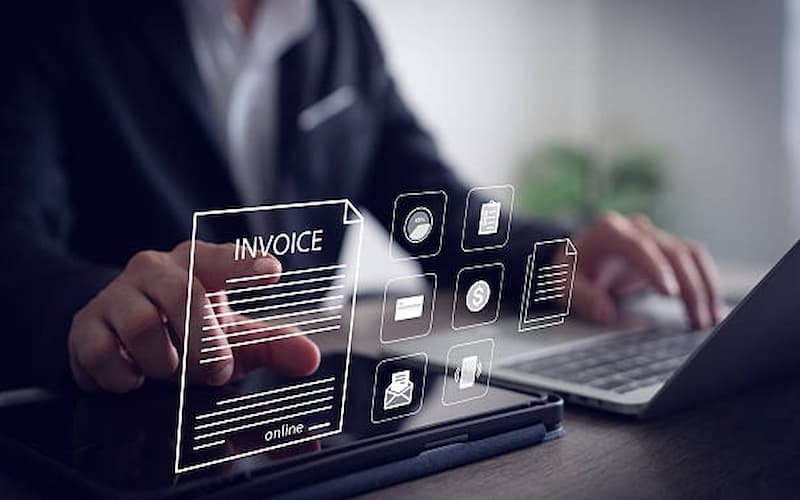
Duplicate invoice generation is one of the most common operational issues businesses face when using digital accounting and billing platforms. It may seem like a minor technical glitch, but in reality, it can lead to serious financial discrepancies, customer disputes, reporting errors, and compliance risks. For companies handling high transaction volumes, even a small duplication error can multiply into significant accounting inconsistencies.
With the rise of digital transformation and systems such as E-invoicing in Jeddah, businesses are increasingly relying on automated systems to manage invoices. However, automation alone does not eliminate duplication risks. It is essential to understand the root causes of duplicate invoices and implement structured controls to prevent them.
This guide explains why duplicate invoices occur and how businesses can effectively prevent them using system design, process control, and operational best practices.

Understanding Duplicate Invoice Generation
Duplicate invoices occur when the same transaction is recorded or processed more than once in an accounting or billing system. This can happen due to human error, system glitches, integration issues, or lack of proper validation rules.
For example, a sales order may be accidentally processed twice, or a user may click the “generate invoice” button multiple times due to system delays. In integrated environments, duplicate data sync between systems can also create repeated entries.
The impact of duplicate invoices includes:
Incorrect revenue reporting
Overstated sales figures
Customer billing disputes
Payment reconciliation issues
VAT or tax reporting errors
Preventing duplication is therefore essential for maintaining financial accuracy.
Common Causes of Duplicate Invoice Generation
1. Manual Entry Errors
One of the most frequent causes is human error during manual invoice creation. Employees may accidentally enter the same transaction twice, especially when working under pressure or handling large volumes of invoices.
2. System Lag or Slow Processing
When systems take time to respond, users may click multiple times on the “generate invoice” button. This results in multiple invoices being created for the same transaction.
3. Poor Integration Between Systems
Many businesses use multiple platforms such as CRM, POS, ERP, and accounting software. If these systems are not properly synchronized, the same data may be transmitted more than once.
4. Lack of Unique Invoice Identifiers
Without proper unique identifiers or reference numbers, systems cannot detect whether a transaction has already been processed.
5. Data Migration Issues
During system upgrades or migration from legacy platforms, duplicate records may be imported unintentionally, creating long-term inconsistencies.
How to Prevent Duplicate Invoice Generation
1. Implement Unique Invoice Numbering Systems
Every invoice should have a unique identifier generated automatically by the system. This ensures that no two invoices share the same reference number.
A structured numbering format helps:
Identify duplicate entries instantly
Maintain chronological order
Improve audit traceability
Businesses should avoid manual invoice numbering, as it increases the risk of repetition.
2. Enable System-Level Validation Rules
Modern accounting systems allow validation rules that prevent duplicate transactions. These rules check whether an invoice with the same customer, amount, and date already exists before creating a new entry.
Validation checks can include:
Customer ID matching
Transaction timestamp verification
Amount comparison
Reference order validation
These automated checks act as the first line of defense against duplication.
3. Improve User Interface Design
System design plays a major role in preventing duplicate actions. Poorly designed interfaces often lead to accidental multiple submissions.
To reduce this risk:
Disable buttons after first click
Show loading indicators during processing
Provide confirmation messages after invoice creation
Prevent back-end re-submission on refresh
A well-designed interface reduces human error significantly.
4. Strengthen Integration Controls
When systems are integrated, duplicate data can easily flow between platforms if controls are weak. Businesses must ensure that APIs and data connections include deduplication logic.
Best practices include:
Using unique transaction IDs across systems
Sync validation before data transfer
Scheduled reconciliation between systems
Preventing repeated API calls for the same transaction
Strong integration architecture is critical for large organizations.
5. Automate Invoice Approval Workflows
Approval workflows ensure that invoices go through a controlled process before being finalized. This reduces the chance of duplicate creation by restricting unauthorized or accidental submissions.
A proper workflow includes:
Draft stage
Review stage
Approval stage
Final submission
Each stage should be locked to prevent repeated processing of the same invoice.
6. Use Real-Time Duplicate Detection
Advanced systems can detect duplicates in real time using AI or rule-based algorithms. These tools scan new entries and compare them with existing records to identify matches.
Real-time detection helps:
Prevent duplicate posting instantly
Alert users before submission
Reduce manual auditing efforts
Improve financial accuracy
This is especially useful for high-volume businesses.
7. Regular Data Audits and Reconciliation
Even with strong systems, periodic audits are essential. Businesses should regularly review invoice records to identify and correct duplication issues.
Audit practices include:
Monthly invoice reconciliation
Cross-checking accounting and sales data
Reviewing exception reports
Identifying duplicate patterns
Regular audits ensure long-term system reliability.
8. Train Employees on Proper Usage
User behavior is one of the most overlooked causes of duplication. Employees must understand how to properly use the system and avoid unnecessary repeated actions.
Training should focus on:
Proper invoice generation process
System response handling
Avoiding multiple clicks or refresh actions
Understanding system alerts and warnings
Well-trained employees reduce operational errors significantly.
Role of System Design in Preventing Duplication
System architecture plays a crucial role in ensuring data integrity. Modern ERP and accounting systems are designed with built-in controls that prevent duplicate transactions at the database level.
Key architectural features include:
Primary key constraints
Transaction locking mechanisms
API request throttling
Idempotent processing logic
These technical safeguards ensure that even if a duplicate request is made, the system recognizes and rejects it.
Conclusion
Duplicate invoice generation is not just a technical inconvenience—it is a serious operational issue that affects financial accuracy, compliance, and business credibility. However, with the right combination of system controls, validation rules, integration management, and employee training, businesses can effectively eliminate this problem.
By implementing structured processes and leveraging automation, companies can ensure clean, accurate, and reliable invoicing systems. As digital transformation continues to expand across industries, preventing duplication will remain a key factor in maintaining efficient and trustworthy financial operations.