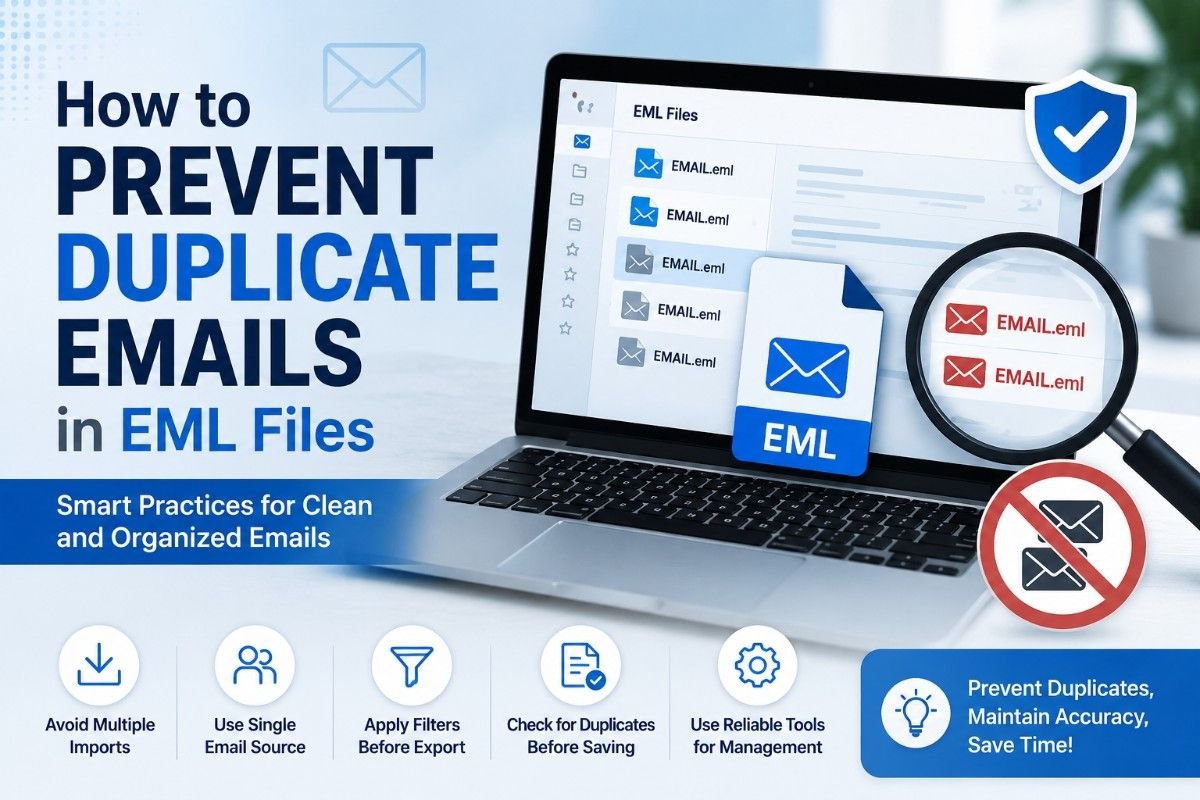
EML files with duplicate emails are not usually a one-night problem. They often evolve slowly from repeated email exports, mailbox migrations, backups, manual copies or merging archives from multiple sources.
You may only see a few messages repeating themselves at first. However the same email may be found several times in different EML folders over time. It wastes storage space, makes it harder to search through email, makes backups larger and can cause problems when you move to a new system in the future.
The good news is that duplicate EML emails are usually avoidable with just a few simple changes to the way you export, back up, organize and migrate email data.
This guide covers the main reasons why duplicate EML files can arise, along with tips to prevent them and advice on what to do if duplicates have already appeared.
Why Are There Duplicate Emails in EML Files?
The first step toward preventing duplicate EML messages is to understand the cause of them.
1. Repeated Email Exports
One of the most common reasons is exporting the same mailbox to EML more than once.
For example you could export your Inbox today and next month, without deleting or separating the previous files. The new export may generate a new set of messages that already exist.
How to avoid it:
- Use a separate folder for each export.
- Add the export date to the folder name
- Verify if the mailbox has already been exported.
- Maintain a single confirmed master archive.
2. Combining Multiple Backups
Backup files often intersect. Maybe you have a backup of your whole mailbox and also individual backups of single years, projects or folders.
The same message could appear multiple times in these archives when they are combined.
What to do to stop it:
Before merging, compare date ranges and sources of EML collections. If two backups cover the same mailbox time period, assume some messages may overlap until you prove otherwise.
3. Repeating an Email Migration
A migration can be repeated because the first attempt was incomplete. If the previous EML files have not been removed or separated, the second migration may produce another set of messages.
How to prevent it:
Do it again, but check the result after each migration. Check key folders, message counts, attachments, and date ranges. Do not simply copy the migration into the same destination folder.
4. Manual Copying of EML Files
Copying EML files from one folder to another can result in duplicates without changing the message.
For example, you might copy an email to a project folder but leave the original in the Inbox archive.
How to prevent it:
Decide whether you want to copy or move the message. If a second copy must be made for organizational reasons, document why that second copy exists so that it is not confused with an accidental duplicate later on.
5. Restoring Old Email Archives
If you restore an old EML backup next to an existing archive, you might end up with duplicate messages.
This is common when users restore historic email data without verifying if some of the messages exist in the current collection.
How to prevent it:
Know the date range of the backup you want to restore, and from where. 2. Hold restored data in a separate working folder until you've checked if it overlaps with the existing archive.
How to Prevent Duplicate EML Emails
It’s easier to stop thousands of duplicate files than to clean them up later. The following practices can drastically reduce the likelihood of duplicate EML messages.
Method 1: Maintain One Verified Master EML Archive
Best for: Users who export or archive email regularly.
Instead of merging different EML backups all the time, keep a single master archive with a clear identification.
Steps:
- Create a folder just for the master EML archive.
- Do not alter the original files.
- Note the mailbox and date range covered.
- Copy for testing or migration.
- Update archive but only if there’s no overlapping data.
- Keep older backups separate.
Pros
- Minimizes accidental duplication.
- Simplifies archive management.
- Gives a trustworthy copy for reference.
Cons
- Needs to be consistently organized.
- You need to store backups on a separate system.
Method 2: Use Separate Folders for Every Export
Best for: Those who export EML files on a regular basis.
Do not mix repeated exports in one uncontrolled folder.
Steps
Create folders like:
Email Export - January 2026Email Export - February 2026Email Export - March 2026
Record the mailbox, folder and date range of each export.
Pros
- Overlapping exports are easier to find.
- Prevents accidental mixing of files.
- Easier cleanup down the road.
Cons
- Creates more folders for organizing.
- Needs consistent naming.
Method 3: Check for Existing Data Before Migration
Best for: Users migrating email from one application to another.
Make sure the destination already has some messages before performing another migration.
Steps
- Check the previous migration results.
- See message counts.
- Find missing folders.
- Identify the data that is to be migrated again.
- Export the required mailbox data.
- Do not touch the output of the previous migration.
Pros
- Prevents migration of the same messages more than once
- Reduces processing time
- Minimizes file duplication.
Cons
- To be checked before every migration.
- Comparing large mailboxes may take some time.
Method 4: Avoid Combining Overlapping EML Archives
Best for: Users who need to handle multiple EML backups.
Check the two archives for overlapping messages before merging them.
Steps
- List available EML folders
- Observe the date range of each archive.
- Find folders for the same period.
- Compare some posts.
- Separate archives if there is significant overlap.
- Combine only if you are determining whether the data is required.
Pros
- Stops duplicates from being created in the first place.
- Makes archives more intelligible.
- • Removes any unnecessary processing.
Cons:
- It must be planned.
- Date ranges alone will not catch all duplicates.
Use EML Duplicate Remover
Best for: Large EML collections, or if duplicates have already been collected.
The goal is prevention, but there may still be duplicates that exist that need to be removed.
Got a big collection of EML files? No need to open them one by one. The Softaken EML Duplicate Remover can scan through all the files and find duplicate messages.
Key Benefits of Preventing Duplicate EML Emails
There are some practical advantages to avoiding duplicates:
- Less storage used. No copies of emails and attachments you don’t need.
- Cleaner archives: EML collections made easier to organize.
- Quicker migration: Cuts down the amount of redundant data to move.
- Less backup: Keeps backup collections to a manageable size.
- Improved email searching: Finds fewer duplicate results.
- Fewer manual cleanups: Better to avoid duplicates than to have to clean up thousands of them later.
Final Thoughts
The main thing is that we don’t want to have duplicate emails in EML files, so we don’t want to export/migrate multiple times without confirming the existing data and keeping the archive consistent.
If you have a personal or small collection of EML files, simple folder organization and good backup habits may be enough. If you have a large business archive, or if you will be doing repeated migrations or multiple overlapping EML backups, then a more structured process is worthwhile.
EML Duplicate Remover will help you to identify and clean large collections more efficiently than by manual inspection. If you have already accumulated duplicates,
The single most important habit is basic: maintain one verified master archive, work from copies, document your exports, and check for overlapping data before combining EML files. This can save a lot of time and storage space in the long run.
Frequently Asked Questions
1. Why do duplicate emails keep appearing in my EML files?
The most common reasons include multiple exports, overlapping backups, repeated migrations, manual copy and merging EML archives that contain some of the same messages.
2. Does renaming EML files prevent duplicates?
No, changing the filename does not change the email content. Two different named EML files can still contain the exact same message.
3. Should I keep multiple copies of the same EML email?
Only with a specific purpose, for example separate archives of projects. Otherwise, unnecessary copies eat up storage and complicate email management.
4. How can I prevent duplicate attachments in EML files?
Don’t export data repeatedly or back up overlapping data. When cleaning existing duplicates, check attachment names and content before deleting any email.
5. Can EML Duplicate Remover help prevent future duplicates?
The main use of a duplicate remover is to find and delete duplicates you already have. The best way to avoid new duplicates is to keep organized backups, don’t import over and over and check for overlapping archives before merging.
Tags : EML Duplicate Remover