How to Open an .ipynb File Without Installing Jupyter
You just downloaded a .ipynb file — maybe a teammate sent it, maybe you pulled it off GitHub, maybe it came attached to an email from a data science course. You double-click it and nothing happens. Windows and macOS have no idea what to do with a raw Jupyter notebook file, because it isn't a document in the normal sense. It's a JSON file, and without the right viewer, all you'll see is a wall of curly braces and escaped text if you try opening it in a text editor.
I run into this constantly while building tools for people who work with notebooks but don't live in Python every day: reviewers checking a student's assignment, hiring managers looking at a candidate's take-home project, or a manager who just wants to see the output of an analysis someone on their team sent over. None of these people want to install Anaconda for a five-minute read. Here's what actually works.
Why You Can't Just "Open" an .ipynb File
A Jupyter notebook stores everything — markdown text, code cells, and saved outputs like tables, charts, and images — as structured JSON. Jupyter (or an editor that understands that structure) reads the JSON and renders it back into the notebook layout you're used to seeing: text at the top, code cells with syntax highlighting, and outputs sitting right underneath. Open that same file in Notepad or TextEdit and you get the raw JSON, which is technically readable but practically useless for anyone who just wants to see the content.
That's the core problem: viewing a notebook properly requires something that can parse and render that JSON, and installing a full Python and Jupyter environment just to look at a file is overkill for most people.
Method 1: Use an Online .ipynb Viewer
This is the fastest option if you just need to read a notebook, not run it. Upload the file to a browser-based viewer and it renders the notebook the same way Jupyter would, without touching your computer.

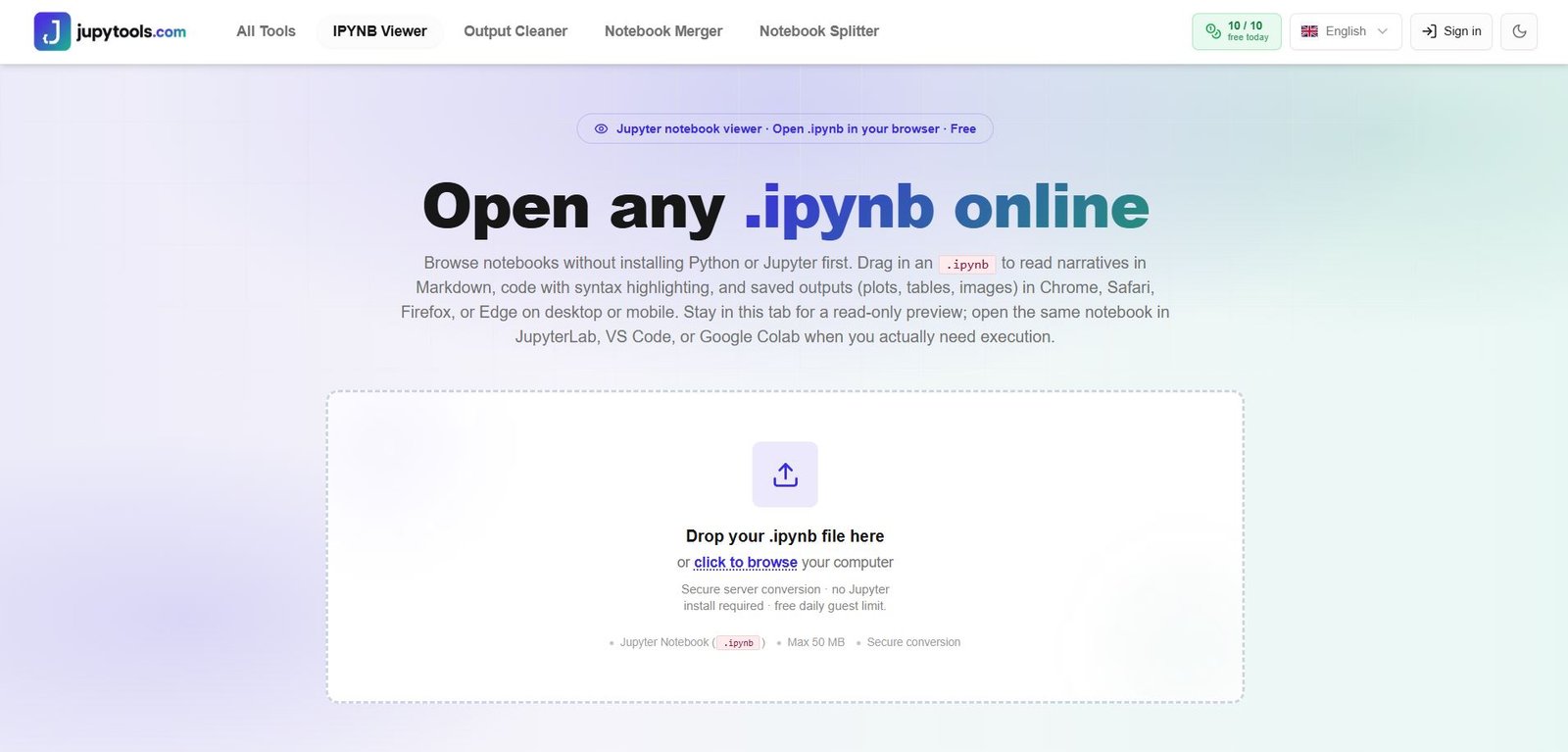
On JupyTools' IPYNB Viewer, you drop the file in and it converts it into a readable layout in the browser — markdown cells, code cells with syntax highlighting, and saved outputs like plots and tables all show up exactly where they were saved. A few details make this genuinely usable for review work rather than just a novelty:
- Cell search — you can search across all cells instead of scrolling through a 200-cell notebook looking for one function.
- Filtering by type — switch between viewing all cells, only code cells, or only markdown, which is useful when you just want the narrative without the code getting in the way.
- Expand and collapse — long notebooks get unwieldy fast, so being able to collapse cells you've already reviewed keeps you oriented.
- Copy from any cell — grab a code snippet without having to select and copy manually inside a JSON viewer.
This matters most on mobile. If someone sends you a notebook and you're not at your laptop, GitHub's mobile view of a notebook is close to unusable, and there's no version of Jupyter you can install on a phone. A browser-based viewer works the same on a phone as it does on a desktop, because it's just rendering HTML.
Method 2: GitHub's Built-In Preview (and Where It Breaks)
If the notebook is already sitting in a GitHub repo, GitHub will render it automatically when you open the file. This works fine for small, simple notebooks. Where it consistently falls apart is on anything with heavy output — notebooks with a lot of embedded images, wide dataframes, or interactive plots frequently time out and show "Sorry, something went wrong. Reload?" instead of the notebook. Large notebook files also tend to fail rendering entirely, and there's no retry that fixes it — you just get stuck.
nbviewer, the classic dedicated notebook viewer, has the same ceiling: it depends on the notebook being publicly reachable at a URL, and it can be slow or fail on the same kind of heavy-output notebooks that break GitHub's preview. If you've ever pasted a GitHub link into nbviewer only to get a blank page, you know the frustration. For a notebook you have saved locally rather than hosted somewhere, neither of these options works at all — you'd need to push it to GitHub first just to look at it, which is a strange amount of friction for reading a file.
Method 3: VS Code or Google Colab (When You Need to Run It, Not Just Read It)
If your goal isn't just to view the notebook but to actually execute the code, edit it, or continue the analysis, an online viewer isn't the right tool — you want an environment that runs Python. VS Code with the Jupyter extension handles .ipynb files natively and lets you run cells directly. Google Colab does the same thing entirely in the browser, no local install required, and it's a solid choice if you need to execute code but don't want to set up a local Python environment.
The distinction that matters here: viewers are for reading, Colab and VS Code are for working. If you only need to see what's in the notebook, spinning up a Colab environment is more setup than the task requires.
Quick Comparison
| Option | Install Required | Works With Local Files | Handles Heavy Output | Runs Code |
|---|---|---|---|---|
| Online IPYNB Viewer | No | Yes | Yes | No |
| GitHub Preview | No | No | Inconsistent | No |
| nbviewer | No | No | Inconsistent | No |
| VS Code | Yes | Yes | Yes | Yes |
| Google Colab | No | Yes (upload) | Yes | Yes |
Frequently Asked Questions
Can I open a .ipynb file without installing Anaconda? Yes. Anaconda bundles Python, Jupyter, and a large set of libraries, which is far more than you need just to read a notebook. An online viewer renders the notebook's markdown, code, and outputs directly in your browser without any of that setup.
Why won't my Jupyter notebook open on GitHub? GitHub's built-in notebook renderer frequently fails on large files or notebooks with heavy embedded output like plots and images, returning a rendering error instead of the notebook. This is a known limitation of GitHub's preview, not an issue with your file.
Can I view a Jupyter notebook on my phone? Yes, as long as you use a browser-based viewer rather than trying to install Jupyter itself, which isn't practical on mobile. A web-based viewer renders the same way on a phone browser as it does on desktop.
Is it safe to open an .ipynb file with an online tool? Only upload notebooks you're comfortable sharing with a third-party service, the same rule that applies to any online file converter. Avoid uploading notebooks containing credentials, API keys, or sensitive data hardcoded in the cells.
Does an online viewer let me edit the notebook? No — a viewer is read-only by design. If you need to edit or re-run the code, use VS Code or Google Colab instead.
Bottom Line
If you just need to read a notebook — check someone's work, review an assignment, or skim an analysis — a browser-based IPYNB viewer gets you there in seconds with no install and no GitHub rendering gamble. Save the full Jupyter setup, or Colab, for when you actually need to run the code yourself.
Working with notebooks regularly? JupyTools also has an Output Cleaner for stripping saved outputs before committing to git, a Notebook Merger for combining multiple .ipynb files, and a Notebook Splitter for breaking a large notebook into smaller ones.