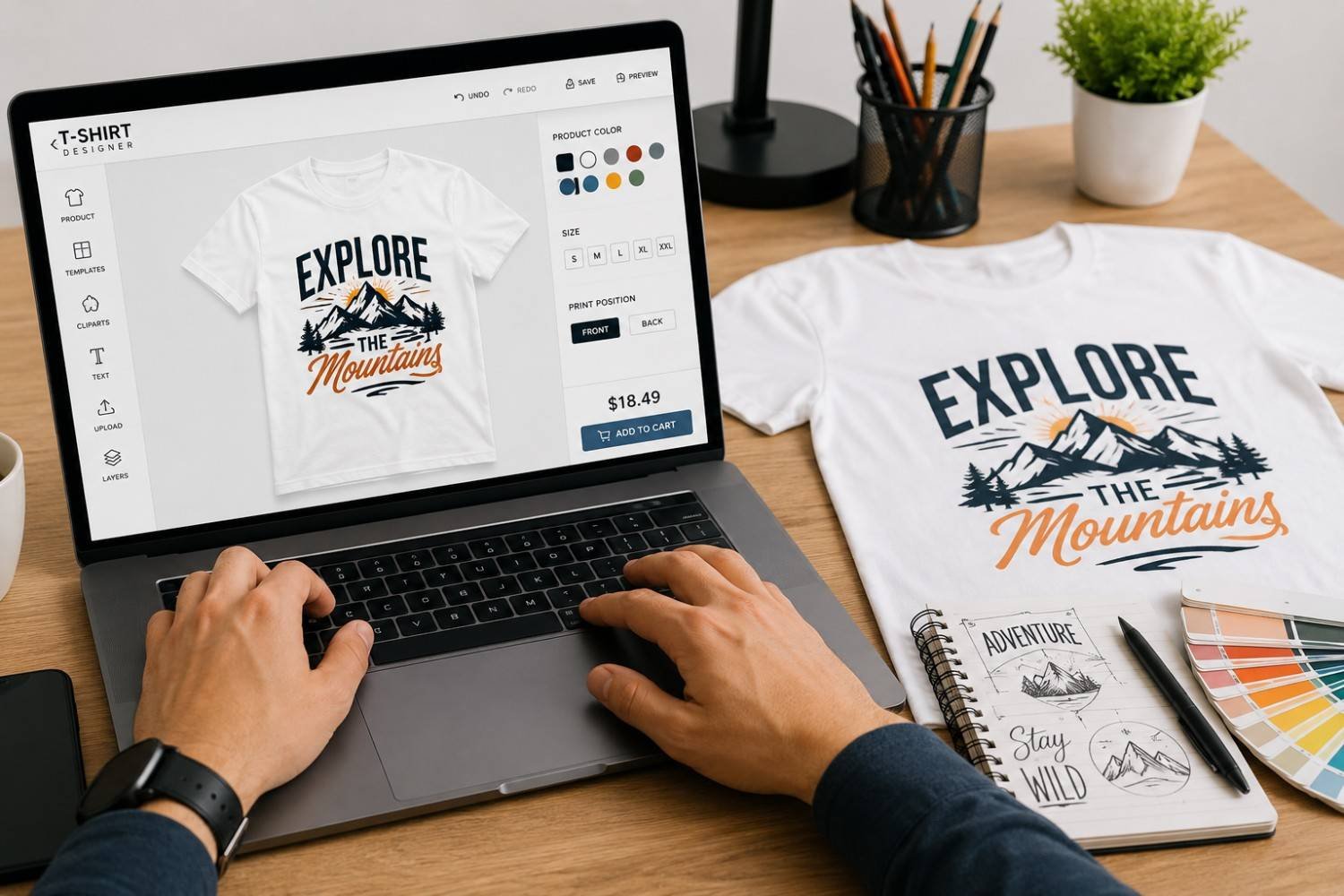
Designing a custom T-shirt online looks easy at first.
You pick a T-shirt colour, upload a logo or artwork, place it somewhere on the front, and done. Right?
Not exactly.
A design that looks good on your phone screen may not always look good when printed on fabric. The logo may appear too small. The colours may not stand out. The text may become hard to read. Sometimes the design is fine, but the file quality is not good enough for printing.
That is why a little planning before placing the order makes a big difference.
If you are creating a T-shirt for your business, college event, sports team, birthday group, startup, or personal brand, this guide will help you design your own custom T-shirt online without making the common mistakes many buyers regret later.
Start With the Purpose, Not the Design
Most people begin with the design.
They open an online customizer, upload an image, add some text, and start moving things around. But before choosing colours or fonts, it is better to ask one simple question:
Why are you making this T-shirt?
A T-shirt for a corporate event should not look like a birthday trip T-shirt. A college farewell T-shirt does not need the same style as staff uniform apparel. A gym team T-shirt will have different needs from a startup merchandise T-shirt.
The purpose decides the design direction.
For example:
| Purpose | Design Style That Works Best |
|---|---|
| Company event | Clean logo, minimal text, professional colours |
| College event | Fun graphics, batch name, bold back print |
| Startup merchandise | Modern typography, simple brand message |
| Sports team | Player names, numbers, strong contrast |
| Personal gift | Photo, quote, inside joke, custom message |
| Promotional campaign | Brand logo, tagline, easy-to-read layout |
Once the purpose is clear, the design becomes easier.
Choose the Right T-Shirt Colour First
T-shirt colour is not just a background. It affects how the entire design looks.
A white logo may look great on black, navy, maroon, or bottle green. The same logo may disappear completely on light grey or pastel colours. A black design may look sharp on white, but not on dark blue.
Many printing mistakes happen because the design and garment colour do not have enough contrast.
Before finalising your design, check these simple combinations:
| T-Shirt Colour | Design Colours That Usually Work Well |
|---|---|
| White | Black, navy, red, green, multicolour artwork |
| Black | White, yellow, orange, light blue |
| Navy Blue | White, yellow, light grey |
| Grey | Black, navy, red |
| Red | White, black |
| Bottle Green | White, beige, yellow |
| Yellow | Black, navy |
If your design is important, do not choose the T-shirt colour only because it looks trendy. Choose a colour that helps your artwork stand out clearly.
Keep the Design Simple Enough to Read
A T-shirt is not a poster.
People will usually see it from a distance, while someone is walking, standing in a group photo, or attending an event. If the design has too much text, too many icons, or too many colours, the message can get lost.
One of the safest rules is this:
If someone cannot understand the design in three seconds, simplify it.
This is especially important for business T-shirts. A company logo, short tagline, and clean placement often work better than trying to include a phone number, website, address, social handle, and service list on the same T-shirt.
For college or personal T-shirts, you can be more playful. Still, the main message should be easy to notice.
Use High-Quality Artwork Files
This is one of the biggest reasons printed T-shirts do not come out as expected.
A small image downloaded from WhatsApp, Instagram, or Google may look fine on screen, but it can become blurry or pixelated after printing. Printers need high-quality files to produce clean results.
Best file formats for custom t shirt printing include:
AI
EPS
SVG
High-resolution PNG
High-resolution JPEG
For logos, vector files are usually the best. They can be resized without losing quality.
If you only have a low-quality image, ask the printing team whether it needs to be recreated before printing. It is better to fix the artwork before production than feel disappointed after receiving the final T-shirts.
Avoid Tiny Text and Thin Lines
Thin lines may look stylish on a digital mockup, but they may not print clearly on fabric.
The same goes for very small text. A sentence that looks readable on a laptop screen may become difficult to read once printed on a T-shirt, especially if it is placed on the chest or sleeve.
Try to avoid:
Very small fonts
Thin script fonts
Light grey text on light fabric
Too many words in one area
Detailed artwork with tiny elements
For better results, use bold and clear fonts. Keep enough spacing between letters and design elements.
Think Carefully About Print Placement
Where you place the design matters as much as what you print.
A logo placed too high can look awkward. A full-front design that is too low may not sit well when worn. A back print may look excellent for events, but may not be suitable for everyday brand merchandise.
Common print placements include:
| Placement | Best For |
|---|---|
| Left chest | Company logos, uniforms, premium branding |
| Centre front | Quotes, graphics, event designs |
| Full front | Large artwork, college T-shirts, merchandise |
| Full back | Event details, team names, batch designs |
| Sleeve | Small logo, initials, sports branding |
| Neck back | Subtle brand mark |
For corporate T-shirts, left chest logo placement often looks clean and professional. For college events, a bold back print usually works well. For merchandise, minimal front designs are often easier to wear regularly.
Do Not Trust the Mockup Blindly
Online mockups are useful, but they are not always 100% accurate.
A mockup shows the general look of the design, but the actual result depends on fabric, print method, colour, size, and artwork quality. Sometimes a design that looks large in the mockup may appear smaller on an actual XL T-shirt. Sometimes the colours may look slightly different after printing.
Before approving the order, check:
Is the design centred properly?
Is the logo size suitable?
Is the text readable?
Does the print colour contrast with the fabric?
Is the design too close to the collar or sleeve?
Does the same design work across all T-shirt sizes?
For bulk orders, asking for a sample or final proof is always a smart move.
Match the Design With the Right Printing Method
A good design can fail if the wrong printing method is used.
Different designs need different print technologies. For example, a colourful illustration may need DTF or DTG printing. A simple one-colour logo for 300 company T-shirts may work better with screen printing.
Here is a simple guide:
| Design Type | Suitable Printing Method |
|---|---|
| Full-colour artwork | DTF or DTG |
| Photo print | DTG |
| Simple logo | Screen printing or DTF |
| Bulk event T-shirts | Screen printing |
| Small quantity custom T-shirts | DTF or DTG |
| Polyester sports T-shirts | DTF or sublimation |
| Cotton T-shirts | DTG, DTF, or screen printing |
You do not need to know every technical detail. But when placing the order, share the design, fabric preference, quantity, and usage with the printing team. A good supplier will recommend the right method.
Pick Fonts That People Can Actually Read
Fonts can change the entire feel of a T-shirt.
A bold font can make the design look strong. A handwritten font can make it look personal. A clean sans-serif font can make it look modern and professional.
But readability should always come first.
Avoid using too many fonts in one design. Two fonts are usually enough. One for the main text and one for the supporting line.
For example:
Brand name: bold font
Tagline: simple regular font
For college T-shirts, playful fonts can work. For business T-shirts, clean fonts usually look better. For sports T-shirts, strong block-style fonts are easier to read from a distance.
Be Careful With Trendy Designs
Trends are tempting.
Oversized typography, vintage graphics, anime-style artwork, minimal line art, and bold back prints are all popular. But not every trend fits every purpose.
A trendy design may look exciting today, but if the T-shirt is meant for staff uniforms or long-term brand use, it may feel outdated quickly.
For business and brand T-shirts, timeless designs usually work better. For events, college groups, and personal orders, trendy styles are perfectly fine because the T-shirt is connected to a specific moment.
Before finalising the design, ask yourself:
Will people still feel comfortable wearing this after the event?
If the answer is yes, the design is probably on the right track.
Check the Size of the Design on Different T-Shirt Sizes
One design size does not always look the same on every garment size.
A front print that looks perfect on a medium T-shirt may look slightly smaller on XXL. The same print may look too large on XS. This is common in bulk orders where multiple sizes are used.
For most orders, printers use one standard print size across all garments. That is practical and cost-effective. But if you are creating premium merchandise or size-specific apparel, you may want to adjust the print size based on garment size.
This is especially important for:
Kids’ T-shirts
Oversized T-shirts
Plus-size T-shirts
Sports jerseys
Premium brand merchandise
Avoid Copying Designs Without Permission
It is easy to find a cool T-shirt design online and feel tempted to use it.
But copying copyrighted artwork, brand logos, movie characters, sports team logos, or celebrity images can create problems. Even if the design is available on Google or Pinterest, that does not mean it is free to print and sell.
For safe custom T-shirt design, use:
Your own logo
Original artwork
Licensed graphics
Royalty-free design elements
Custom illustrations
Personal photos you have permission to use
Original designs also help your T-shirt feel more meaningful and brand-specific.
Design Checklist Before You Place the Order
Before you approve your custom T-shirt design, go through this checklist:
| Checklist Question | Why It Matters |
|---|---|
| Is the artwork high resolution? | Prevents blurry printing |
| Is the text easy to read? | Improves visibility |
| Does the colour contrast well? | Makes the design stand out |
| Is the placement correct? | Avoids awkward print position |
| Is the design size suitable? | Helps the T-shirt look balanced |
| Is the file format print-ready? | Reduces production issues |
| Have you checked spelling? | Avoids embarrassing mistakes |
| Does the design match the purpose? | Makes the T-shirt more useful |
| Is the printing method suitable? | Improves final quality |
Spelling mistakes are more common than people think. Always check names, dates, slogans, phone numbers, and website URLs before approval.
What Makes a Custom T-Shirt Design Look Professional?
A professional T-shirt design does not always need to be complicated.
In fact, many of the best designs are simple.
A design usually looks professional when:
The logo is clean
The colours are balanced
The print placement feels natural
The font is readable
There is enough empty space
The artwork matches the fabric colour
The print method suits the design
Empty space is not wasted space. It helps the design breathe.
This is where many first-time buyers go wrong. They try to fill every part of the T-shirt. But a clean, balanced design often looks more premium.
Common Mistakes to Avoid
Here are the mistakes we see most often in online custom T-shirt orders:
Uploading low-quality images
Using too many fonts
Choosing poor colour contrast
Adding too much text
Placing the design too low
Forgetting to check spelling
Ignoring fabric colour
Choosing the wrong printing method
Not reviewing the mockup properly
Ordering bulk quantities without approval
Most of these mistakes are easy to avoid if you slow down before confirming the order.
Final Thoughts
Designing your own custom T-shirt online should be exciting, not stressful.
You do not need to be a professional designer to create something good. You just need to think clearly about the purpose, choose the right colours, use quality artwork, keep the design readable, and review the mockup carefully before ordering.
A custom T-shirt works best when people actually want to wear it.
Whether you are creating T-shirts for a company event, college celebration, sports team, startup, family trip, or promotional campaign, the goal is the same: make it look good, feel comfortable, and represent the idea properly.
When the design is planned well, custom t shirt printing becomes much more than placing artwork on fabric. It becomes a simple way to turn your idea into something people can wear with pride.
FAQs
How can I design my own custom T-shirt online?
You can design your own custom T-shirt online by choosing a T-shirt style, selecting a colour, uploading your artwork or logo, adding text if needed, adjusting the placement, and reviewing the final mockup before ordering.
What file format is best for custom T-shirt printing?
Vector files such as AI, EPS, SVG, or PDF are usually best for logos. High-resolution PNG or JPEG files can also work for image-based designs.
What is the most common mistake in custom T-shirt design?
The most common mistake is using low-resolution artwork. This can make the final print look blurry or pixelated.
How do I choose the right colour for my custom T-shirt?
Choose a T-shirt colour that gives strong contrast to your design. For example, white designs work well on dark T-shirts, while black or navy designs work well on light-coloured T-shirts.
Can I use any image from the internet for my T-shirt?
No. Many images found online are copyrighted. It is better to use your own artwork, licensed graphics, royalty-free images, or custom designs.
Which printing method is best for online custom T-shirt design?
It depends on the design and quantity. DTG works well for detailed cotton prints, DTF is suitable for colourful designs and mixed fabrics, and screen printing is better for bulk orders with simple designs.
Tags : custom t-shirt