Google Ads Management: Stop Wasting Budget and Start Generating Real Leads
By Mitu Das 20-06-2026 86
If you've ever logged into your Google Ads account and felt a small wave of dread looking at the spend versus the results, you're not alone. I've sat across from dozens of business owners who tell me the same thing: "We're spending money, but I don't know if it's working."
That gap, between spending and actually knowing what's working, is almost always a management problem, not a platform problem. Google Ads itself is a solid tool. What separates a campaign that quietly drains your budget from one that fuels consistent lead generation marketing is how it's set up, monitored, and adjusted over time.
In this guide, I'll walk through what proper Google Ads management actually involves, the mistakes that quietly cost businesses the most money, and how to tell if your campaigns are genuinely built for lead generation or just built to look active. By the end, you'll have a clear framework for evaluating your own campaigns or a conversation you're having with an agency.
What Does Google Ads Management Actually Involve?
A lot of people think Google Ads management means picking some keywords, writing an ad, and setting a budget. That's campaign creation. Management is everything that happens after launch.
Proper management includes:
- Reviewing search terms weekly to catch wasted spend
- Adjusting bids based on what's actually converting
- Testing ad copy against real performance data, not guesses
- Refining audience targeting as you learn who responds
- Aligning landing pages with what the ad actually promised
- Tracking conversions accurately so decisions are based on real numbers, not vanity metrics like clicks
Here's a simple way to think about it: creating a campaign is like planting a garden. Management is the watering, weeding, and pruning that determines whether anything actually grows. Skip the second part, and you're just hoping for rain.
Why Most Google Ads Accounts Underperform
I've audited a fair number of underperforming accounts, and the same patterns show up again and again, regardless of industry.
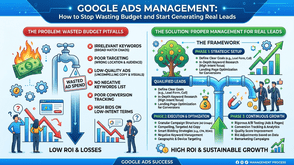
Broad match keywords with no negative keyword list: This is the single biggest budget leak I see. Without negative keywords, your ad for "commercial plumbing services" can show up for searches like "plumbing courses" or "DIY plumbing repair." You pay for the click either way.
Conversion tracking that isn't actually tracking conversions: Sometimes it's tracking page loads instead of form submissions. Sometimes it's double-counting. If your data is wrong, every decision built on it is wrong too.
Generic ad copy that doesn't match search intent: Someone searching "emergency electrician near me" wants urgency and availability, not a generic line about "quality service since 1995."
Landing pages that don't match the ad: If someone clicks an ad about a free consultation and lands on a generic homepage with no clear next step, most of them leave. That mismatch is often the quiet killer of otherwise decent campaigns.
No clear separation between brand awareness and lead generation goals: These require different strategies, different bidding approaches, and different success metrics. Lumping them together muddies your results.
How Google Ads Connects to Lead Generation Marketing
This is worth slowing down on, because it's where a lot of strategy goes sideways. Google Ads is a traffic channel. Lead generation marketing is the broader system that turns that traffic into actual business.
A well-managed Google Ads campaign should feed directly into your lead generation marketing efforts, not operate as a separate island. That means:
- The keywords you target reflect actual buyer intent, not just topic relevance
- Your landing pages are built specifically to capture leads (forms, calls, bookings), not just to inform
- Your follow-up process (email, phone, CRM) is ready to act on leads quickly, since response speed heavily affects conversion rates
- You're tracking cost per lead and lead quality, not just cost per click
A useful question to ask: if someone clicks your ad right now, what happens in the next five minutes, and does that experience make them want to give you their contact details? If you can't answer that clearly, that's usually the first thing worth fixing, often before touching your bids or budget at all.
Setting a Realistic Budget Without Overspending
One of the most common questions I get is some version of "how much should I be spending?" The honest answer is that it depends on your industry's cost per click, your conversion rate, and what a lead is actually worth to your business.
A more useful approach than picking a number out of the air:
- Work backward from your target: If you want 20 leads a month and your average cost per lead in your industry is roughly $40–80 (this varies significantly by sector), you're looking at a starting budget in that range, with room to adjust.
- Start narrower than feels comfortable: A tightly targeted campaign with a smaller budget often outperforms a broad campaign with a bigger one, especially in the first few weeks while you're still learning what converts.
- Give it time before judging results: Google's algorithm needs a learning period, typically a couple of weeks of consistent activity, before bid strategies stabilize. Judging performance after three days usually leads to premature, costly decisions.
- Reallocate based on data, not instinct: If one ad group is generating leads at half the cost of another, shift budget toward it. This sounds obvious, but it's frequently skipped because it requires actually reviewing the account regularly.
If you're managing a local service business, location targeting also plays a bigger role than people expect. Narrowing your radius and adjusting bids by area can meaningfully reduce wasted spend, particularly if your service area is limited.
Common Objections (And Honest Answers)
"Google Ads is too expensive for a small business:" It can be, if it's poorly managed. But cost is relative to return. A campaign generating leads at $50 each that convert into $2,000 jobs is a different conversation than one generating clicks with no conversions at all. The issue is rarely the platform; it's usually the setup.
"We tried it before and it didn't work:" This is one of the most common things I hear, and in most cases, the campaign wasn't actually managed after launch, it was set up and left alone. A campaign with no ongoing optimization will almost always underperform, regardless of industry or budget.
"Can't I just boost a Facebook post instead?" Different intent entirely. Google Ads captures people actively searching for a solution right now. Social ads interrupt people who weren't necessarily looking. Both have a place, but they answer different questions in your marketing.
How to Know If Your Campaigns Are Actually Working
Skip the vanity metrics. Click-through rate and impressions are useful diagnostic signals, but they don't pay your bills. Focus on:
- Cost per lead: what you're actually paying to generate one contact
- Lead quality: are these people who fit your ideal customer, or just curious clicks?
- Conversion rate from lead to customer: this tells you whether the leads are even worth pursuing
- Return on ad spend: revenue generated relative to what you spent
If you're tracking these and the numbers are moving in the right direction month over month, your management is doing its job. If you're only tracking clicks and impressions, you genuinely don't know yet whether the campaign is working.
Final Thoughts
Google Ads management isn't about finding a secret setting or a clever hack. It's disciplined, ongoing attention to the details that actually move the needle: accurate tracking, relevant keywords, ad copy that matches intent, and landing pages built to convert. Done well, it becomes one of the most reliable parts of a broader lead generation marketing strategy, because it puts your business in front of people who are actively looking for what you offer.
If your current campaigns feel like a black box, the first step isn't necessarily a bigger budget. It's a proper audit of what's actually happening inside the account. That's often where the real answers (and the real savings) are found.
Tags : Digital Marketing