GainTools EML Duplicate Remover: Does It Actually Clean Up Your Email Archives?
By Andréia França 29-06-2026 118
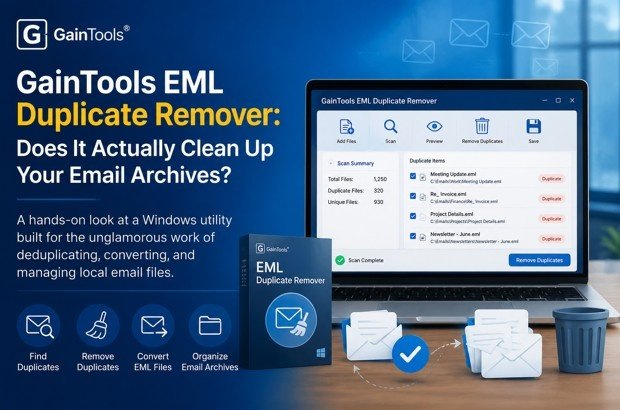
GainTools Review: Fixing the Email File Mess Nobody Talks About
Most folks think of email as the inbox — something that lives in a browser tab or phone app. But surprisingly, a fairly large number of people still keep local copies of their email: system administrators archiving a departed employee’s mailbox, small businesses migrating from one platform to another, power users who have been on Thunderbird or Windows Live Mail for 15 years and have tens of thousands of messages sitting in folders on their hard drive.
For those people email is more than a cloud service. It's a file system problem. And file problems require file tools.
The problem no one talks about
One of the most common formats for local email storage is the .eml format (one file per email, used by Thunderbird, Windows Live Mail, eM Client, Apple Mail, Outlook Express, etc.) . It’s also a format that tends to accumulate duplicates quickly: imports that ran twice, syncs that didn’t check for existing messages, migrations that created copies in multiple folders. If you have ever merged two mailboxes or switched email clients, you almost certainly have duplicates hiding in there somewhere.
EML files are essentially just text – an individual email message stored as a single RFC 822 message with header and body. This is Apple Mail's version, EMLX. Both are similar for our purposes here.
EML Duplicate Remover – The first one I tried out
The tool I initially used is an EML deduplication utility for the Windows. It’s a small program (under 4MB download), installs without any drama and opens to a clean, wizard-like interface. Nothing to write home about. The whole point is to load some EML files, select a dedup mode, and get a clean output.
One thing to note before I get into the mechanics is that it works in a totally stand-alone fashion. You don't need Thunderbird or any other email client installed to read and process your eml files. That's more important than it sounds -- if you're working on a machine that doesn't have a mail client, or you're processing someone else's archived files, you don't have to set anything up first.
What it can manage
There is no stated limit to the number of files you load or their size. It can be pointed at a single EML file, or it can be pointed at a whole folder containing thousands of them. It supports files from Windows Live Mail, Thunderbird, eM Client, Zimbra, and Outlook Express as well as EMLX files from Apple Mail. The only limitation is that it only works with healthy files, meaning that if an EML file is corrupted or incomplete, the tool will skip it instead of trying to process something broken.
Two types of deduplication
This is the part that was most useful to me in practice. You've got two choices:
Finds and removes duplicates across all folders even if they are located in different folders. Useful if the same email got dropped into multiple places in a migration.
Within folder only – finds duplicates only within the same folder. Useful if you have deliberately copies of the same email in different folders that you want to keep, but not exact duplicates in one folder.
The output is a new EML file with the cleaned data. The source files are left intact. That changes things a lot. If something goes wrong or you decide you do want those duplicates after all, you haven't lost anything.
Pricing & free trial.
There is a free version, which allows you to run the whole tool and see what duplicates it finds. The downside is no export of the cleaned result, it will process and identify duplicates, but to save the output you will need the paid version. The paid license is a one-time purchase with lifetime usage. That’s a pricing model that’s a good fit for a utility: you might not use it every month, but when you need it, you need it to just work.
Workflow in practice
Based on the screenshots and the interface itself, the workflow is about as simple as it gets in this category of tool:
1. Launch the program and select File mode (single EML files) or Folder mode (to process an entire folder at once). Navigate to your files.
2. Choose whether to delete duplicates across all folders or within individual folders. This is the decision that will matter most, depending on your situation.
3. Choose the destination folder to save the cleaned EML file. The original files are left unchanged.
4. Press the remove button. The tool will process the files and output a clean EML with no duplicates. Attachments and folder structure remain intact.
One thing that is clear about the tool is it keeps mailbox folder structure and email properties. Removing duplicates won’t collapse everything into one big pile – your folder hierarchy is preserved in the output.
Good to know: The tool works only on Windows (all versions from XP to Windows 11, both 32- and 64-bit). No Mac version. If you're on macOS and want something similar, this is not it.
Other parts of the toolkit beyond EML
The EML deduplication tool is a part of a larger suite of desktop utilities for dealing with most common email file formats and management scenarios.
Other format duplicate removers
The same de-duplication idea works for PST files (the native format of Outlook), MSG files (individual Outlook messages) and MBOX files (used for Gmail exports, Thunderbird and more). They all operate the same way. Standalone, no email client required, non-destructive output.
The PST version is worth highlighting specifically because PST files tend to get big and messy over time, especially if you have been using Outlook for years or imported mail from multiple sources. PST Duplicate Remover cleans duplicate emails, contacts, calendars, notes and tasks as well, the entire Outlook data set.
Format Conversion
There is a full set of conversion tools for moving between email formats: EML to PST, PST to EML, MBOX to PST, MSG to EML and most of the other permutations you would realistically need. It also has converters for older or more niche formats like DBX (Outlook Express), NSF (IBM Lotus Notes), TGZ (Zimbra), OLM (Outlook for Mac), and Maildir.
This is actually useful for migration scenarios. When your organization is migrating from Lotus Notes to Outlook or from Thunderbird to a hosted Exchange service, you need a reliable way to get the data across without losing anything. These tools look like they are made for that case.
PST management utilities
There are separate utilities for splitting large PST files ( useful when a PST grows beyond what Outlook handles well), merging multiple PST files into one ( useful after an acquisition or when consolidating accounts), and removing PST file passwords. Especially the password remover is the kind of thing that sounds sketchy until you've actually locked yourself out of an archived PST file you created three jobs ago and can't remember the password to.
Free-to-view
And there’s also a set of free file viewers – for PST, OST, EML, MSG, MBOX, NSF, DBX, and TGZ files – that allows you to open and view these formats without having the original client installed. They are truly free, not limited to a trial, which is helpful for quick previews before deciding whether to run a conversion or deduplication job.
Cloud migration and backup software
Other tools interact with live cloud email accounts, not local files. They include backing up Gmail, Yahoo, Office 365, G Suite, and AOL accounts to local formats like PST or EML, and migrating between platforms like Gmail to iCloud, Gmail to Zoho, Gmail to a custom domain, and so forth.
The cloud backup tools seem particularly aimed at the case where someone wants a local copy of their cloud email as a hedge against account problems or platform changes – a reasonable thing to want, even if most people don’t think about it until something goes wrong.
Verdict final
The Good: Truly standalone with no reliance on an email client, two dedup modes to cover most real life scenarios, non-destructive output, folder hierarchy and attachments preserved, free viewers to quickly inspect files, one-time pricing instead of subscription, and good coverage of both current and legacy formats.
Good to know before buying: Windows only, won’t process corrupt EML files, the interface is utilitarian rather than polished, the trial lets you find duplicates but not export the cleaned result.
One user review that stuck with me: “I processed 15,000+ EMLX files and removed all duplicates from them in a very short time." That's what this sort of thing is good for. Miserable to manually remove duplicates from a folder of 500 EML files, and not at all possible at 15,000.
For whom is this really?
This is not a product for someone who just wants a tidier inbox. If your email is all in Gmail or Outlook on the web, you don’t need any of this – your provider handles deduplication and format management for you.
But if you're an IT admin managing a mailbox migration, a consultant taking on email archives from clients, or someone who's been running Thunderbird for ten years with folders of duplicates from three different migration attempts, this toolkit is quietly, usefully competent. It does some things well, doesn't overreach, and prices itself reasonably for tools you use once in a while but depend on totally when you do.
The suite is built by GainTools, a software company that’s been in this space since 2017. They intentionally keep their catalog narrow — everything is an email or data management utility and nothing more. You see focus in the tools themselves: they aren’t trying to win on features; they are trying to not let you down when you actually need to process 15,000 EML files at 11pm before a server migration at midnight.