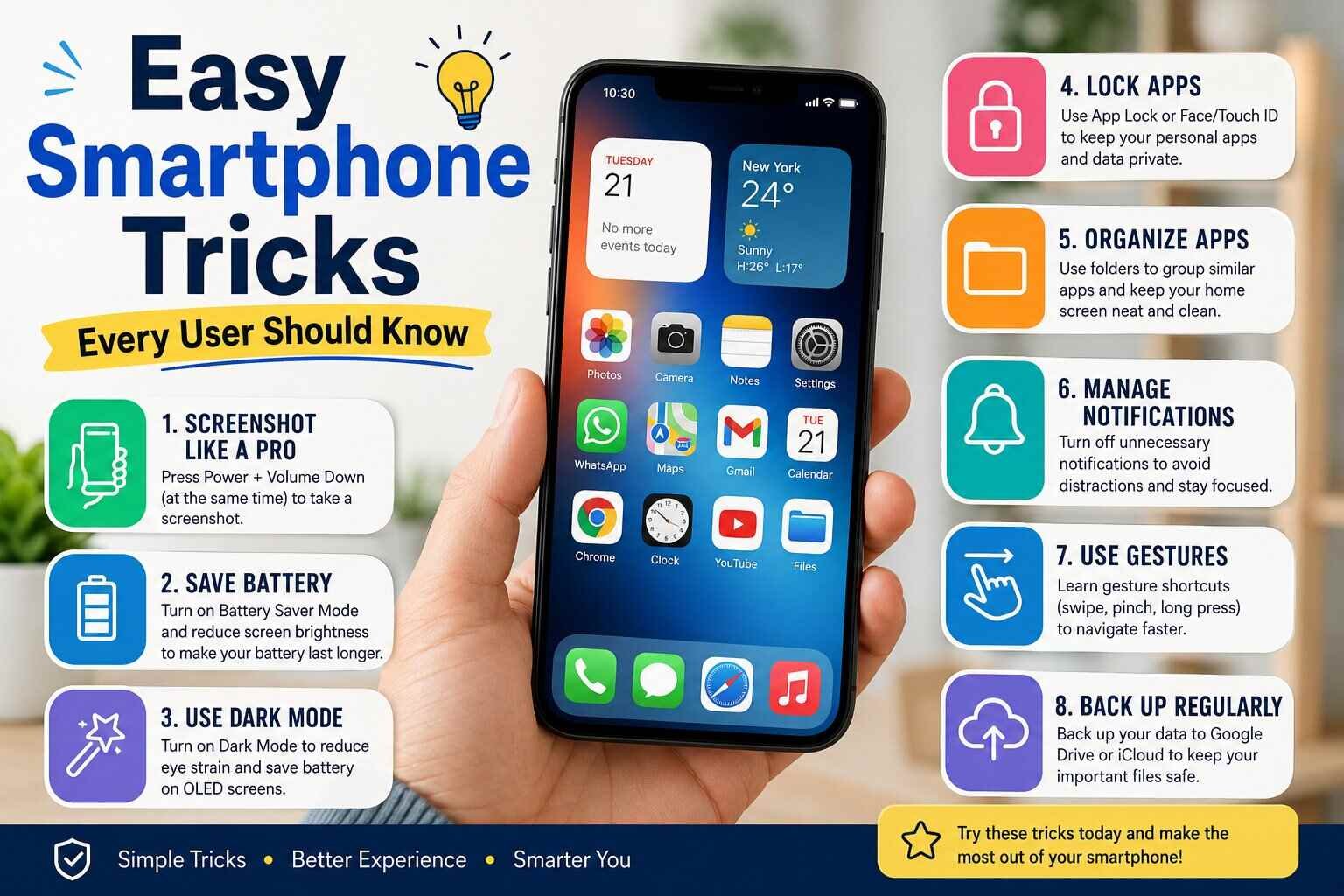
Smartphones have become a major part of daily life. From communication and entertainment to online banking and work, almost everything now depends on mobile devices. However, many users only know the basic functions of their phones and miss out on useful tricks that can improve speed, battery life, privacy, and productivity. Learning a few simple smartphone tricks can make everyday tasks much easier and help users get the most out of their devices.
Modern smartphones are designed with smart features that save time and improve convenience. Whether you use Android or iPhone, understanding hidden settings and useful shortcuts can completely change your mobile experience. Many users search for easy ways to organize apps, boost phone performance, protect personal data, and simplify daily tasks.
Technology is also evolving rapidly with artificial intelligence and advanced applications becoming a part of smartphone systems. Articles like “Smarter and Faster Trending AI Tools for All Purposes” highlight how AI-powered tools are transforming digital experiences and helping users work smarter. Smartphones today are more powerful than ever, and learning simple tricks can help you unlock their full potential.
Use Voice Commands for Faster Tasks
One of the easiest smartphone tricks is using voice assistants like Google Assistant or Siri. Instead of typing every command manually, users can simply speak commands to send messages, set reminders, search online, or open applications.
Voice commands save time and are especially useful while multitasking. You can ask your phone to:
- Set alarms
- Check weather updates
- Play music
- Make calls
- Open navigation apps
- Create notes
Many people underestimate how useful voice assistants can be in everyday life. These tools continue to improve because of advancements in AI technology. Similar innovations are discussed in “India Achieves 3rd Position in Global AI Index 2025, Up from 7th”, which explains how AI growth is shaping modern digital tools.
Enable Dark Mode to Reduce Eye Strain
Dark mode has become one of the most popular smartphone features. It changes bright white backgrounds into darker shades, making screens easier on the eyes, especially at night.
Benefits of dark mode include:
- Reduced eye strain
- Better battery performance on OLED screens
- Improved reading comfort
- Stylish visual appearance
Most smartphones allow users to schedule dark mode automatically during evening hours. This small setting adjustment can make long smartphone usage more comfortable.
Organize Apps into Folders
Many users keep dozens of apps scattered across multiple home screens, making navigation confusing. Organizing apps into folders helps improve efficiency and saves time.
You can create folders like:
- Social Media
- Work Apps
- Shopping
- Entertainment
- Banking
- Photography
A clean smartphone layout improves productivity and reduces distractions. Keeping only essential apps on the main home screen also helps users focus on important tasks.
Use Airplane Mode to Charge Faster
A lesser-known smartphone trick is enabling airplane mode while charging. Since airplane mode disables background network activity such as calls, Wi-Fi, and mobile data, the phone charges much faster.
This trick is especially useful when:
- You need quick charging before leaving home
- Battery is critically low
- You have limited charging time
Fast charging habits can help users stay connected throughout the day without waiting too long for battery recovery.
Clear Cached Data Regularly
Over time, apps store temporary files called cache data. While cache helps apps load faster, too much stored data can slow down your smartphone.
Clearing cached files can:
- Improve phone speed
- Free storage space
- Reduce app crashes
- Improve overall performance
Users should check storage settings regularly and remove unnecessary files, duplicate photos, and unused applications. A cleaner phone usually performs better and lasts longer.
Use Focus or Do Not Disturb Mode
Notifications can become a major distraction during work, study, or sleep. Smartphones now include Focus Mode or Do Not Disturb Mode to help users control interruptions.
These modes allow users to:
- Silence notifications
- Block distracting apps
- Create custom schedules
- Improve concentration
Students and professionals can benefit greatly from these settings because they encourage better time management and digital discipline.
Secure Your Phone with Better Privacy Settings
Privacy protection is extremely important in today’s digital world. Smartphones contain personal information, banking details, passwords, and private conversations. Users should always enable proper security settings.
Important security tips include:
- Use fingerprint or face unlock
- Enable two-factor authentication
- Avoid unknown app downloads
- Regularly update software
- Use strong passwords
Many smartphone threats come from unsafe apps and unsecured internet connections. Staying informed about digital safety is now more important than ever.
Take Better Photos Using Grid Lines
Most smartphone users love photography but may not know simple tricks that improve picture quality. One useful feature is enabling camera grid lines.
Grid lines help users:
- Align subjects properly
- Improve photo balance
- Follow the rule of thirds
- Capture more professional-looking images
Modern smartphones already have powerful cameras, and using built-in tools correctly can greatly improve photography results without needing expensive equipment.
Use Cloud Backup for Data Safety
Losing important photos, contacts, or files can be frustrating. Cloud backup services automatically save data online and protect users from accidental loss.
Benefits of cloud backup include:
- Easy file recovery
- Secure storage
- Access across devices
- Protection from phone damage or theft
Both Android and iPhone offer cloud storage options that make backup processes simple and automatic.
Learn Keyboard Shortcuts and Gestures
Many smartphones support gesture navigation and keyboard shortcuts that make usage faster. Instead of pressing multiple buttons, users can swipe, tap, or hold actions for quicker navigation.
Useful gesture tricks include:
- Swipe down for notifications
- Double tap to wake screen
- Screenshot using gestures
- Quick app switching
Learning these shortcuts can save several minutes every day and improve the overall smartphone experience.
Reduce Battery Drain with Smart Settings
Battery issues are among the most common smartphone complaints. Fortunately, simple settings adjustments can significantly improve battery life.
Helpful battery-saving tricks include:
- Lower screen brightness
- Disable unused Bluetooth and GPS
- Use battery saver mode
- Close background apps
- Reduce refresh rates
Battery management has become increasingly important as people spend more time using mobile devices for work, entertainment, and communication.
Explore AI Features in Smartphones
Artificial intelligence is becoming a major part of smartphone technology. AI now powers:
- Smart photo editing
- Voice typing
- Translation tools
- Predictive text
- Personalized recommendations
The rise of AI innovations is also explored in “Smarter and Faster Trending AI Tools for All Purposes”, where different AI tools are discussed for productivity and creativity. Smartphones are becoming smarter every year, offering users advanced features that were once impossible.
AI also improves battery optimization, app suggestions, and security systems. As technology advances, users who understand these features can take better advantage of their smartphones.
Use Screen Recording for Tutorials and Sharing
Screen recording is another underrated smartphone feature. Users can record app tutorials, gameplay, or important information directly from their screens.
This feature is useful for:
- Creating educational content
- Sharing technical problems
- Recording online classes
- Saving live content
Many creators and professionals now rely heavily on screen recording tools for communication and content creation.
Keep Your Smartphone Updated
Software updates are important for security and performance. Some users ignore updates because they take time, but updates often include:
- Security improvements
- Bug fixes
- Better battery management
- New features
Keeping devices updated helps protect against vulnerabilities and ensures smoother smartphone performance.
Use Digital Wellbeing Features
Smartphones can sometimes become addictive. Digital wellbeing tools help users track and manage screen time more effectively.
These features allow users to:
- Monitor daily phone usage
- Set app usage limits
- Reduce social media distractions
- Improve sleep habits
Balanced smartphone usage improves productivity and mental focus while reducing unnecessary screen dependency.
Final Thoughts
Smartphones are much more powerful than many users realize. Small tricks and hidden settings can improve productivity, save battery life, enhance privacy, and simplify daily activities. From using voice assistants and dark mode to enabling security features and organizing apps, these simple changes can make smartphone usage smoother and more enjoyable.
Technology is constantly evolving, and smartphone features continue to become smarter with AI integration and digital innovation. Articles like “India Achieves 3rd Position in Global AI Index 2025, Up from 7th” and “Smarter and Faster Trending AI Tools for All Purposes” show how rapidly modern technology is changing the digital world.
By learning and applying these easy smartphone tricks, every user can enjoy a faster, safer, and more efficient mobile experience every day.
Tags : tech news