Case Study: Combining Department-Wise PST Files Without Losing Folder Structure
By Noah Rose 22-07-2026 93
About
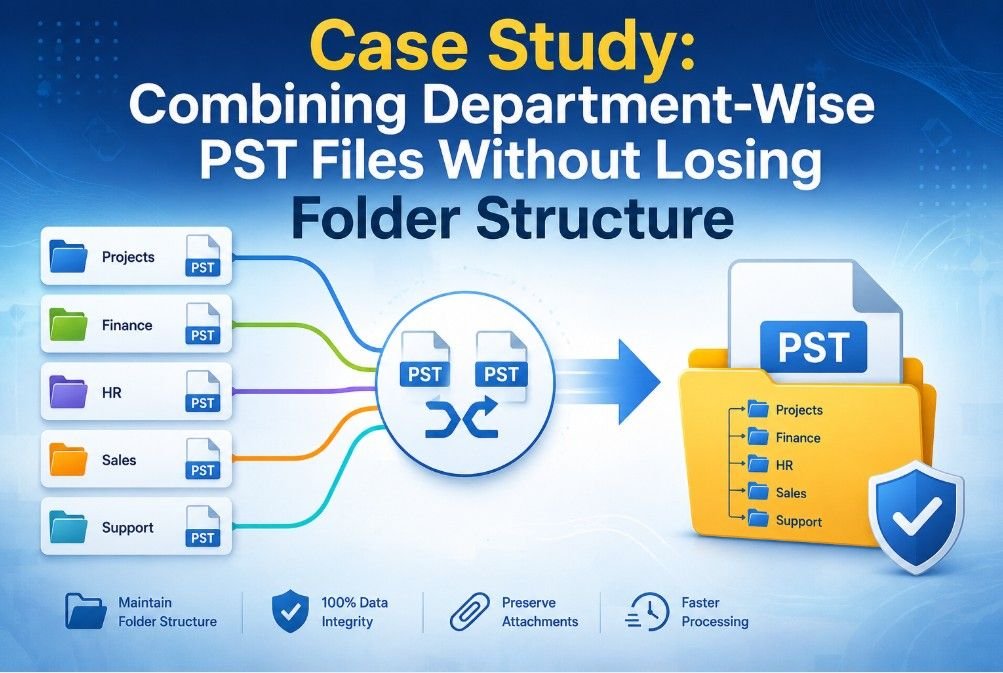
Before switching to a new email management system, a mid-sized consulting firm with five departments intended to concentrate its Outlook email archives. Projects, finance, HR, sales and support all had their own PST files. The IT staff had to preserve the original folder hierarchy while organizing 96 Outlook PST files (roughly 50 GB) into master archives.
Maintaining folder structure, email attributes, attachments, metadata and departmental organization were the important concerns. After several failures, the organization attempted manual ways before moving to a professional solution.
PST Merge's Significance
Outlook PST file merging reduces duplicate archives, streamlines mailbox management and facilitates future migration or backup.
Administrators may handle a few well-organized PST files instead of dozens of distinct Outlook data files, which simplifies storage and enhances Outlook performance.
Why PST Merge Was Necessary for the Departments
Because Outlook was chosen as the company's main email platform, several employees had converted archived EML files into Outlook PST for long-term storage prior to the merger project. Following these EML to PST conversions, each department produced numerous PST files over a number of years.
This led to:
- 96 PST files by department
- Duplicate folders
- Project emails that are dispersed
- Having trouble finding emails
- Several Outlook profiles
- A heavier administrative burden
In order to preserve each original department folder, the IT team required a single structured archive.
Techniques Used in the Case Study
Manual Approach
Method 1: Outlook Import/Export Wizard
- Result: Multiple PST files were imported by the administrator into a single mailbox.
- Failure: Duplicate folder names appeared, a number of things were lost, and it became challenging to recognize the original department hierarchy.
Restrictions and Difficulties:
It takes a lot of time to process numerous PST files.
Needs to be imported repeatedly
There is a high chance of duplicating folders
- There is no automation.
Method 2: Paste and Copy Outlook Folders
- Result: A master PST was created by manually copying important directories.
- Failure: Outlook restarts were often necessary when large folders with over 35,000 emails stopped responding
Restrictions and Difficulties:
- Very slow
- Errors made by people when copying
- The properties of folders could change.
- It's challenging to confirm missing emails.
Tool-Based Approach
The IT department used Softaken Merge PST Tool to automate the entire merging procedure while preserving each original folder following manual failures.
Tool-Based Result
The software combined successfully:
- 96 PST files
- 50 GB of data
- 5 departmental archives.
- 500,000 emails
Tool-Based vs. Manual Method
Feature | Tool-Based | Manual |
|---|---|---|
Folder Structure | Complete | Partially Complete |
Multiple PST Merges | Yes | Challenging |
Duplicate Risk | Extremely Low | High |
Time Spent Processing | Less than 5 hours | 3–4 Days |
Outlook Dependency | Minimal | High |
Support for Large PSTs | Yes | Limited |
Human Errors | Negligible | High |
Enterprise Suitability | Yes | No |
Benefits of Tool-Based Methods
- Full Preservation of Folders: Each department maintained the same folder hierarchy as before.
- Large PST Files Are Supported: Combined 50 GB across 96 files without experiencing any performance problems.
- PST Batch Merging: A significant amount of administrative work was saved by processing multiple Outlook data files simultaneously.
- Preserves Email Integrity: Timestamps, read status, attachments, metadata and emails all stayed the same.
- No Creation of Duplicate Folders: There were no duplicate department folders in the final archive, which remained tidy.
- Quick Processing: Instead of taking many working days, large archives were finished in a matter of hours.
- Easy-to-use Interface: The task was finished by the IT administrator without the need for technical customization or scripting.
- Dependable Outcomes: Following verification, no corrupted or inaccessible PST files were discovered.
Limitations of Tool-Based Methods
- A Commercial License Is Needed: To fully utilize the software, a license must be purchased.
- PST Size Affects Processing Time: Naturally, merging times for very large Outlook archives are longer.
- Utility Based on Windows: The merge must be carried out by users in a Windows environment.
The Tool-Based Method's Steps
1. Install and start the program.
2. Select Add Folder or Add Files.
3. Look through and pick every department's PST files.
4. Select the option to merge.
5. Choose the folder that will be used.
6. If necessary, set up duplicate handling.
7. Select “Merge.”
8. Hold off till the processing is finished.
9. Use Outlook to confirm the produced PST.
Best Practices
Advice for a Secure Procedure
- Prior to merging, make a backup of each original PST.
- While processing, close Outlook.
- Keep the combined PST on a local drive.
- After completion, check the merged folders.
- After verification is successful, delete duplicate archives.
Things to Remember
- Make sure there is enough free disk space.
- Before merging, verify the integrity of the PST.
- Do not interfere with the process.
- Logically combine by year or department.
- Until final approval, preserve original files.
Specific Audience
This is the best option for:
- IT managers
- Businesses
- Departments of government
- Law firms
- Academic establishments
- Financial firms
- Experts in Outlook migration
- MSPs, or managed service providers
In projects including Outlook migration, mailbox consolidation, organizational reorganization, long-term email archiving and centralized backup management, it is especially helpful.
FAQs
1. In this case study, why were several PST files created?
Email archives organized by department that gathered over a number of years following the adoption of Outlook and previous EML to PST conversions.
2. Did the hierarchy of folders stay the same?
Indeed. The entire departmental folder structure was retained in the final combined PST.
3. Was Outlook necessary at all times?
Only for post-merging verification; the process was simple.
4. How long did it take to finish the merge?
It took less than 5 hours to combine the whole 50 GB archive.
5. Who gains the most from this solution?
The biggest benefit goes to organizations that manage several Outlook archives across departments.
Conclusion
This case study showed how managing dozens of large departmental archives makes manual Outlook methods increasingly ineffective. They added needless administrative work, took a lot of time and raised the risk of folder duplication. The automated solution reduced the overall processing time from an estimated 3–4 working days to less than 5 hours by consolidating 96 PST files totaling 50 GB into a structured archive while preserving folder hierarchy and email integrity.
The solution is advised for IT teams, businesses, consultants and organizations in charge of email migration or Outlook archive consolidation projects based on this evaluation. Accurate folder preservation, batch processing, dependable handling of big PST files, and less manual labor are some of its advantages. The requirement for a paid license and Windows-based operation are the main trade-offs.