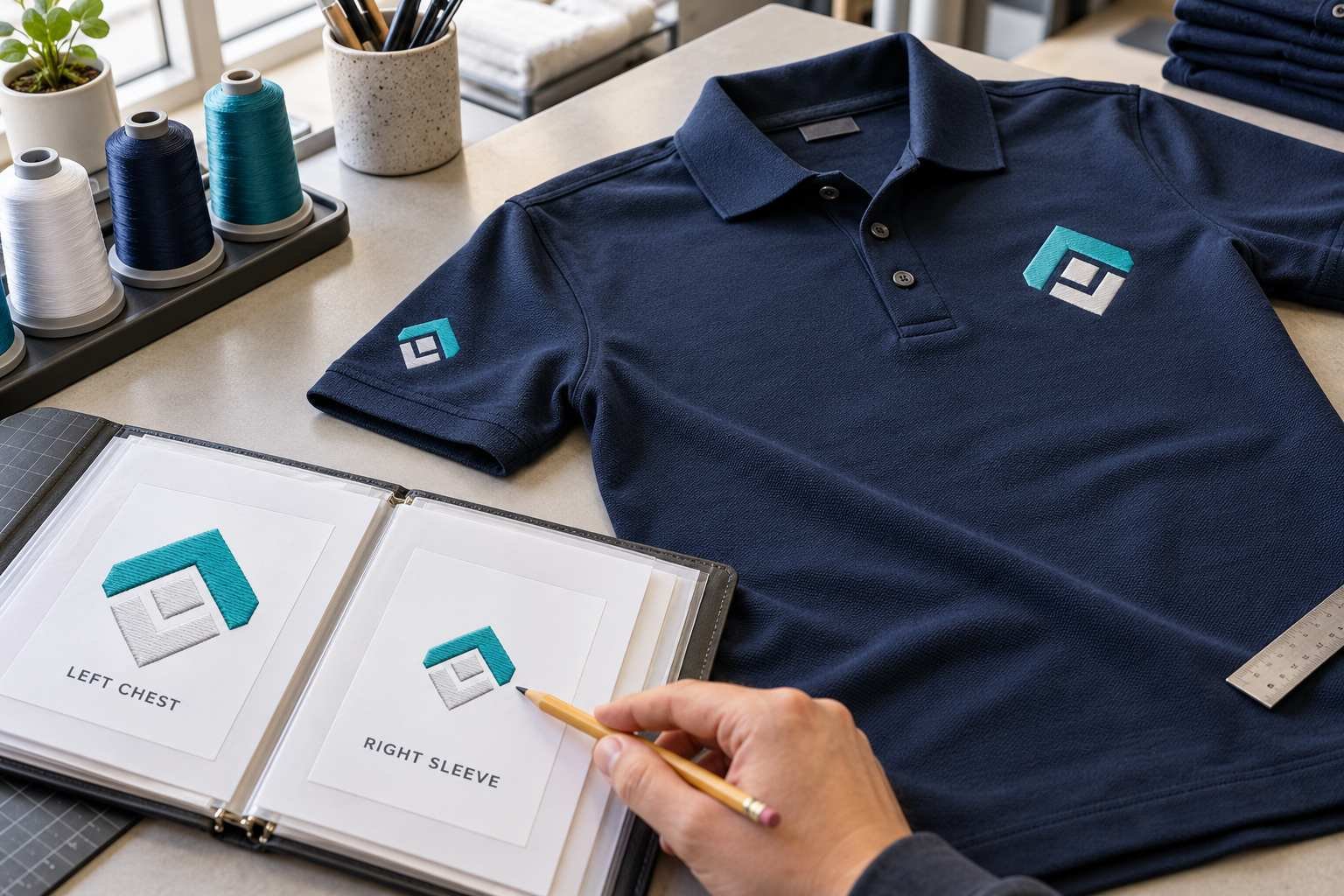
A uniform with a chest logo and a sleeve emblem needs a clear brief for each position. Sending both images with the instruction “embroider these on our shirts” leaves too much undecided: the sizes, which artwork goes where, and whether each area can be held securely for stitching.
Request the job as one uniform order with two clearly labelled placements. Give each placement its own artwork, finished dimensions, and production instructions. Separate machine files are usually the practical choice because each area is framed and stitched separately. Here is how to prepare a request that your digitizer and embroidery operator can both follow.
Define Both Locations From the Wearer’s Perspective
Start by naming the positions precisely: left chest and right sleeve, for example, or left chest and upper back. Left and right should refer to the person wearing the uniform. A photograph viewed from the front reverses those sides, so an unlabelled mockup can cause confusion.
Attach a garment photograph with the two areas marked. Show nearby pockets, seams, buttons, or zippers. The embroidery operator should confirm that each area is accessible and that the proposed design fits within the usable stitching space. A sleeve may be awkward to frame even when the artwork itself is small enough.
If placement needs to match existing uniforms, include a photograph and measurements from a clear reference, such as a pocket edge. Specify whether measurements refer to the design’s center or edge. This makes repeat placement easier to check.
Send Separate Artwork and Dimensions for Each Position
Label attachments clearly, such as “chest logo” and “sleeve emblem.” Send the original artwork when available, or the clearest image you have. Include a written copy of any wording so the digitizer can check spelling rather than interpret blurred letters.
State the finished width or height for each design, with the unit of measurement. If you specify both dimensions, make clear whether the original proportions must be maintained. Avoid instructions such as “standard chest size” because suitable dimensions depend on the logo and garment.
Even when both placements use the same logo, list their sizes separately. Shrinking a chest design for a sleeve can crowd letters and fine details. The digitizer may need to adjust the smaller version rather than simply scale the existing machine file. Approve any simplified artwork before it is digitized.
Describe the Garment and Each Stitching Area
Include the garment brand, style, fabric composition, color, and size range. “Navy polyester polo” is more helpful than “uniform shirt”; adding the product reference gives the operator something specific to check.
Mention whether the fabric stretches, has a textured surface, or includes a lining. A chest panel and a sleeve can present different practical conditions because of seams, available space, and how they are held during stitching.
Embroidery digitizing services need these details to plan stitches for the intended material. Also tell the provider whether the same designs will be used on jackets or other uniform styles. A file approved for one fabric should be reviewed before it is used on a different garment.
Agree on Colors and Employee Name Variations
List the thread colors for each placement. If both logos must match, say so explicitly. Provide the thread brand and color numbers when your shop has already selected them. A screen image is a useful reference, but it cannot confirm the exact shade of physical thread.
Send the color list with the files, even if a preview already shows those shades. The operator needs the agreed thread references at the machine, especially when different people prepare and run the job.
For a company logo on one side and employee names on the other, send a checked name list. Confirm capitalization, font style, letter height, and alignment. Ask how longer names will fit the available space. Keeping every name at the same width can make longer names noticeably smaller, so agree on the approach before files are prepared.
Confirm the Files, Quote, and Delivery Details
Tell the digitizer your machine model, required file format, and available sewing area for each placement. If another shop will stitch the uniforms, ask that shop to confirm these requirements first.
Request clearly named files for both locations and a worksheet showing dimensions, stitch count, and thread sequence. For example, “Company_LeftChest_90mm” is easier to identify than “Logo_Final2.” Ask whether an editable source file is included for future changes.
Two placements do not automatically mean one combined embroidery file. Combining designs only makes sense when the production setup can stitch them together within one accessible sewing area; confirm this with the operator.
Ask the quote to identify both placements, any artwork adjustments, and any employee name versions. Confirm the revision terms and deadline, allowing time for sampling before the uniform production date.
Use a Brief That Keeps Both Placements Together
A request can be short without leaving out the important details. For example:
“Please prepare two separate embroidery files for navy polyester polos, style ABC123, sizes S–3XL. Placement one is the wearer’s left chest: attached company logo, 90 mm wide, with proportions preserved. Placement two is the wearer’s right sleeve: attached emblem, 55 mm wide, with proportions preserved. Both use the attached thread color list. Our operator has confirmed access and the available sewing areas. We need DST files and worksheets for each placement. Please flag any details that need simplifying, confirm the total price and revision terms, and deliver by October 20 so we can test before production.”
The dimensions are examples, not standard sizes. Your operator should confirm measurements for the actual garments before you send the request.
Approve Both Samples Before Starting the Batch
Review each digital proof for spelling, proportions, dimensions, and colors. Then have your embroidery shop stitch both designs on a sample of the intended uniform. A digital preview cannot show how fabric will move or how lettering will look in thread.
Check each design closely, then view the complete garment. Look for readable text, clean edges, fabric puckering, and balanced placement. If something needs correction, send clear photographs and identify the affected location. Include the backing, thread, and machine setup so the provider can help assess the cause.
Keep the approved files, worksheets, and placement photographs together for reorders. When requesting embroidery digitizing services from BitsNPixs, send both placement briefs together so the chest and second location can be reviewed as one uniform job.
Tags : .....