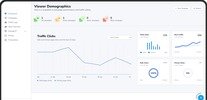
A school LMS should provide the core tools schools need to manage digital learning, including course creation, student progress tracking, assessments, cohorts, live classes, staff management, and administrative controls. For schools comparing K-12 LMS platforms, the priority should be features that support everyday teaching and school operations.
What Are The Essential Features Of A School LMS?
The essential features of a school LMS include course management, learning progress tracking, assessments, cohort management, live classes, staff management, and administrative controls. These features connect teaching activities with the administrative processes needed to manage digital learning across a school.
How Does Course Management Work In A School LMS?
Course management allows teachers and administrators to create, organize, preview, and publish learning content from one platform. A useful school LMS should support the content formats teachers already use, including files, videos, links, and interactive content.
Schools should look for tools that make it possible to:
- Create and organize courses
- Add different types of learning content
- Preview courses before publishing
- Publish learning material for students
- Manage courses from a central platform
This gives teachers a structured environment for delivering digital learning.
How Does A School LMS Track Student Progress?
Student progress tracking gives teachers and administrators visibility into learning activity and course progress. This can help schools monitor participation and understand how students are progressing through their assigned learning.
Progress tracking is particularly useful when schools need to manage learning across multiple classes, courses, or student groups.
What Assessment Features Should An LMS Have?
An LMS for schools should provide assessment tools that allow teachers to evaluate student learning and give administrators visibility into assessment performance.
Depending on the platform, assessment workflows can include:
- Creating assessments
- Adding questions and sections
- Providing multiple-choice options
- Allowing teachers to grade student work
- Allowing students to view their grades
- Giving administrators access to assessment-performance data
Schools should evaluate assessment functionality against their existing teaching and evaluation processes.
Why Is Cohort Management Important For Schools?
Cohort management helps schools organize students into groups and assign courses or learning programs according to their class or learning structure.
A school LMS may allow administrators to:
- Create and view cohorts
- Add students to cohorts
- Set cohort dates
- Assign courses
- Assign course bundles
This can reduce repetitive administrative work when the same courses need to be assigned to specific groups of students.
Should A School LMS Support Live Classes?
Schools that use synchronous learning should consider an LMS with live-class scheduling and student access features. The platform should make it straightforward to schedule sessions and provide students with the information they need to join.
Useful capabilities can include:
- Scheduling live classes
- Creating recurring events
- Adding meeting links
- Sending reminders
- Managing time zones
- Allowing students to view and join scheduled sessions
What Staff Management Features Should Schools Look For?
Staff management features help administrators manage teachers and other school staff within the LMS. Schools should consider how easily administrators can organize staff roles and control access to different parts of the learning environment.
Role-based access can be particularly important because administrators, teachers, and students have different responsibilities within the platform.
What Administrative Features Should A School LMS Include?
Administrative controls allow schools to manage the LMS environment, users, courses, and school-level settings from a central location.
When evaluating an LMS, schools should examine:
- User and staff management
- School-level settings
- Administrative controls
- Dashboard layouts
- Course administration
- Access and role management
These controls form the operational layer behind the school's digital learning environment.
What Learning Insights Should A School LMS Provide?
Learning insights can help schools identify strengths, risks, weak areas, and learning trends using available learning and assessment data.
For example, an LMS may provide insights that help users understand:
- Areas where students are performing well
- Areas requiring additional attention
- Learning trends
- Evidence supporting identified areas
- Suggested next steps based on available data
The value of these insights depends on the quality and relevance of the underlying learning data.
Should A School LMS Include AI Features?
AI features can support specific learning and administrative workflows, but schools should evaluate them based on their actual use cases rather than treating AI as a requirement by itself.
For example, some LMS platforms provide AI-assisted course creation, AI-generated course covers, contextual learning queries, or AI-supported rich-text creation.
Schools should ask what the AI actually does, what data it can access, and which users can use each capability.
How Should Schools Evaluate LMS Features?
Schools should evaluate LMS features against their actual teaching, learning, and administrative workflows instead of choosing a platform based on the size of its feature list.
A practical evaluation should cover:
- Course creation and content
- Student learning and progress
- Assessments and grading
- Cohort management
- Live classes
- Teacher and staff management
- Administrative controls
- Learning insights
- AI capabilities where relevant
- User experience for administrators, teachers, students, and parents
The goal is to identify which features the school needs now, which may become useful later, and which are unnecessary for its operating model.
What Makes A School LMS Suitable For K-12 Education?
A K-12 LMS should support the different workflows of school administrators, teachers, students, and other relevant users while keeping learning and administration connected.
For schools comparing K-12 LMS platforms, feature availability is only one part of the decision. Schools should also consider usability, user roles, scalability, implementation requirements, and how well the platform fits their existing learning processes.
What Features Should Schools Prioritize In An LMS?
Schools should prioritize features that directly support course delivery, student learning, assessment, progress tracking, group management, live learning, and administration. The right combination will depend on the school's size, teaching model, digital maturity, and operational requirements.
Rather than selecting an LMS because it offers the most features, schools can create a requirements checklist and test each platform against the workflows their teachers, students, and administrators actually need.
Tags : .....