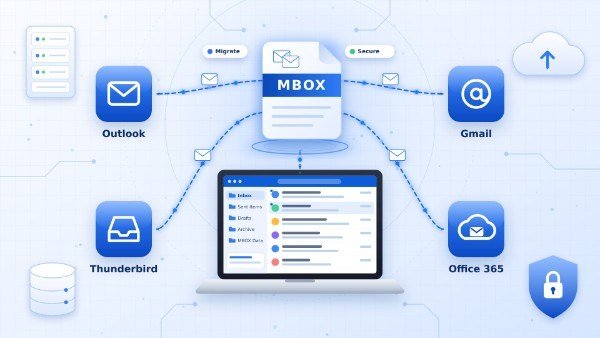
Email data can remain stored for years, especially when users keep old messages for records, reference, or backup purposes. One format commonly found in email archives is MBOX. It is used by several email applications and services for keeping multiple messages together in a mailbox file.
But when users change email platforms, simply having an MBOX file is not always enough. Understanding how these files store messages, how they can be accessed, and when migration is required can make email management much easier.
What Is an MBOX File?
MBOX is a mailbox storage format designed to keep multiple email messages in a single file. Instead of creating a separate file for every message, the emails are stored sequentially within the mailbox. A separator line is used to identify where one message ends, and another begins.
This approach makes MBOX useful for email archiving and transferring collections of messages. Depending on the application, MBOX data may be created or exported by programs such as Thunderbird and Apple Mail, while services such as Google Takeout can also provide mailbox data in MBOX form.
How Is Email Stored in MBOX?
An MBOX file can contain the important parts of an email, including headers, message content, and MIME-encoded attachments. Since several messages are kept together, a single file can represent an entire email folder rather than just one message.
This structure is convenient for keeping an archive in one place. However, it can become less convenient when someone needs to work with individual messages or move the entire collection into an application that uses a different storage format.
How Can MBOX Files Be Accessed?
MBOX files are generally accessed through an email client or a compatible mailbox-viewing application. The exact process depends on where the file originated because different programs may organize their MBOX data differently.
For example, an exported mailbox may not always look like a normal document that can simply be opened by double-clicking. In some cases, the file needs to be imported into a compatible email application before the stored messages can be viewed properly.
Why MBOX Migration May Be Required
The need for migration usually appears when users move from one email environment to another. A person may have years of archived messages in MBOX but decide to use Microsoft Outlook for everyday email management.
MBOX and PST are built differently. PST is Outlook's proprietary storage format and can contain email along with other Outlook data such as contacts, calendars, tasks, and notes. Because of this structural difference, changing the file extension is not a genuine conversion method.
For users moving a large mailbox collection, a dedicated conversion application such as PCDOTS MBOX to PST Converter can provide a more direct way to prepare MBOX email data for Outlook.
Things to Consider Before Migration
Before starting an MBOX migration, it is useful to make a backup of the original files. This provides a safe copy if something goes wrong during the process.
Users should also check:
- Whether all required MBOX files are available
- The approximate size of the mailbox data
- Whether folder organization needs to be retained
- Whether attachments are present
- Whether the converted data opens correctly in the destination application
Testing a smaller mailbox first can also help identify compatibility or formatting issues before processing a large archive.
Final Thoughts
MBOX remains useful for storing and exchanging collections of email messages, but its usefulness depends on the application in which the data needs to be accessed. When moving archived messages to another platform, understanding the source format and the destination requirements is an important first step.
A planned migration, proper backup, and post-conversion verification can help users keep their email archives organized and accessible for future use.
Tags : MBOX file Access MBOX files