How OCR Helps Local Businesses Turn Paper Records Into Searchable Digital Files
By kayohaf 18-06-2026 125
Walk into almost any local business, and you will find paper somewhere. It may be stacked behind the counter, clipped inside a folder, stored in a drawer, or packed away in old cartons “just in case” it is needed later. A repair shop may have handwritten job cards. A restaurant may have supplier bills. A small clinic may have patient intake forms. A real estate office may have rental agreements and inquiry sheets. A local retailer may have purchase receipts, stock notes, delivery slips, and customer order forms.
Paper has always been part of business. It is simple, familiar, and easy to use in the moment. The trouble starts later, when a business owner or employee needs to find something quickly.
Where is that old invoice from March? Which customer ordered the spare part last month? What was written on that complaint form? Which supplier gave the better rate? Where did we keep the signed copy of that agreement?
When records are only available on paper, answering these questions can take minutes, hours, or sometimes the whole afternoon. This is exactly where OCR can help local businesses.
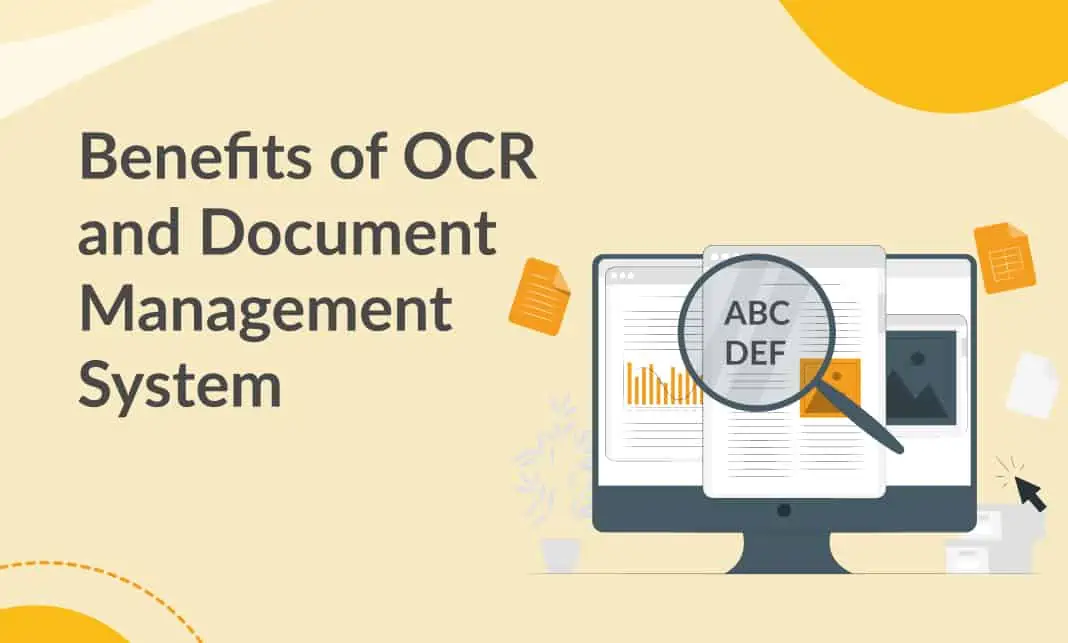
OCR, short for optical character recognition, is a technology that reads text from images, scanned documents, and photos, then converts that text into editable and searchable digital content. In simple words, OCR helps turn a picture of a document into text that a computer can understand.
For local businesses, this can be a quiet but powerful change. It does not require changing the whole business overnight. It simply helps owners move from piles of paper to organized digital files that are easier to search, store, share, and manage.
Why Paper Records Become a Problem Over Time
At the beginning, paper feels manageable. A new business may only have a few receipts, a small customer register, and a handful of supplier bills. But as the business grows, paper grows with it.
A restaurant that receives five supplier invoices a day may have over a thousand paper bills in a year. A salon may collect appointment cards, consent forms, membership details, and payment notes. A small repair business may write job cards for every customer and every device. A property office may collect copies of IDs, agreements, payment receipts, and inspection notes.
The issue is not just storage. The bigger problem is access.
Paper records cannot be searched the way digital files can. If an owner remembers a customer’s name but not the date, they may have to check several files manually. If a tax consultant asks for all expense receipts from a certain month, someone has to sit and sort through physical documents. If a customer calls asking about an old order, staff may have to put them on hold while they search through drawers.
This slows down the business. It also increases the chance of mistakes. Papers can be misplaced, damaged, mixed up, or thrown away by accident. Ink can fade. Receipts can become unreadable. Handwritten notes can be misunderstood.
A small business may not notice this problem every day, but it becomes very clear during tax season, audits, customer disputes, stock checks, or staff changes.
How OCR Turns Paper Into Searchable Files
OCR gives local businesses a practical way to digitize their records. The process is not complicated.
First, the paper document is scanned or photographed. This could be done using a scanner, a smartphone camera, or a document scanning app. Then the image is processed through an OCR tool. The tool identifies the text in the image and converts it into digital text. Once that text is extracted, the business can save it in a document, spreadsheet, PDF, database, or cloud folder.
The biggest benefit is searchability.
For example, imagine a local electronics repair shop. The shop has hundreds of paper job cards. Each card includes the customer’s name, phone number, device model, problem description, repair cost, and delivery date. Without OCR, finding a specific job card means manually checking files. With OCR, those job cards can be converted into searchable digital records. The owner can search by customer name, device model, date, or even a keyword like “battery” or “screen.”
That one change can save a lot of time.
The same idea applies to many types of businesses. A grocery store can search supplier bills. A clinic can search patient form details. A real estate agent can search tenant names and property addresses. A restaurant can search purchase records. A legal services provider can search case documents. A freelancer can search contracts and receipts.
OCR does not just store the document as an image. It makes the information inside the document easier to find.
Local Businesses Do Not Need a Big Digital Transformation
Many small business owners hear words like “digital transformation” and immediately think it sounds expensive, technical, or meant only for large companies. But using OCR does not have to be a huge project.
A local business can begin with one type of document.
For example, a business owner might start with invoices only. They can scan or photograph the invoices they receive each week, use OCR to extract the text, and save the files by month. Later, they may add customer forms, receipts, contracts, or old records.
This step-by-step approach works better than trying to digitize everything at once. It is more realistic for a busy business where the owner is already handling customers, staff, suppliers, payments, and daily problems.
A simple workflow might look like this:
At the end of each day, collect all important paper documents. Take clear photos or scan them. Run them through an OCR tool. Save the extracted text or searchable document in the correct folder. Name the file properly, such as “Supplier Invoice - ABC Traders - March 2026” or “Customer Order - Ali Khan - 12 June 2026.” Keep the original paper only if it is legally required or important.
Once this becomes a habit, digital record-keeping becomes much easier.
Where OCRnest.com Fits Into the Process
For many local business owners, the main concern is simplicity. They do not want a complicated system that requires technical knowledge. They want a practical way to convert paper records into usable digital text.
This is where a platform like OCRnest can fit naturally into the daily workflow. A shop owner, accountant, consultant, or office assistant can use OCRnest.com to extract text from scanned documents or photos, then organize that information into searchable files. Instead of typing invoice details, customer notes, or form data manually, they can use OCR as a starting point and then quickly review the extracted content for accuracy.
The important thing is that OCRnest.com should be treated as a tool that saves effort, not as a replacement for good record management. The business still needs proper file names, folders, backups, and review habits. But OCR can remove one of the most tiring parts of the job: manually copying text from paper.
For a small business, saving even 20 or 30 minutes a day on document handling can make a real difference over a month.
Business Records That Can Be Digitized With OCR
OCR can be useful for almost any paper record that contains readable text. Some common examples include invoices, receipts, customer forms, order slips, quotation forms, delivery notes, purchase orders, contracts, handwritten notes, inspection reports, stock sheets, attendance records, feedback forms, warranty cards, and service job cards.
A restaurant can use OCR to manage supplier invoices, kitchen inventory sheets, and daily purchase records. A salon can digitize appointment cards, client preference notes, and consent forms. A clinic can convert intake forms and appointment records into searchable files. A real estate office can organize rental applications, lease details, and property visit notes. A local manufacturer can digitize dispatch records, quality control sheets, and purchase orders.
Even customer feedback forms can become more useful with OCR. Many businesses collect feedback on paper but never properly analyze it. Once the comments are converted into digital text, the business can search for repeated words like “late,” “expensive,” “friendly,” “clean,” or “quality.” This can help the owner understand what customers are repeatedly praising or complaining about.
Paper feedback sitting in a drawer is easy to ignore. Searchable feedback can guide better business decisions.
Better Customer Service Through Faster Access
Customers often judge a business by how quickly and confidently it responds. If a customer calls about an old order and the staff cannot find the record, it creates frustration. If the business can quickly search and confirm the details, the customer feels taken seriously.
OCR helps improve this part of customer service.
For example, a repair shop can quickly check what work was done on a customer’s phone three months ago. A furniture store can find the size and color of a customer’s previous order. A clinic can locate a registration form without searching through physical files. A service provider can check old complaints and see how they were resolved.
This faster access is not just convenient. It helps build trust.
Local businesses often depend on repeat customers. When customers feel that a business remembers their details and handles their records properly, they are more likely to return.
OCR Can Also Help With Accounting and Tax Preparation
Accounting is one of the biggest reasons businesses need organized records. During tax season, missing receipts and unclear invoices can create unnecessary stress. Business owners may have to search through bags, folders, drawers, and old boxes to find the right documents.
OCR can make this process smoother.
When invoices and receipts are digitized regularly, they are easier to sort by month, supplier, category, or amount. Accountants can review records faster. Business owners can find proof of expenses when needed. If there is ever a dispute or audit, searchable digital records can reduce panic.
This does not mean every OCR file will automatically be perfect. Numbers, dates, tax amounts, and names should always be checked. But even with review, OCR is usually faster than typing everything manually or searching through piles of paper at the last minute.
Accuracy Still Matters
OCR is helpful, but it is not magic. The quality of the result depends heavily on the quality of the original document image.
If the photo is blurry, tilted, too dark, or has shadows, OCR may misread some words. Handwriting can also be more difficult than printed text. Numbers may sometimes be confused, especially if the document is unclear.
That is why businesses should build a simple checking habit. After extracting text, review important details such as names, phone numbers, invoice numbers, dates, prices, quantities, and addresses. For legal, financial, or customer-sensitive records, this review step is essential.
Good scanning habits also improve OCR accuracy. Place the paper on a flat surface. Use good lighting. Avoid shadows. Keep the camera straight. Make sure the whole document is visible. For long-term use, scan important papers before they become damaged or faded.
A clear image produces better digital text.
Privacy and Security Should Not Be Ignored
Business documents often contain sensitive information. Customer names, phone numbers, addresses, payment details, ID copies, medical information, legal papers, and contracts should be handled carefully.
Before digitizing documents, business owners should decide who can access the files and where they will be stored. Not every employee needs access to every record. Files should be organized in secure folders, and important data should be backed up safely. If documents include private customer details, the business should avoid sharing them casually through personal messaging apps or unsecured devices.
OCR makes information easier to access, which is useful, but that also means businesses need to be responsible with access.
Good digital organization should always include privacy.
Start Small and Build the Habit
The best way for a local business to begin with OCR is to start small. Choose one document type that causes the most trouble. It might be invoices, customer forms, receipts, or job cards. Digitize only that category for a few weeks. Create a simple folder structure. Test how easy it is to search for old records. Then improve the process.
There is no need to scan ten years of records in one weekend. A better approach is to begin with today’s paperwork and slowly work backward when time allows.
Over time, the business will start to feel the difference. Less paper clutter. Faster searches. Easier accounting. Better customer follow-ups. More organized records. Fewer lost documents.
For a local business, these small improvements matter.
Final Thoughts
Paper records are not going away completely, especially for local businesses that deal with walk-in customers, suppliers, delivery staff, forms, and signed documents. But paper does not have to stay trapped in files and drawers.
OCR gives business owners a practical bridge between traditional paperwork and modern digital record-keeping. It allows them to keep using paper when needed, while still turning important information into searchable digital files.
A local business does not need a large IT team or expensive system to begin. It needs clear photos or scans, a reliable OCR process, sensible file organization, and a habit of checking important details. Tools such as OCRnest.com can make the text extraction step easier, especially for businesses that want to reduce manual typing and organize their documents more efficiently.
In the end, OCR is not just about technology. It is about saving time, finding information faster, serving customers better, and giving business owners more control over their records. For small and local businesses, that can be a very valuable advantage.
Tags : Local Businesses business