GainTools Split PST Software Review: Performance, Features, Pros & Cons
By Brandonswilliam 01-10-2026 5
Summary
Large Outlook PST files can be difficult to manage, especially when a mailbox contains years worth of emails, attachments, contacts, calendars and other Outlook items. You can also break down a large PST into smaller files, making it easier to organize and manage mailbox data. GainTools Split PST Software is designed for this purpose and offers several splitting options such as size, folder and year.
Here in this in-depth review, we cover its features, performance, compatibility, splitting options, usability, pros and cons and the complete process of PST file splitting.
What Is Split PST Software?
GainTools Split PST is a Windows based application to split huge Outlook PST files into smaller PST files. The vendor says it supports ANSI and Unicode PST files, and PST files created with Outlook versions 2003 through 2016.
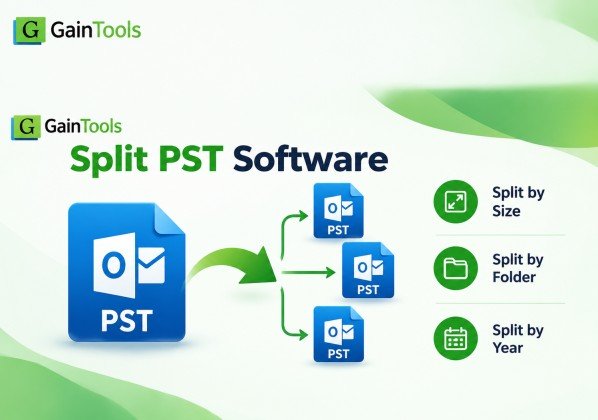
The software offers 3 main methods for splitting PST data:
- Divide PST by Size
- Split PST by Folder
- Split PST According To Year
This provides users a bit of flexibility in how they want their mailbox divided.
Split PST Key Features
1. Divide PST by Size
With the size-based option, users can enter the desired size in MB or GB. The software then splits the selected PST with the size specified. This can come in handy when you need to split an oversized PST into manageable parts.
2. Divide PST by Folder
You can choose folders like Inbox, Contacts, Sent Items, Outbox, Notes or any other PST folders available to split. This option might be useful if you want to organize mailbox information into folder categories.
3. Split PST Per Year
The option based on year separates PST data by the date/year that you select. This can be helpful for users who have accumulated many years of email data and want to split older and newer messages into separate PST files.
4. ANSI and Unicode PST Compatibility
GainTools states that the software supports the ANSI and Unicode PST formats. This provides support for PST files created by different generations of Microsoft Outlook.
5. PST Previewing
Once a PST file is added, the users can view the available data and then select a method for splitting. This makes it possible to check the mailbox structure before starting the operation.
6. Clean interface
The application has a simple and wizard based workflow. The users can add PST file, browse the PST file contents, select the splitting method, choose the output location and start the process without any technical skills.
Performance Test
Performance in a typical PST splitting workflow depends on various parameters, such as PST size, number of emails, attachments, the splitting method you choose, and the configuration of your computer.
As expected, the processing time for larger PST files will be different as the program has to read and split the data from the mailbox before it generates the output PST files.
Accuracy of Data
Splitting PST files is only useful if the files resulting from the split are usable and if the original mailbox information is retained. GainTools claims that their Split PST tool is capable of splitting PST file without damaging or corrupting data.
However, users need to check the output PST files after processing, especially when working on important business or archival email data.
How to Split PST Files with : Step by Step Instructions
It’s a pretty straightforward process.
Step 1: Download and install software
Download GainTools Split PST Software and install it on your Windows machine. Install the application and then open it.
Step 2: Add PST file
Click the Browse button and choose the Outlook PST file which you want to split.
Select the needed PST file and import it in the app.
Step 3: View PST Data Files
Once the PST file is loaded, the software displays the available mailbox data. Review the folders and information and continue.
This confirms that the right PST file has been chosen.
Step 4: Select the splitting method
GainTools has three major options:
Sorted by size: select the needed size in MB or GB.
Split By Folder Select the folders you want to split.
Split by Date/Year: Select the appropriate date/year settings to separate older mail and newer mail data.
Choose the option that suits your need.
Step 5: Choose Output Location
Click on Browse button and choose a destination folder to save the newly created PST files.
Pick somewhere with loads of free storage space.
Step 6: Begin the splitting process
Select your split method and output folder and then click Split Now.
The software starts processing of the selected PST and creates the split PST files at the required destination.
Step 7: Confirm the Generated PST Files
Check the created PST files by opening the output folder after the process finishes.
Make sure Outlook folders and messages contain the information you expect to see for important mailbox data.
Free Trial and System Requirements
The current GainTools page lists the software as version 1.2 and offers a free trial. The trial can be used to test splitting 10 emails from each split PST folder. The full price of the license is $39 for a lifetime license.
Current system info is:
- Simple, intuitive interface
- PST Splitting Support by Folder and Year and Size
- Supports ANSI and Unicode PST files.
- Compatible with PST files from multiple Outlook versions
- Preview of available PST data
- light app for windows
- Allows to choose an output location
- Free trial available for evaluation purpose
Cons
- Windows only application
This software is useful for Outlook users who:
- Possessing an oversized PST file
- Need to split data of mailbox by year
- Need to split certain PST folders
- I want to split a PST by file size
- Need a simple PST splitter utility for Windows
- ANSI and Unicode PST file handling
This is especially helpful for users who prefer a dedicated PST-splitter workflow rather than manually moving mailbox items among multiple Outlook data files.
Final Word
GainTools Split PST Software is a standalone solution to split large Outlook PST file into smaller parts. The three splitting methods of the tool i.e. size, folder and year give users a practical control over the organization of their mailbox data.
The simple interface, ANSI/Unicode support, PST preview and Windows compatibility make the workflow pretty simple. However, the existing tool can process only a single PST file at a time. Also, it does not support corrupted PST files.
More info:-
Tags : Split PST