Ethernet Cables Explained: Connecting Device With Male or Female Connector
By FEDUS INDIA 07-09-2026 13
Introduction
In today's connected world, reliable internet and network connectivity are essential for homes, offices, educational institutions, and businesses. From computers and smart TVs to gaming consoles and security cameras, many devices depend on a stable network connection. Ethernet cables play an important role in providing fast and reliable wired connectivity between these devices.
But what exactly is an Ethernet cable? What is the difference between male and female Ethernet connectors? And how do you use them to connect different devices?
This guide explains Ethernet cables in detail, including their types, connectors, applications, wiring, and the right way to connect network devices.
What Are Ethernet Cables?
An Ethernet cable is a networking cable used to connect devices within a Local Area Network (LAN). It transfers data between devices using twisted pairs of copper wires. Some modern networking technologies also use fiber-optic cables for long-distance and high-speed communication.
Ethernet cables are commonly used to connect computers, routers, network switches, printers, smart TVs, gaming consoles, CCTV systems, and other network-enabled devices.
Compared with wireless connections, a wired Ethernet connection can provide consistent performance, lower latency, and reliable data transmission, making it particularly useful for gaming, streaming, office networking, and other applications where stable connectivity is important.
Types of Ethernet Cables
Ethernet cables are available in different categories. Each category offers different levels of speed, bandwidth, shielding, and performance.
Category 5e (Cat5e)
Cat5e is an improved version of the older Cat5 standard and is widely used for home and office networking.
Supports Gigabit Ethernet speeds of up to 1 Gbps.
Can support connections up to 100 meters under appropriate conditions.
Offers better resistance to interference than older Cat5 cables.
Suitable for general internet browsing, office networking, and home connections.
Category 6 (Cat6)
Cat6 cables provide better performance and higher bandwidth than Cat5e.
Supports speeds up to 10 Gbps over shorter distances, typically up to 55 meters depending on installation conditions.
Designed to reduce crosstalk and interference.
Suitable for high-speed home networks, offices, gaming, and CCTV installations.
Available in both shielded and unshielded versions.
Category 6A (Cat6A)
Cat6A is an enhanced version of Cat6 and is designed to provide 10 Gbps performance over distances up to 100 meters.
Supports 10 Gbps Ethernet up to 100 meters.
Provides improved protection against crosstalk and electromagnetic interference.
Suitable for demanding business networks and infrastructure installations.
Useful where higher bandwidth and longer-distance 10 Gbps connectivity are required.
Category 7 (Cat7)
Cat7 cables are designed for high-performance networking applications.
Supports up to 10 Gbps Ethernet.
Offers enhanced shielding to reduce interference.
Suitable for demanding networking environments.
Often used in professional, enterprise, and data-intensive applications.
Category 8 (Cat8)
Cat8 is designed for very high-speed networking, particularly in data centers and specialized environments.
Supports speeds of up to 25 Gbps and 40 Gbps over short distances.
Designed for high-bandwidth applications.
Provides strong shielding and interference protection.
Generally used for data centers, server rooms, and advanced network infrastructure rather than typical home networks.
Male and Female Ethernet Connectors
Understanding male and female connectors is important when setting up, extending, or troubleshooting a wired network.
What Is a Male Ethernet Connector?
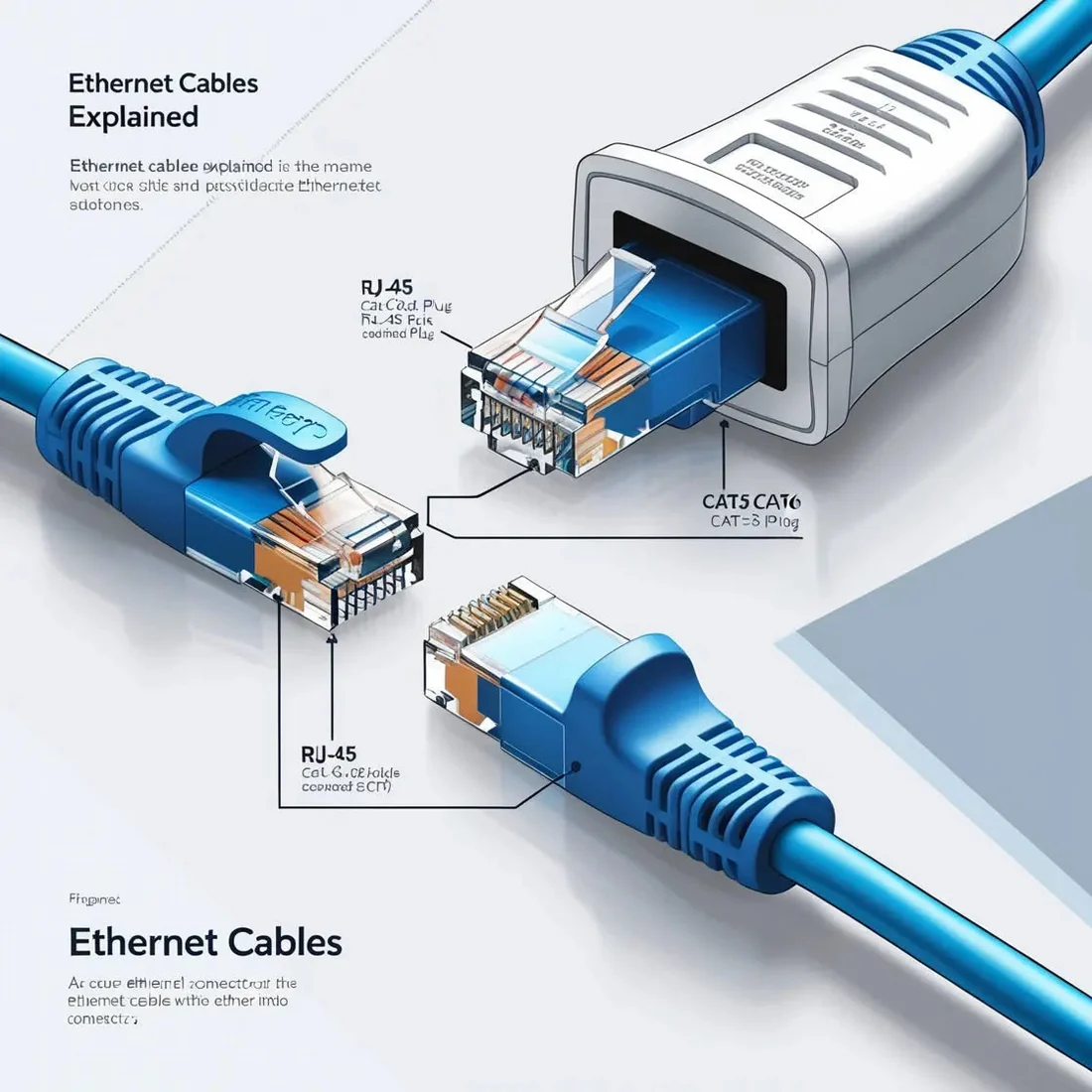
The male Ethernet connector is the plug attached to the end of an Ethernet cable. It is commonly referred to as an RJ45 plug.
An RJ45-style Ethernet plug contains eight contact positions that connect with the corresponding contacts inside an Ethernet port.
Structure of a Male Connector
A typical Ethernet plug has:
A compact rectangular housing.
Eight electrical contacts.
A locking clip that helps secure the connector inside the port.
Wire contacts arranged according to a recognized Ethernet wiring standard.
Function of a Male Connector
The male connector is inserted into the Ethernet port of a compatible device, wall outlet, patch panel, coupler, router, or switch.
For example, one end of an Ethernet cable may connect to a router while the other end connects to a computer.
What Is a Female Ethernet Connector?
A female Ethernet connector is the socket or port that receives the male Ethernet plug.
Female Ethernet ports are commonly found on:
Routers
Network switches
Desktop computers
Laptops with Ethernet ports
Smart TVs
Gaming consoles
Patch panels
Wall network outlets
Ethernet couplers
Features of Female Connectors
A female Ethernet port contains internal contacts designed to connect with the contacts on the male plug.
Female connectors can be integrated into networking equipment or installed separately in wall plates, patch panels, and couplers. They provide a convenient and organized way to create network connections.
How to Connect Devices Using Male and Female Ethernet Connectors
Connecting devices with an Ethernet cable is relatively simple. The important thing is to identify the correct ports and make sure the connectors are securely inserted.
1. Identify the Ethernet Ports
First, locate the Ethernet ports on the devices you want to connect. Most compatible devices have a rectangular RJ45 Ethernet port.
For example, you may find an Ethernet port on a router, computer, switch, printer, smart TV, or gaming console.
2. Connect the Ethernet Cable
Insert the male RJ45 plug on one end of the Ethernet cable into the female Ethernet port on the first device.
Connect the other end to the Ethernet port on the second device.
You should hear or feel the locking clip engage when the connector is inserted correctly.
3. Connecting Multiple Devices
If you need to connect several devices to one network, a network switch can be used.
For example:
Router → Ethernet Cable → Network Switch → Multiple Devices
Connect the router to the switch using an Ethernet cable. Then connect computers, printers, access points, CCTV equipment, or other compatible devices to the remaining ports on the switch.
4. Check the Network Connection
After connecting the devices, check whether the network connection is working.
You can test the connection by opening a website, checking network settings, transferring files, or accessing another device on the network.
If the connection does not work, check whether the cable is fully inserted and whether the Ethernet ports show a link or activity indicator.
Ethernet Cable Wiring Standards
Ethernet cables contain multiple twisted wire pairs. Correct wire arrangement is important when terminating a cable with an RJ45 plug.
Two commonly referenced wiring standards are:
T568A
T568B
These standards define the order in which the individual wires are arranged inside the connector.
T568B is widely used in many Ethernet installations, while T568A is also an accepted wiring standard.
Using the correct wiring arrangement helps ensure that the cable can establish a proper network connection.
Male-to-Female Ethernet Cables and Couplers
A male-to-female Ethernet cable can be useful in specific networking situations where a male RJ45 plug needs to connect to a female Ethernet socket.
Female-to-female Ethernet couplers can also be used to join two Ethernet cables together. This can be helpful when you need additional cable length without replacing an existing cable.
However, the quality and category of the cables and connectors should be compatible with the desired network speed.
Common Applications of Ethernet Cables
Ethernet cables are used in many different environments.
Home Networking
Ethernet cables can connect routers to desktop computers, smart TVs, gaming consoles, streaming devices, and other equipment.
Office Networking
Businesses use Ethernet cables to connect computers, printers, switches, access points, servers, and other network devices.
Gaming
Wired Ethernet connections are popular among gamers because they can provide stable connectivity and lower latency compared with congested wireless networks.
CCTV Systems
Ethernet cables are commonly used with IP cameras and network video recorders. Depending on the equipment, Ethernet may also carry electrical power using Power over Ethernet (PoE).
Data Centers
Higher-category Ethernet cables such as Cat6A, Cat7, and Cat8 can be used in suitable high-performance network infrastructure and data-center environments.
How to Choose the Right Ethernet Cable
Choosing the right Ethernet cable depends on your network requirements.
Consider Network Speed
For standard home and office connections, Cat5e and Cat6 are often sufficient. If you need higher bandwidth, Cat6A or higher-category cabling may be appropriate.
Consider Cable Length
For longer installations, select a cable category and network setup appropriate for the required distance.
Consider Interference
If the cable will run near electrical equipment or in an environment with significant electromagnetic interference, a shielded cable may be worth considering.
Consider Your Device
Check the Ethernet capabilities of your router, switch, computer, or other device. Using a higher-category cable does not automatically make a device operate faster than its network hardware supports.
Future of Ethernet Technology
Ethernet technology continues to evolve as demand for bandwidth increases. Cloud computing, smart homes, IoT devices, high-resolution video, gaming, artificial intelligence infrastructure, and data centers all require increasingly reliable and high-speed networking.
Higher-Speed Networking
Future Ethernet developments are expected to support increasingly higher data rates for specialized networking and data-center applications.
Improved Cable Materials
Advances in cable construction, shielding, connectors, and materials can contribute to improved durability, signal integrity, and installation flexibility.
Increased Power over Ethernet
Power over Ethernet is becoming increasingly useful for devices such as IP cameras, wireless access points, VoIP phones, and IoT equipment. PoE allows compatible Ethernet cabling to carry both network data and electrical power, helping simplify installations.
Conclusion
Ethernet cables remain an important part of modern networking. They provide reliable wired connections between computers, routers, switches, smart devices, CCTV systems, gaming equipment, and many other network-enabled products.
Understanding the difference between male and female Ethernet connectors makes it easier to install, extend, and troubleshoot network connections. Male connectors, commonly known as RJ45 plugs, connect to female Ethernet ports found on devices, wall outlets, patch panels, and networking equipment.
From Cat5e and Cat6 to Cat6A, Cat7, and Cat8, each Ethernet cable category is designed for different performance requirements. Choosing the appropriate cable depends on factors such as network speed, distance, interference, installation environment, and device compatibility.
Whether you are building a home network, upgrading an office, connecting a gaming setup, or installing professional networking equipment, selecting the right Ethernet cable and connector can help create a stable and dependable wired network.
Frequently Asked Questions (FAQs)
1. What is the difference between male and female Ethernet connectors?
A male Ethernet connector is the RJ45 plug attached to the end of a network cable. A female Ethernet connector is the socket or port that receives the male plug.
2. When should I use a male or female Ethernet connector?
A male RJ45 connector is generally used to terminate an Ethernet cable and connect it to a network port. Female connectors are commonly used in wall outlets, patch panels, couplers, and networking equipment.
3. How do I connect a device with an Ethernet cable?
Connect one end of the Ethernet cable to the Ethernet port on your router or switch and connect the other end to the Ethernet port on your computer, TV, gaming console, printer, or another compatible device.
4. Which type of connector does an Ethernet cable use?
Most conventional Ethernet cables use an RJ45-style modular plug. Common Ethernet cable categories include Cat5e, Cat6, Cat6A, Cat7, and Cat8.
5. What is an RJ45 female connector socket?
An RJ45 female connector socket is a network port designed to receive an RJ45 plug. It can be found on routers, switches, computers, wall outlets, patch panels, and other networking equipment.
6. What is an Ethernet cable female-to-female coupler?
A female-to-female Ethernet coupler connects two Ethernet cables by providing a female RJ45 socket at each end. It can be used to extend an existing Ethernet connection.
7. What is an RJ45 connector?
An RJ45 connector is a modular connector commonly used for Ethernet networking. It is used to connect network cables with compatible Ethernet ports on computers, routers, switches, CCTV equipment, and other devices.
8. What is the difference between RJ45 male and female connectors?
An RJ45 male connector is the plug that inserts into a network port. An RJ45 female connector is the socket that receives the male plug.
9. What is an Ethernet cable wiring diagram?
An Ethernet cable wiring diagram shows how the individual wires inside an Ethernet cable are arranged in an RJ45 connector. T568A and T568B are two commonly used wiring standards.
10. What is an Ethernet female connector used for?
Female Ethernet connectors are used for wall outlets, patch panels, couplers, networking equipment, and other installations where an RJ45 plug needs to be connected.
11. What is a 4-wire Ethernet cable wiring diagram?
A 4-wire Ethernet configuration uses two twisted pairs rather than all four pairs found in a typical Ethernet cable. Some Ethernet standards can operate using two pairs, while higher-speed standards generally require all four pairs.
12. What is a Cat6 Ethernet cable wiring diagram?
A Cat6 wiring diagram shows the correct arrangement of the eight conductors in an RJ45 connector according to the selected T568A or T568B standard.
13. What are the three main types of Ethernet cables?
Cat5e, Cat6, and Cat6A are three widely used Ethernet cable categories. They differ in bandwidth, performance, supported speeds, and recommended applications.
14. Is Cat5e or Cat6 better?
Cat6 generally provides greater bandwidth and better resistance to crosstalk than Cat5e. However, the better choice depends on your network requirements, equipment, installation, and budget.
15. What is RJ45 and Cat6?
RJ45 refers to the modular connector or port commonly used for Ethernet connections, while Cat6 refers to a category of Ethernet cable designed for higher-performance networking.
16. Is Cat6 or Cat8 better?
Cat8 supports significantly higher data rates over short distances and is mainly intended for specialized high-speed networking environments. Cat6 is generally more practical for most homes and offices.
17. What is an Ethernet cable used for?
An Ethernet cable is used to establish wired network connections between devices such as routers, computers, switches, smart TVs, gaming consoles, printers, and IP cameras.
18. Which is the best Ethernet cable for gaming?
A good-quality Cat6 or Cat6A cable is suitable for most gaming setups. The actual gaming performance also depends on your internet connection, router, network equipment, and server latency.
19. How can I identify an Ethernet cable type?
Look at the printing on the cable jacket. The cable category, such as Cat5e, Cat6, Cat6A, Cat7, or Cat8, is often printed directly on the outer covering along with other specifications.
20. How do I connect an Ethernet cable to a PC?
Insert one end of the Ethernet cable into the Ethernet port on your router or network switch. Connect the other end to the Ethernet port on your PC. The operating system should normally detect the wired network connection automatically.